
Artists with a dedicated drawing desk
You want to film your paper and hands from above without interrupting your drawing. So, pay attention to the framing, mounting and focus. MOJOGEAR outlines the practical essentials for filming from above.


Start with the mounting and framing: the paper, your hands and the lines you draw need to stay in shot and in focus throughout the demonstration. A webcam suits a fixed computer workstation, a compact standalone camera works well for a simple setup, and a mirrorless camera lets you choose a lens. Also check the power supply, storage and audio if you’re filming for longer or recording commentary.
You want to film your paper and hands from above without interrupting your drawing. So, pay attention to the framing, mounting and focus. MOJOGEAR outlines the practical essentials for filming from above.
You want to make materials, colours and fine lines visible, and be able to review or adjust the recording. Logitech and Sony describe features and lens choices that may be useful for this kind of control.
You want to record a longer drawing session, perhaps with spoken commentary. Think about power, storage and audio. MOJOGEAR and the Consumentenbond cover recording essentials and video audio.
| What to consider | What should you check? | Who is this important for? |
|---|---|---|
| Overhead view and focus | Make a test recording to check that the mount captures the whole sheet of paper and keeps the paper, your hands and your lines in focus. | If I want to show the entire drawing process steadily from above, my setup needs to capture my whole work surface. Around 36% of consumers put an overhead view first. |
| Colour and fine lines | Film using your usual materials and check the lighting, white balance and how clearly fine lines show up. | When I want the colour and detail in my portfolio to stand out, I want to assess the image using my own materials. Around 29% of consumers prioritise colour and fine lines above all else. |
| Recording time and audio | Check the power supply and storage for the full session, and test how clearly you can be heard if you speak while drawing. | If I want to record a full session with commentary, I don’t want the recording to stop halfway through or end up with unusable audio. Around 21% of consumers prioritise complete recordings and commentary. |
| Computer setup | Check that the webcam works with your computer and recording software, and that the image shows the entire drawing. | For anyone who wants to record at a fixed workstation and review footage directly on a computer, this connection is essential. Around 14% of consumers prioritise a computer-based workflow. |
A specification won’t tell you whether your work surface and movements will be clearly in shot.
First, frame the whole sheet of paper in a test shot and check the focus and lighting before comparing models.
You may also need a suitable mount and lighting for your setup.
Canon describes the PowerShot V10 as having a stand for certain tilt angles; DJI describes stabilisation for the Osmo Pocket 3. Neither feature on its own confirms that the camera can be mounted directly above your desk.
Check the reach above the paper, the mount, its load capacity and whether you can reach the controls.
You may need a separate mount that’s suitable for your setup.
If a recording stops or doesn’t save properly, parts of the demonstration could be missing. DJI states that the Osmo Pocket 3 uses an inserted microSD card for storage.
Before you start, record a short, complete scene and check the saved file and audio.
Depending on your setup, you may need a memory card, power solution or microphone.
The MX Brio webcam is designed for creators who work at a computer and want to show sketches on their desk.
The PowerShot V10 is a compact standalone camera for a simple setup.
The ZV-E10 II is a mirrorless camera for anyone who wants to choose an E-mount lens.
The Osmo Pocket 3 is a portable camera for anyone who wants to capture moving footage as well as a fixed demonstration.
The HC-VX3 is an example of a camcorder with integrated optical zoom.
This selection includes standalone cameras, a webcam for a computer workstation and a mirrorless camera, as well as portable cameras for capturing moving footage of your process.
 Image unavailable
The rotating lens and tripod may suit a compact standalone setup. Test whether your mount captures the whole sheet of paper.
The product name lists 4K, 64 MP, a 330° rotating lens, a 1.72-inch touchscreen and Type-C.
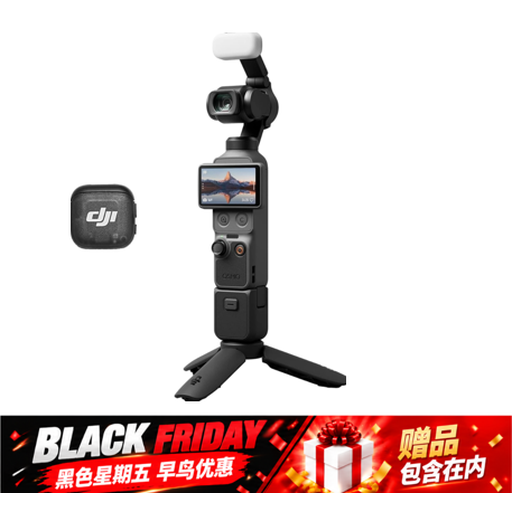 Image unavailable
If you want to capture moving footage of your process as well as a drawing demonstration, you could consider this portable gimbal camera. Check separately that your chosen setup shows the whole sheet of paper.
The product name lists a 1-inch CMOS sensor, 4K/240fps, 3-axis stabilisation, 2× lossless zoom, 14-stop dynamic range, 107 GB of built-in storage and a handle with a 1/4-inch thread.
 Image unavailable
A webcam could suit you if you want to record from a fixed computer workstation. Check beforehand that the stand shows the whole drawing.
The product name lists 4K UHD, 8 MP, autofocus, two built-in microphones, a privacy cover and EU Version, Black.
 Image unavailable
The included microphone may be useful if you want to record spoken commentary during a demonstration. Test how clearly you can be heard in your workspace.
The product name lists a 1-inch sensor, 4K/120fps, 3-axis stabilisation, face and object tracking, fast focus and an included microphone.
 Image unavailable
A mirrorless camera with a zoom lens could suit you if you want to adjust the framing of your work surface. Test the distance, focus and framing with your paper.
The product name lists the Sony ZV-E10 with a 16–50 mm zoom lens in Black.
Yes, a phone can be used to film from above. First, make a test recording with a sturdy overhead mount and check the framing, focus, lighting, storage and power. This doesn’t tell you anything about a specific phone model.
Not necessarily. Canon describes the PowerShot V10 as having a built-in stand for certain tilt angles, as well as a separate tripod mount. Check which mount will actually give you a clear view of your work surface.
Check the power supply and storage before the session, and run a short audio test. You can speak as you draw or add a voice-over afterwards. Canon lists a socket for an external microphone on the PowerShot V10.
According to the Rijksoverheid, many distance purchases from a business come with a 14-day cooling-off period. Whether it applies depends on the purchase. ACM ConsuWijzer explains that your statutory guarantee is separate from any manufacturer’s guarantee, and depends on what you could reasonably expect from the product with normal use.
Not automatically. The Autoriteit Persoonsgegevens considers recognisable individuals to be personal data, so check which privacy rules apply to your situation before publishing. This consideration doesn’t apply in the same way to a video showing only your own drawing and hands.