
Show pages clearly
You want to show how you look up a word, with readable text and your actions clearly visible. A camera that can be positioned above the book is well suited to this setup.


If your main aim is to show the dictionary page and your hands, consider a document camera with an adjustable arm. If you’ll mostly be explaining things yourself and only showing the book occasionally, a standard webcam could work. Before choosing, test whether small print stays sharp at the distance you plan to use, and check that the camera works with the computer and software for your project.
You want to show how you look up a word, with readable text and your actions clearly visible. A camera that can be positioned above the book is well suited to this setup.
You’ll usually be speaking yourself, but may occasionally switch to showing a dictionary. So consider the focus, audio quality and a stable place to position the camera.
You want to be able to create the project on an available school computer and avoid accidentally showing other people recognisably. Think ahead about what will be recorded and shared.
First, decide which image should fill most of your demonstration. Then test how easy it is to read and check that the camera and required software work on the computer you’ll use for the project.
| What to consider | What should you check? | Who should consider this most? |
|---|---|---|
| Word readability | Test the smallest relevant print from the intended distance, using the lighting and software you plan to use. | If I want viewers to follow the word I’m looking up, the text needs to remain readable in my setup. Around 42% of consumers prioritise readable text in books. |
| Speaking and showing the book | Try the camera angle, focus and microphone in the software you’ll use to present. | If I’ll be switching between explaining things myself and showing a dictionary, I want to do so without making my demonstration unclear. Around 25% of consumers give this combination top priority. |
| Connecting to the computer | Check the connection, permitted software and whether the school app recognises the camera as a video source. | If I’m using the available school computer, I want to know in advance whether the camera and required app will work with it. Around 17% of consumers make a working connection their top priority. |
| Privacy while recording | Discuss the school’s rules and check whether other people are recognisable in the footage. | If my project is only about the dictionary, I want to avoid unnecessary footage of classmates or my surroundings. Around 16% of consumers prioritise limiting what is filmed. |
A stated resolution doesn’t automatically tell you whether the print will be readable with your book, distance and lighting.
Test a sample page with the smallest relevant print in your final setup.
You may need to adjust the positioning, add lighting or use a separate stand to get a usable image.
A webcam for speaking and a camera for filming a book from above need different positioning. A webcam won’t automatically point in the right direction to show a dictionary on a table.
Before choosing, decide which image should fill most of your demonstration and test the camera angle with the book.
You may need a separate stand to get a stable overhead view.
A recording may show pupils who can be identified, even if your project is only about a dictionary. The Dutch Data Protection Authority states that parental consent is required for images of pupils under 16.
If possible, keep other people out of shot and check with the school before recording or sharing anything.
The features listed apply to the product ranges described; they don’t automatically mean that small print in a book will be readable in your setup.
The V4K is a USB document camera for showing books and other materials on a table.
The C920s is a webcam for anyone who’ll mostly be speaking themselves and occasionally wants to show a book.
AVer describes the U50+ as a document camera with a flexible arm that can also be used as a webcam.
The Tanor is a webcam for presentations that are mainly spoken, rather than a dedicated document camera for filming a book from above.
This selection includes standard webcams for explaining things on screen and document cameras for showing a book on a table.
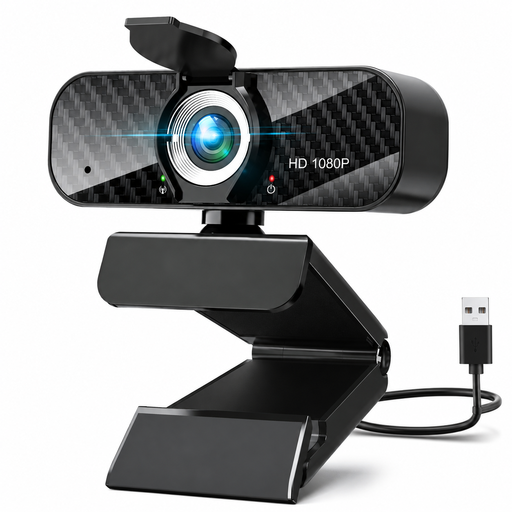 No image available
Worth considering if you’ll mostly be speaking yourself and only showing the book occasionally; the product title says it can be used with a PC or laptop.
The title lists Full HD 1080p, a microphone and USB Plug & Play.
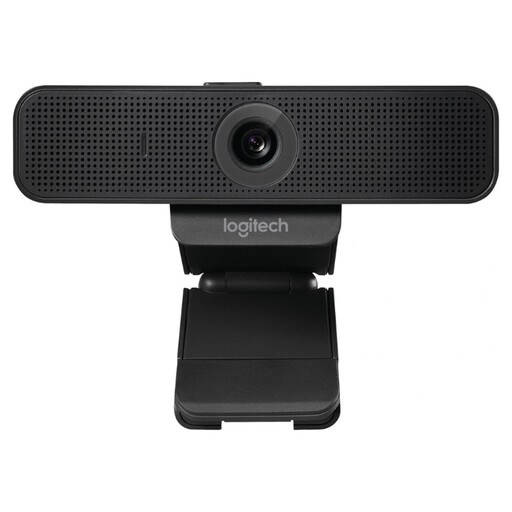 No image available
A webcam to consider if you want to explain things on screen; test separately to see whether the book page is clearly visible from your setup.
The product title lists USB, 30 fps, black and model number 960-001076.
 No image available
An option if you’ll mostly be speaking during your presentation; make a test recording to check that the words remain readable at your preferred distance.
The product title lists 4K UHD, autofocus, two built-in microphones, a privacy cover and the EU version SPL6408BT/00.
 No image available
A document camera to consider if you mainly want to show a book or another document on a table. Test the smallest print in the setup you plan to use.
The product title lists the Shine 800 A3 Pro model and its use as a document camera.
Not necessarily. What matters more is whether the print is readable at your working distance, with your lighting and software. IPEVO lists various combinations of resolution and frames per second for the V4K; the stated resolution doesn’t guarantee what your recording will look like.
Connect the camera and select it as the video source in the app you’re using. For the V4K, IPEVO lists Visualizer and other software that can use UVC cameras; check in advance which software you’re allowed to use on the computer for your project.
For consumers in the Netherlands, ACM ConsuWijzer states that statutory guarantee applies if a product doesn’t meet what you could reasonably expect when used normally; the seller is responsible. Online purchases also generally come with a 14-day cooling-off period after delivery, subject to exceptions. Check the terms that apply to your purchase.
Not without further consideration. The Dutch Data Protection Authority states that parental consent is required for images of pupils under 16. If possible, film only the book and your hands, and discuss with the school how the recording will be made and shared.