What should you look for when buying?
Mirrorless camera with interchangeable lens
Best for: anyone who regularly photographs whole plates and wants to adjust exposure and white balance settings themselves.
The trade-off: assess the supplied kit lens separately; it won’t necessarily offer strong magnification.
Mirrorless camera with macro lens
Best for: anyone who wants to fill the frame with icing, crumbs or small decorations.
The trade-off: a narrow angle of view can make it harder to fit the whole plate into the frame when you’re working at a limited height.
Improve your current camera and setup
Best for: anyone who can already frame the plate well but wants to improve inconsistent colour, exposure or sharpness.
The trade-off: a stable setup and adjusted white balance won’t solve the problem if your lens doesn’t offer enough magnification.
The points below are based on the challenges Sony Netherlands, Canon Netherlands and Nikon Netherlands describe for food photography. Start by deciding what you photograph most often, then check the lens and camera controls.
| What to consider |
What should you check? |
Who is this important for? |
| White background and colour |
Check whether you can adjust the white balance and exposure compensation. Review a test shot in the lighting you use. |
I want a white plate to look white and the dessert to stay bright; around 40% of consumers put colour and exposure first. |
| Small decorations and textures |
Check the magnification, focusing distance and compatibility of your chosen lens. |
I want small finishing touches to appear large enough in the frame; around 30% of consumers prioritise details and texture. |
| Framing the whole plate |
Assess the angle of view on your chosen camera, the working height and the space available for a stable setup. |
I want to capture the whole plate in the same way every time; around 20% of consumers start by considering how to frame the full plate. |
| The complete setup |
Check which lens is included and whether your existing camera, lighting or tripod already meets your needs. |
I want to work out what equipment I really need and what I can already use; around 10% of consumers consider the complete setup first. |
Cameras at Joybuy
Below are cameras and camera kits to suit different approaches to dessert photography. Check each model to see whether its controls, lens and listed features are right for your setup.
 No image available
DJI Osmo Pocket 4 Standard Combo
Could suit anyone who wants to use a rotating screen to frame dessert photos; consider whether this type of camera fits the way you work.
The product title lists a 1-inch CMOS sensor, 3-axis stabilisation, 2× lossless zoom and 107GB of built-in storage.
View at Joybuy
 No image available
DJI Osmo Pocket 3
The rotating touchscreen can help you frame your shot. Check beforehand whether the camera suits the way you take individual dessert photos.
The product information lists a 1-inch CMOS sensor, fast focusing and 4K/120fps video.
View at Joybuy
 No image available
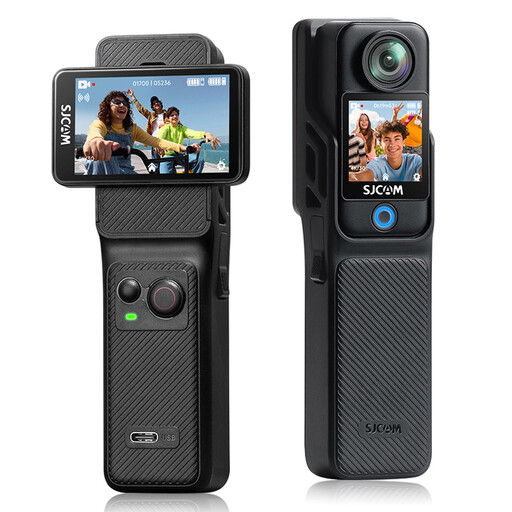
SJCAM C400 4K Action Camera
Could suit anyone considering a compact action camera with screens for framing. Check whether the listed angle of view works for the plate composition you want.
The product title lists two touchscreens, 6-axis EIS, photos up to 16 MP and a 154° angle of view.
View at Joybuy
 No image available
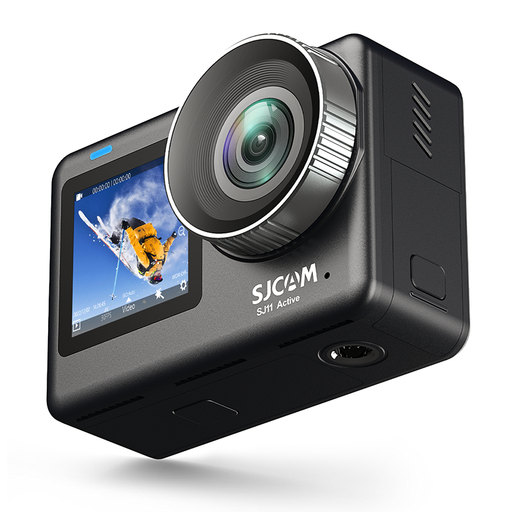
SJCAM SJ11 Active Dual Screen Action Camera
Could be worth considering if you want to check white balance and exposure compensation settings; make sure the controls suit the way you take photos.
The product title lists a 4K camera, a 2.33-inch touchscreen and a 1.3-inch selfie display. The product description mentions white balance presets and exposure compensation.
View at Joybuy
 No image available
Sony Alpha A6100 + 16-50mm f/3.5-5.6 OSS II
The supplied zoom lens could suit anyone who wants to photograph a whole plate with different crops. Check whether the lens works for your preferred working distance.
The product information lists a 24.2-megapixel APS-C sensor, a tilting screen and a 16-50mm lens.
View at Joybuy
Frequently asked questions
How can I stop a white plate from looking yellow or blue?
Set the white balance to match the lighting you’re using, then check the plate and dessert together in a test shot. Sony Netherlands also explains how to set a custom white balance using a grey card.
Why does the dessert look dark when the background is bright?
A bright background can make the dessert appear darker. Assess the exposure based on the dessert and adjust the exposure compensation if needed, so the details remain visible.
Do I need a macro lens for every decorated dessert?
No. For a full plate, the first thing to consider is often an angle of view that suits your working distance. A macro lens is mainly for capturing tiny textures and details. Check the magnification of the specific lens.
What helps keep overhead or very close-up photos sharp?
A stable tripod setup can help with overhead shots, low light and extreme close-ups. Check that the setup will fit safely above your workspace.
What are my rights when buying a camera online in the Netherlands?
If you’re a consumer buying remotely from a business, you’re generally entitled to a 14-day cooling-off period, although the Dutch government lists some exceptions. If a product is faulty, contact the seller to find a solution. The Dutch government states that the seller cannot simply refer you to the manufacturer. Check which terms apply to your purchase, especially if you’re buying for a business.


