
Creator explaining stitches
You mainly film small stitches and moving hands. First, assess the focusing distance, framing and clarity of a test recording. Elgato, Sony and DJI publish model-specific focusing ranges.


If you usually film at the same desk using a computer, start with a webcam that can show your work surface. If you want to record independently or shoot different types of footage, it’s worth comparing a standalone camera. Before buying, check the focusing distance at your working distance, how it can be mounted above your hands and how the image looks in your room’s lighting. A high video resolution alone won’t guarantee that your stitches are easy to see.
You mainly film small stitches and moving hands. First, assess the focusing distance, framing and clarity of a test recording. Elgato, Sony and DJI publish model-specific focusing ranges.
You film in one place and want to show your work surface easily. Mounting, computer connectivity and available space all matter. Logitech’s setup guide explains how the Brio 500 can tilt down towards objects on your desk.
You want to use the camera away from your desk. Weigh the benefits of recording independently and portability against the mount you’ll need for overhead shots of your crochet. The Dutch Consumers’ Association lists filming at home and on the go as situations to consider.
Best for: filming at a fixed workstation or showing your work surface during a video call.
Bear in mind: the computer connection and a stable place for the camera. A downward viewing angle doesn’t automatically mean that small stitches will be in focus.
Best for: recording independently or using the camera away from your desk.
Bear in mind: focusing distance, storage and the mount needed for an overhead view. A table stand isn’t automatically an overhead arm.
| What to consider | What should you check? | Who should pay particular attention? |
|---|---|---|
| Clear, sharp stitches | Compare the lens distance with the stated focusing range, then frame a test shot with your hands moving. | If I want to follow small stitches clearly, I pay close attention to sharpness and how large the work appears in the frame. Around 33% of consumers prioritise clearly visible stitches. |
| Stable overhead view | Check that the camera fits your monitor, arm or stand and that you can move your hands freely. | In a small student room, I want to film my hands without the mount taking up space on my work surface. Around 27% of consumers prioritise a compact, stable desk setup. |
| Visibility in room lighting | Record a test shot in the lighting you usually crochet in, then check the yarn colours and shadows. | If I film in changing light, I want to see whether the yarn and stitches remain clear. Around 20% of consumers look at this first. |
| Simple recording workflow | For a webcam, check the computer connection. For a standalone camera, check things such as storage, mounting and what’s included with the version you’re considering. | When I want to start recording quickly, I want to know in advance what accessories and connections my setup requires. Around 20% of consumers prioritise a simple workflow. |
A resolution figure doesn’t tell you whether the camera can focus at the distance you crochet from, or how large your stitches will appear in the frame.
Measure the distance from the lens to your work, check the stated focusing range and record a test shot before comparing resolutions.
Canon describes the PowerShot V10 as having a built-in stand for angled shots, not a mount that films your work directly from above.
First, sketch out the camera angle you want and the space your hands will need. Then decide which mount will work for you.
The DJI Store lists the Osmo Pocket 3 as a camera on its own and in various bundles. Canon states that the PowerShot V10 is compatible with microSD cards.
Check exactly which accessories and storage are included with each version, and what else you’ll need for your setup.
The Brio 500 is a webcam worth considering if you film using a computer and want to show your work surface.
The ZV-1F is a standalone compact camera to consider if you want to record independently and focus at close range.
The Facecam MK.2 is a webcam for a fixed computer setup where you can set the distance to your work in advance.
The Osmo Pocket 3 is a portable standalone camera worth considering if you also want to film away from your desk.
The PowerShot V10 is a compact standalone vlog camera to consider if you also shoot other types of video besides desk-based footage.
This selection includes standalone cameras and a webcam for filming your crochet. For each model, check whether the focusing distance, mounting options and connection suit your available space and the way you like to record.
 No image available
A standalone camera for recording video independently. Check whether your chosen mount can provide a stable overhead view.
1-inch CMOS sensor; 20 mm f/2.0 lens; 4K video.
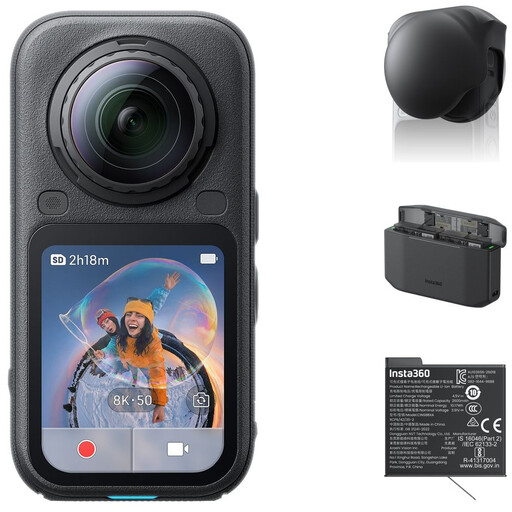 No image available
For filming from multiple directions. Consider whether this style of recording suits the way you want to show your crochet.
The bundle name lists a Standard Bundle, Lens Cap, Xtreme Battery and Fast Charge Case. The description mentions 360° video and InstaFrame video in 4K. It also mentions 8K recording at 50 fps.
 No image available
The integrated clip could work for attaching the camera to clothing or a bag. Check whether that position is also suitable for the view you want of your work.
1.54-inch display; 140° field of view; app control.
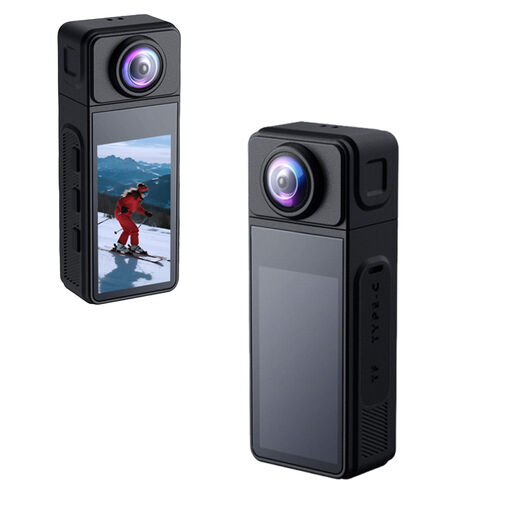 No image available
A compact camera with a rotating lens and several mounting options. Check that your chosen position is stable and frames your work well.
270° rotating lens; 1.86-inch IPS display; magnetic mount and 1/4-inch thread. The stated weight is 35 g.
 No image available
A webcam for a computer setup. Check that the clip fits your monitor or laptop and that the lens can capture your work surface.
4K UHD; autofocus; built-in dual microphones and privacy shutter. The description mentions a universal clip for laptops, desktops, monitors or tripods.
Measure the distance between the lens and your crochet in the setup you plan to use. Compare this with the focusing range of the exact camera model, then record a short clip while moving your hands. A stated minimum focusing distance doesn’t prove that your work will appear large enough in the frame.
According to Logitech’s setup guide, you can tilt the Brio 500 downwards for Show Mode to display objects and work on your desk. Check that the mount sits securely on your monitor and that your crochet appears sharp and fully in frame at the actual working distance.
Logitech’s Brio 500 setup guide describes a USB-C connection and a monitor mount with a reusable micro-suction cup. Logitech recommends cleaning the cup with water and letting it air-dry if it starts to lose its grip. Also check that the connection is compatible with your computer.
Not automatically. The Dutch government states that purchases come with a legal guarantee, that the Netherlands has no fixed statutory guarantee period and that the seller must provide a solution if a product is faulty. Consider additional cover based on the rights it actually adds.
According to the Dutch Data Protection Authority, a personal recording for household use is generally outside the scope of the GDPR. However, the GDPR may apply if footage is made available to an unrestricted audience, for example online. If in doubt, film only your own hands and work, and check what rules apply before sharing the footage.