
Vandaag of morgen in huis

Kwaliteit gegarandeerd

Welkomstaanbiedingen ontgrendelen: GRATIS bezorging | Tot 80% korting | Gratis 30 dagen JoyPlus-proefperiode
Download de app
It always happens at the worst possible moment: right in the middle of a crucial shot, the overheating warning appears on your screen, and your camera shuts down. For videographers and content creators shooting in 4K, this is a familiar and frustrating problem. An outdoor session on a warm day, a long livestream, or an interview can be completely ruined as a result.
This guide is designed to help you find a practical solution. We'll discuss what to look for when choosing a camera cooler and highlight some popular choices, so you can keep filming without interruption.
Before making a choice, it's helpful to consider a few specifications. This ensures the cooler is compatible with your camera and workflow.
The method a cooler uses to dissipate heat determines its effectiveness. There are two main types:
Not every cooler fits every camera. Check how the cooler is attached. Most models use a spring clip that clamps onto the edges of the camera, often around the flip-out screen. This is a flexible method that works for many cameras from brands like Sony, Canon, and Fujifilm. However, make sure the clamp doesn't block your screen or make the rear buttons inaccessible. A good cooler for a Sony camera, for example, will account for the specific shape of the A7 series.
How is the cooler powered?
Choose what best suits your shooting situations: a long studio session where a cable isn't an issue, or a dynamic outdoor shoot where you want to avoid extra cables.
Based on specifications and functionality, we've lined up a few options for you.
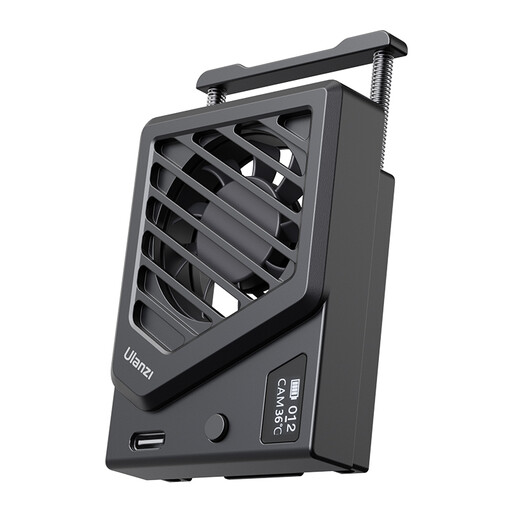
Why it stands out: This is a direct and effective solution. This ULANZI cooler is a compact fan that you simply clip onto your camera to improve air circulation. No complicated settings—just plug in and cool down.
Pros:
Who is it for? For the videographer looking for a no-nonsense, affordable, and portable camera fan to prevent overheating during standard recording sessions.
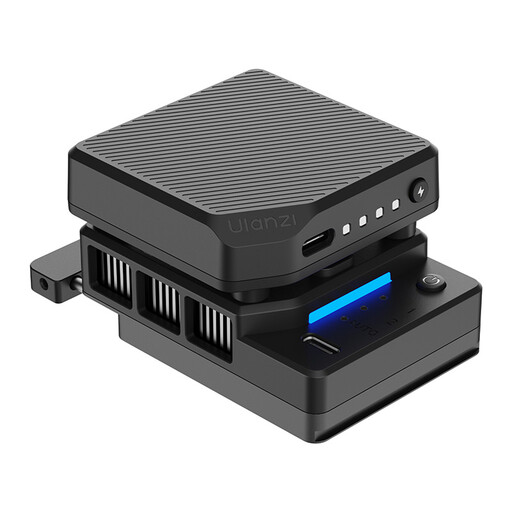
Why it stands out: This model takes it a step further with semiconductor cooling. It actively cools the back of your camera, which is significantly more effective than just moving air. The built-in battery and smart features make it a powerful tool.
Pros:
Who is it for? For serious content creators and filmmakers who shoot long 4K recordings, often in warm environments or during livestreams, and need a powerful, reliable solution for external camera cooling.
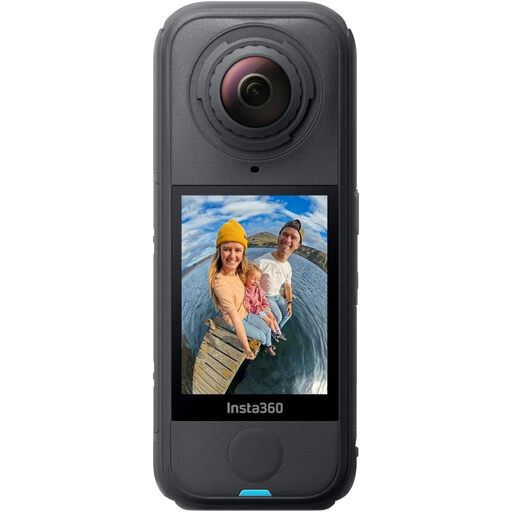
Why it stands out: Instead of cooling your current camera, you could consider one that is inherently less prone to overheating. The Insta360 X4 is designed for long action shots and has a wide operating temperature range of -20°C to 40°C (-4°F to 104°F).
Pros:
Who is it for? For creators looking to expand their kit with a versatile camera that is robust enough for long recording sessions, or for those seeking a B-camera that bypasses the overheating issue.
If a camera cooler isn't exactly what you're looking for, or if you want to explore other cameras and accessories to aid your filming, check out our full range of filming cameras and gear for more options.
1. Can a camera cooler damage my camera? When used correctly, a camera cooler is safe. They are designed to dissipate heat, not to freeze the camera. Ensure that the ventilation openings of the cooler and the camera are not blocked, and avoid use in very humid conditions to prevent condensation.
2. Does an external camera cooler also work for livestreams? Yes, a camera cooler is actually ideal for livestreams. During a livestream, the camera is on continuously, often at a high resolution, which generates a lot of heat. A cooler helps keep the temperature stable and prevents the stream from being unexpectedly interrupted.
3. What is the difference between a simple camera fan and one with semiconductor cooling? A camera fan only moves air to accelerate heat dissipation, similar to a computer fan. A cooler with semiconductor technology (Peltier) actively cools a metal plate that makes contact with the camera. This process directly extracts heat from the camera body, making it a much more powerful cooling system for filming.
