
Creator of table-based collage lessons
You want viewers to be able to follow the sheet, your hands and every step from a repeatable overhead angle. MOJOGEAR lists a suitable mount as part of a setup for filming from above.


Start with where you’ll be filming: check that the whole collage sheet and your hands stay in shot from a steady overhead angle, and that small movements remain in focus. An overhead camera suits lessons filmed mainly at one table; a mirrorless camera gives you a choice of lenses and framing, while a webcam may suit a computer-based workflow and a gimbal camera can be handy for filming in different locations. Whichever setup you choose, also check the mount, lighting, sound and recording time.
You want viewers to be able to follow the sheet, your hands and every step from a repeatable overhead angle. MOJOGEAR lists a suitable mount as part of a setup for filming from above.
You switch between showing the whole work surface and close-ups of small paper details or cutting. In that case, the field of view, focus and lens you choose all matter; Sony and Canon describe cameras with interchangeable lenses.
You explain as you work and want to test the picture, audio and any computer connection together as one setup beforehand. The Consumers' Association mentions an external microphone as one way to get better sound than with a built-in microphone.
First, place your largest collage sheet on the worktable, then decide what you need in terms of framing, sound and recording.
| What to consider | What to look for when buying | Who is this important for? |
|---|---|---|
| Entire work surface | Test your largest sheet and tools at the planned mounting height; check the field of view and how securely the camera is mounted. | I want to show the whole sheet and my hands from a fixed overhead angle, so no step goes out of shot. Around 36% of consumers put showing the entire work surface first. |
| Small details and colours | Film the smallest action and check the focus, lens and exposure in a test shot. | I want to show small cutting and sticking steps clearly and capture the colours of the paper accurately. Around 29% of consumers give detail and colour reproduction top priority. |
| Spoken instructions and recording time | Test your voice while you work, and check the microphone, storage, power supply and recording time using the settings you plan to use. | I want to explain what I’m doing without the rustling paper drowning out my voice or a longer recording stopping unexpectedly. Around 21% of consumers prioritise uninterrupted spoken instructions. |
| Computer-based workflow | Check that the camera, computer and recording software work together, and that the cable and mount leave your hands free. | I want to record directly on my computer without unnecessary transfers afterwards. Around 14% of consumers give a direct computer-based workflow top priority. |
A resolution figure won’t tell you whether the whole sheet will fit in shot or whether a small detail will be in focus from your chosen distance.
Test your largest sheet and the smallest action at the actual mounting height before choosing a model.
Depending on the camera and working distance, you may need a different lens or a suitable mount.
Image stabilisation or a webcam tilted downwards doesn’t prove that the camera can sit securely, directly above your collage sheet.
Assess the camera together with the mount, table space and cable route.
You may need a base, arm or tripod that fits your worktable.
A usable picture won’t help much if your instructions are hard to hear or a lesson stops early.
Record a test lesson with sound and check the file before buying any additional equipment.
A microphone, lighting or power supply may be part of your setup.
The terms for a business purchase may differ from consumer protections. Images you use in a collage may also be protected by copyright.
Check your purchasing status and the applicable terms separately from the usage rights for any images you publish.
Reach is worth considering if you’re looking for an adjustable overhead view via your computer; the MX Brio is a webcam with a downward-facing Show Mode.
The ZV-E10 II is a mirrorless camera option if you want to switch between wide shots and close-ups.
The EOS R50 V is a video-focused mirrorless camera for creators who want to combine shots of their worktable with other footage.
The Z 30 is a mirrorless camera option if you’re considering spoken instructions and longer recordings.
The Osmo Pocket 3 is a compact gimbal camera for demonstrations that don’t always take place at one worktable.
This selection includes compact vlog cameras and webcams for computer-based recording; check whether the mount and framing suit your collage work for each model.
 No image available
The product name includes Vlog Combo; test the camera in a trial setup to see whether it can be mounted securely above your collage sheet.
 No image available
This video camera may suit recordings where you want to transfer files via Wi-Fi; check that this workflow fits the way you use your computer.
The product name lists 1080P video, Wi-Fi transfer and an SD card included.
 No image available
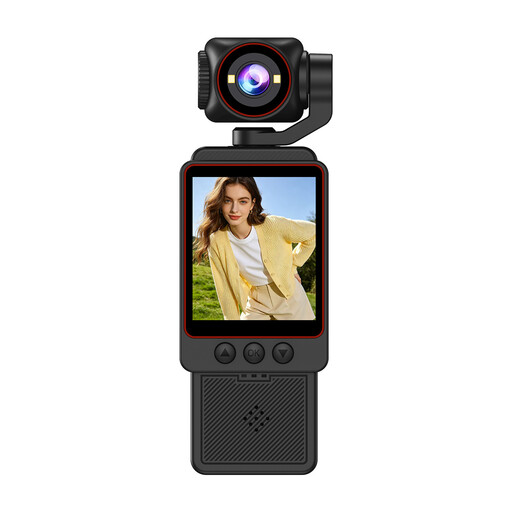
According to the product name, the rotating lens can turn 330°; test the field of view and mount above your worktable.
The product name lists 4K video, 64 MP, a 1.72-inch touchscreen, USB-C and a tripod.
 No image available
A webcam may suit computer-based recording; test the framing on your own table before settling on your setup.
The product name lists 4K UHD, an 8MP camera, autofocus, dual built-in microphones and a privacy shutter.
 No image available
For a fixed collage setup, you’ll need to be able to mount the camera separately; DJI specifies a minimum focusing distance of 0.2 m for the Osmo Pocket 3.
The product name lists 3-axis stabilisation and a rotating touchscreen.
Set up the camera where you plan to use it, put down your largest sheet and carry out an action at each edge. In a test recording, check the framing, focus and visibility of your hands together; camera specifications alone can’t tell you how it will work on your table.
Make a short recording with the lighting, microphone, storage and power supply you plan to use. Then check the file and, during a longer recording, keep an eye on whether the camera continues recording; the stated maximum recording time depends on the conditions of use.
Not for every setup; first test your voice while cutting or moving paper. The Consumers' Association mentions an external microphone as one way to get better sound than with a built-in microphone. Check that the connection on the specific camera suits your setup.
Before buying, check whether you’re purchasing as a private individual or as a business, and read the terms that apply to your purchase. KVK explains that business customers generally don’t have the same consumer protections; in certain circumstances, small businesses may sometimes be able to rely on them. So don’t automatically assume consumer rights apply to a business purchase.
According to the Dutch Data Protection Authority, the GDPR applies to footage made and published for business purposes in which other people are identifiable, and you need a lawful basis under the GDPR, such as consent. Consent isn’t the only possible lawful basis. If you film only your own work surface and no other identifiable people, this specific issue may not arise.
If you’re publishing through your online shop, don’t assume that an image you find online is free to use. KVK points out that images may be protected by copyright, and editing an image doesn’t remove that protection. For protected material, check what usage rights or permissions you have, or use material for which you hold the necessary rights.