
Seller with a small photography table
You want to capture a whole ceramic piece without a large, permanent setup. Check your working distance and leave room for the background and lighting, too.


For second-hand ceramics photographed on a small table, choose a camera and lens that can capture both the whole piece and fine details sharply, from the working distance you have available. A compact camera keeps your setup simple; a mirrorless camera gives you a choice of interchangeable lenses, but may need more space and accessories. Start by trying a stable setup with suitable lighting: in its general product photography guide, RTINGS.com emphasises that presentation and lighting are often more important than the specific camera.
You want to capture a whole ceramic piece without a large, permanent setup. Check your working distance and leave room for the background and lighting, too.
You want to show small features clearly, so check that the camera and lens focus at your preferred distance and make the detail large enough in the frame.
Look beyond the camera itself. Control over lighting, the background and white balance also helps you capture the surface accurately.
Choose this option if: your phone already takes sharp overview and detail shots from the distance available.
Bear in mind: test small maker’s marks with your own phone and ceramics.
Choose this option if: keeping extra equipment to a minimum is important and the built-in lens works for your overview and detail shots.
Bear in mind: you can’t replace the lens later, so check the working distance and how much of the frame your subject fills before you choose.
Choose this option if: you want to adapt your lens choice for different-sized pieces or future close-up shots.
Bear in mind: another lens, tripod or lighting setup may take up extra space and need to be bought separately.
| What to consider | What to look for when buying | Who is this important for? |
|---|---|---|
| Working distance and table space | Measure the distance between the lens and the ceramic piece, then test both an overview shot and a detail shot from that position. | I want to photograph a whole piece without the camera, background and lighting getting in each other’s way on my small table. Around 31% of consumers prioritise having enough space for their setup. |
| Small areas of damage and maker’s marks | Test a detail of a similar size at the working distance and zoom setting you’ll actually use. | I want to show small chips and maker’s marks clearly, not just focus at close range. Around 25% of consumers give detail capture top priority. |
| Glaze colour, sheen and reflections | Take test shots with the same background and light source, then check the white balance and reflections. | I want the colour and surface to show clearly, without sheen hiding the condition of the ceramics. Around 25% of consumers focus mainly on colour and how the surface is captured. |
| Ease of use and extra equipment | Compare complete kits and work out whether you’ll also need a lens, tripod, lighting, memory card or support. | I want to take consistent photos for my listings without adding unnecessary equipment. Around 19% of consumers prioritise a simple workflow and fewer extra purchases. |
A short minimum focusing distance alone doesn’t tell you whether a maker’s mark will appear large enough in the frame. Nikon recommends checking the focusing limit of the lens you’re using. For the Sony RX100 VII, Sony specifies approximately 8 cm at the wide-angle end and approximately 100 cm at the telephoto end, measured from the front of the lens. So the shorter distance doesn’t apply at every zoom setting.
The focusing limit alone won’t tell you whether a small maker’s mark will appear large enough in the frame. The stated limit for the Sony RX100 VII also varies depending on the zoom setting.
Take a test shot of a detail of a similar size, from your working distance and using the zoom setting you intend to use.
The lens also affects how close you can focus. A fixed setup can help you keep the framing and background consistent across repeated shots.
Compare complete kits and make a separate list of what you’ll need for your table setup.
You may need to buy a suitable lens, lighting, memory card or support separately.
Lighting, the background and white balance all affect how colour and surface look in a photo. In its general product photography guide, RTINGS.com says that presentation and lighting usually matter more than the specific camera.
Start by taking test shots with adjusted lighting, a simple background and controlled white balance.
The Tough TG-7 is a compact camera with a fixed lens to consider if close-up detail shots are important.
The RX100 VII is a compact camera with a fixed lens and built-in zoom.
The Z50II with the NIKKOR Z DX 16-50mm VR kit lens is an interchangeable-lens option.
The EOS R50 with the RF-S 18-45mm kit lens is an interchangeable-lens option.
These Joybuy products are digital cameras for photography. For photographing ceramics on a small table, focus on whether the camera can capture both the whole piece and small details sharply and clearly from your working distance.
 No image available
From your available working distance, test whether this camera can capture both overview shots and small details sharply and clearly.
The product title lists 80MP UHD and 18X zoom.
 No image available
From your available working distance, test whether this camera can capture both overview shots and small details sharply and clearly.
The product title lists 80MP UHD and 18X zoom; according to the title, an SD card isn’t included.
 No image available
Its pocket-sized design may suit a setup with limited table space. Test whether it can also capture small details sharply and clearly from your working distance.
The product title lists 16X zoom.
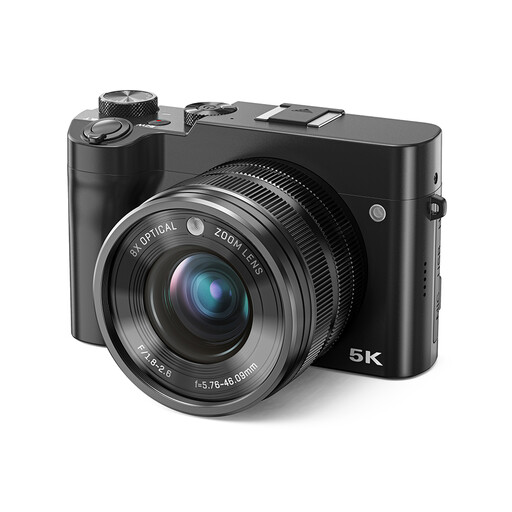 No image available
Take a test shot to check whether this camera can capture both the whole ceramic piece and small details clearly from your available working distance.
The product title lists 8X optical zoom and a dual lens.
 No image available
Assess this camera based on your working distance and test whether it can capture both an overview and a detail of your ceramics sharply.
The product title lists a front and rear camera.
No. First, test whether the camera and lens combination you’re considering can capture the mark sharply and large enough from the distance you have available. Nikon recommends checking the lens’s minimum focusing distance and suggests a specialist lens as an option for more advanced close-up photography.
Keep the camera, framing and background in the same positions as far as possible. In a practical example, Canon says a tripod can help you achieve consistent framing. Check that it fits your space, and adjust the lighting and white balance if the colours look inaccurate.
No. ACM ConsuWijzer explains that the statutory guarantee applies in addition to any guarantee offered by the seller or manufacturer. What you can reasonably expect from the product is what matters. If you’re buying the camera as a business, check which rules apply to your purchase.
Not in every case. For consumers, online purchases generally come with a statutory cooling-off period that ends 14 days after delivery, but ACM ConsuWijzer also lists exceptions. Don’t assume this consumer right applies if you’re buying the camera as a business.