
Filming your work surface
You want viewers to follow your brushstrokes and see the whole piece. Choose your filming angle and check the focus from the distance at which the camera can be positioned in your room.


If you teach from a computer, a webcam that tilts down is a compact option. Without a computer, choose a standalone compact camera or a mirrorless camera set up where you want to film. Logitech describes Show Mode for desk work, but whichever option you choose, test it from the intended distance to check that both your brush and the whole ceramic piece remain in focus. Test the audio, colour and position in relation to your housemate too: a higher resolution alone won’t make up for an unsuitable camera angle or changing light.
You want viewers to follow your brushstrokes and see the whole piece. Choose your filming angle and check the focus from the distance at which the camera can be positioned in your room.
You teach via a computer and want to switch between showing yourself and your work surface with minimal equipment.
You want to record without a permanent computer set-up and occasionally change the camera position or framing.
Best for: teaching or recording from a computer, with the webcam positioned near your work surface.
Trade-off: you’ll still need the computer. Check that the downward camera angle shows the whole piece in your room.
Best for: recording without a permanently connected computer and switching between explanations and close-up details.
Trade-off: the stated minimum focusing distance alone won’t tell you whether the whole piece will fit in the frame from your filming distance.
Best for: moving the camera around the table or switching between portrait and landscape filming.
Trade-off: a gimbal isn’t a substitute for a suitable mount for a fixed overhead shot; the Osmo Pocket 3 records to a microSD card.
Best for: choosing your lens and filming angle separately, and if you have room to set up a camera.
Trade-off: check your chosen lens, its focusing distance and the space needed for the camera and support.
Before you choose, record a test from the intended position. This lets you check the whole work surface, your brushstrokes and how much space the set-up takes up at the same time.
| What to consider | What should you check? | Who should consider this? |
|---|---|---|
| Work surface and focus | Film the whole piece and fine brushstrokes from the planned distance. Check the framing, focusing distance and room for your hands. | I want viewers to follow both my brushstrokes and the whole ceramic piece. Around 33% of consumers prioritise focus and coverage of the work surface. |
| Clear audio | Record from where you normally speak and listen back. Agree filming times with your housemate. | I want to give instructions without words being drowned out by noise in the shared room. Around 27% of consumers prioritise clear explanations. |
| True-to-life paint colours | Film under the lighting you’ll use during the class and review the recording. Check which white balance settings are available. | I want viewers to judge the paint colours accurately under the lighting in my room. Around 20% of consumers prioritise colour accuracy. |
| Space for your set-up | Measure where the camera and support can go. Check which lens, storage and connections you’ll need. | I want to film without filling my shared bedroom or worktable with equipment. Around 20% of consumers prioritise a compact, standalone set-up. |
Resolution doesn’t tell you whether your brush and the whole piece will be in focus and fully visible from the available distance.
First, film a complete painting step from the planned camera angle and review the recording.
A microphone feature doesn’t guarantee that your housemate’s conversations will stay out of shot and off the recording. The Dutch Data Protection Authority distinguishes between strictly personal use and sharing footage more widely.
Listen back to a test recording, agree filming times and check the picture and sound before sharing anything.
With a mirrorless camera, the filming angle depends in part on the lens you choose. The Osmo Pocket 3 records to a microSD card rather than built-in storage.
Check exactly what’s included in the kit, which lens suits your camera position and how much storage you’ll need.
The MX Brio is a webcam option for teaching from a computer. Logitech describes Show Mode as a way to show work on a desk.
The ZV-1 II has a fixed zoom lens; the ZV-E10 II is a separate option with an interchangeable lens.
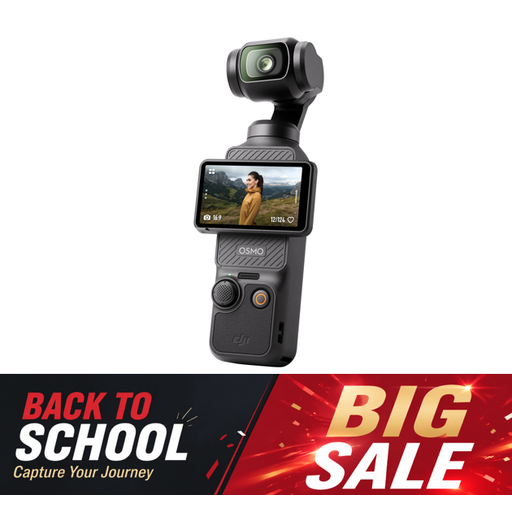
The Osmo Pocket 3 is a small gimbal camera for anyone who wants to move the camera around their worktable.
The EOS R50 is a mirrorless camera for which you choose a suitable RF or RF-S lens.
These Joybuy products are suited to computer-based filming at a worktable and recording independently with a compact or mirrorless camera.
 No image available
Suited to lessons recorded from a computer. Take a test shot to check whether your hands and the whole piece are visible at the same time.
The product name lists 4K UHD, 8 MP, autofocus, two built-in microphones and a privacy cover.
 No image available
Suited to independent filming when you want to move the camera around the table. You’ll still need a suitable support for a fixed overhead shot.
The product description lists 4K/120fps video, 3-axis mechanical stabilisation and a rotating 2-inch touchscreen. DJI lists focusing from 0.2 m and recording to a microSD card rather than built-in storage.
 No image available
Suited to recording lessons independently when you want to match the lens and filming angle to the space around your worktable.
The kit description lists a 16–50mm zoom lens, an adjustable screen, digital Active Mode stabilisation and 4K video. Product Showcase Setting is described as a focus transition from face to object. An SD card and adapter/charger aren’t included.
 No image available
Suited to computer-based lessons where you want to show desk work with a webcam. Take a test recording to check that your piece is clearly in shot.
The product description lists compatibility with PC and Mac, DeskView, Whiteboard Mode, a 1/2-inch sensor, HDR, PDAF autofocus and a physical privacy switch.
 No image available
Suited to recording independently with a compact camera and fixed lens. Check the framing from wherever you can position the camera in your room.
The product description lists a 24–70mm-equivalent zoom range, a tilting touchscreen, 4K video and built-in image stabilisation.
No, that isn’t guaranteed by the camera feature alone. Logitech describes Show Mode for desk work. Check on your own table that the piece, your hands and the details are all in shot and in focus at the same time.
Put the camera on a stable support that’s suitable for its weight, and test the set-up before you start. Nikon recommends using a suitable tripod to record stable video.
Not to claim your statutory guarantee: in the Netherlands, there’s no fixed statutory guarantee period, and a product must meet the terms of the agreement. The Dutch government advises contacting the retailer. Compare any extra cover by checking its terms and whether it gives you additional rights.
Not automatically. The Dutch Data Protection Authority explains that recognisable people in footage count as personal data, and the exception for personal or household use doesn’t apply when footage is shared more widely. In that case, you need a lawful basis under the GDPR; in many cases, this means getting consent from the person shown. Where possible, film only your work surface and, before publishing, check whether your housemate can be heard or recognised in the footage.