
Card-maker filming from above
Wants the card, hands and workspace to stay in shot together, so starts by getting the setup right.


For a card-making class, your setup matters more than the camera name alone. Start with a stable overhead setup and check that the camera and lens can capture both the card and your hands clearly and in full from that height. If you also want to take close-ups or record longer lessons with spoken instructions, compare the focusing distance, microphone input, power supply and recording time of the complete setup. Video specifications alone aren’t a like-for-like real-world test, and they can’t tell you which camera will suit your workspace.
Wants the card, hands and workspace to stay in shot together, so starts by getting the setup right.
Wants to show small details and the finished result separately, so pays attention to shooting distance and lens choice.
Wants to record clear instructions during a longer lesson without the recording stopping unexpectedly.
First decide what matters most for your lesson recordings, then test the camera from the position where you actually plan to mount it.
| What to consider | What to look for | Who is this important for? |
|---|---|---|
| Stable wide shot | Check the field of view from your planned mounting height and whether the mount keeps the frame stable. | When I film from above, I want to keep the card and my hands in shot while I work. Around 36% of consumers say this overall view is their top priority when buying. |
| Small details | Check the minimum focusing distance and the capabilities of your chosen lens. | When I want to show stamping, folding or finishing touches, even the smallest details need to be in sharp focus. Around 29% of consumers prioritise detail. |
| Long lessons with spoken instructions | Check whether there’s an external microphone input and test the recording time with your settings. | When I’m explaining things during a longer lesson, I want clear audio and a recording that doesn’t stop too soon. This is the top priority for around 21% of consumers. |
| Simple, complete setup | Check whether a lens is included and what mounts, power supplies and lighting you already have. | If you want to get started with fewer separate parts, you’ll want to know in advance what’s included in the kit. Around 14% of consumers prioritise a straightforward setup. |
A wider frame can show more of your workspace, while close-ups need a suitable shooting distance. So make a short test recording of your full working process and the smallest detail you want to show. The Consumentenbond lists an external microphone as a useful option for video audio; Nikon’s maximum of 125 minutes of continuous recording isn’t guaranteed for every setting or condition.
High video specifications don’t guarantee that your card and hands will both be in focus and fully in shot from your chosen mounting position.
Test your preferred working distance, framing and lighting before weighing up extra camera features.
A mirrorless camera doesn’t automatically come with the lens you need for your shooting distance. Nikon lists the Z 30 body and the Z 30 with a 16–50 VR lens as separate options.
Check the exact model variant and what’s included in the kit before you choose.
A gimbal helps with moving shots, but it won’t determine whether the field of view and focusing distance suit a fixed shot above your worktable. DJI lists a minimum focusing distance of 20 cm for the Osmo Pocket 3.
Measure the distance between the camera and the card, then check the framing from your intended mounting position.
Your statutory rights exist alongside any seller’s or manufacturer’s warranty; they aren’t the same thing.
Keep your proof of purchase and contact the seller if a product you bought as a consumer is faulty.
The Canon EOS R50 is a mirrorless camera with interchangeable lenses; Canon lists 4K 30p recording.
The Sony ZV-E10 II is an APS-C mirrorless camera designed with video in mind.
The Nikon Z 30 is a mirrorless camera for video, available as a body or in a kit with a lens.
The Osmo Pocket 3 is a compact camera with a fixed lens and mechanical gimbal.
This selection includes cameras for recording video, with different lenses, zoom capabilities and preview displays; check whether each model suits your card-making class.
 Image unavailable
Worth considering if you want to adjust the framing from a fixed setup using a zoom lens.
The product information lists 4K video at 30 fps, a vari-angle screen and digital Active Mode stabilisation with a slight crop. This is the ZV-E10, not the ZV-E10 II.
 Image unavailable
The zoom is worth considering if you want to try different framings from one position; check the sharpness of small card details separately.
The product name lists 4K video and 12× optical zoom; the product information also mentions built-in Wi-Fi.
 Image unavailable
Consider this compact vlogging camera if you also want to film handheld; check separately whether its fixed field of view works for shots above your worktable.
The product information lists a 1-inch CMOS sensor and a 20 mm wide-angle lens. The stated 4K recording at 240 fps applies to slow motion only.
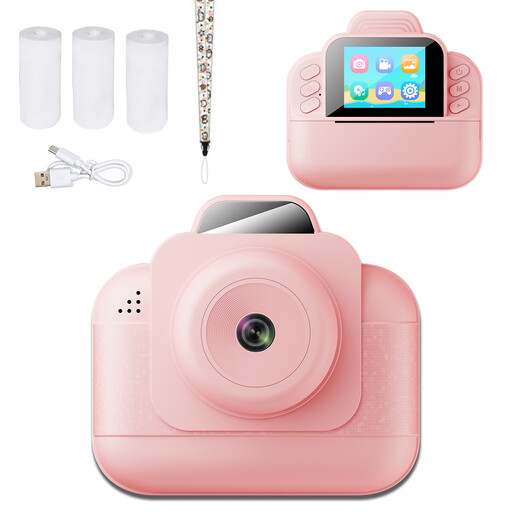 Image unavailable
This is an instant camera for children; check whether the stated video resolution and screen suit the framing and detail you need for your portfolio.
The product information lists 1080P video and a 2.4-inch screen for previewing.
No. First check that the card is sharp and well lit in your final framing. Canon and Nikon list 4K 30p for the EOS R50 and Z 30 respectively; Sony lists 4K 60p for the ZV-E10 II. These figures alone don’t determine which recording will look clearest in your portfolio.
Choose a stable mount outside your work area, frame the card and your hands, then make a short test recording. Check the focus at your working distance, look for shadows and make sure you can see the screen from your setup; the right mounting height depends on your workspace and field of view.
Check whether you can connect an external microphone, whether you have enough storage and power for your session, and how long the camera records with your settings. The Consumentenbond lists an external microphone as a useful option for video audio. Nikon states that the Z 30 can record continuously for up to 125 minutes under certain conditions; this isn’t a guaranteed recording time for every session.
ACM ConsuWijzer explains that online consumer purchases generally come with a cooling-off period of up to 14 days after delivery, subject to legal exceptions. Your statutory rights are separate from any seller’s or manufacturer’s warranty; if a product is faulty, the seller is responsible for providing an appropriate solution. Different rules may apply to business purchases.
This depends, among other things, on the context and how the footage is used. The Dutch Data Protection Authority states that professional or commercial use requires a lawful basis under the GDPR; consent can be one such basis, but it isn’t automatically the only option. Footage that doesn’t identify other people doesn’t require the same assessment.