
Teacher filming above the paper
Wants viewers to follow the pen tip, hand movements and the entire writing area. That’s why you need to choose the camera height, framing and lens together.


First, choose a camera and lens that can clearly frame the entire writing area from your planned shooting height. Then test them under your own lights for banding and colour casts. For full lessons, recording time, power and external audio connections also matter. However, specifications can’t guarantee that a camera will record continuously or without flicker in your room.
Wants viewers to follow the pen tip, hand movements and the entire writing area. That’s why you need to choose the camera height, framing and lens together.
Films under LED or other artificial lighting and wants to check their own setup for banding and unusual colours in the paper or ink.
Records longer lessons with spoken explanations, so pays attention to the stated recording time and options for external audio.
First, check that the camera and lens can clearly capture the writing area from your fixed shooting height. Then test the lighting and make sure the recording will last long enough for your lesson.
| What to consider | What should you check? | Who should pay extra attention? |
|---|---|---|
| Banding under artificial light | Take a test recording using the lights you actually use and adjust the video shutter speed if needed. Sony Support recommends starting at 1/50 or 1/100 of a second in regions with a 50 Hz mains frequency. Always check the results under your own lights. | I want the paper and pen strokes to appear without distracting bands, so I test my own lighting. Around 29% of consumers put reducing flicker first. |
| Keeping the pen tip and writing area in shot | Measure the writing area and the available distance to the camera. Check the angle of view and minimum focus distance for the exact lens. Panasonic lists 0.20 m at the wide-angle end and 0.25 m at the telephoto end for the H-FS12060. | From my fixed camera height, I want both the pen tip and the whole sheet of paper to be in focus and framed properly. Around 29% of consumers give this overhead view top priority. |
| Lesson length and clear speech | Compare the stated recording time with the length of your lesson, and check the microphone and headphone connections. Panasonic says the G97 can record 4K 30p with no fixed time limit, but warns that the camera may stop in high ambient temperatures. Nikon lists a maximum continuous recording time of 125 minutes for the Z 30. | I record a full lesson with spoken explanations and want to avoid the recording stopping early. Around 24% of consumers prioritise continuity and clear speech. |
| Colour of the paper and ink | Check the white balance under the lighting you use with the paper and ink for your lesson. Canon Nederland explains that white balance is a setting used to correct colour casts in difficult lighting conditions. | I want white paper and the colours of my ink to look true to life, so I compare a test recording with the original. Around 18% of consumers start with colour reproduction. |
Resolution doesn’t determine whether the lens can focus from your available shooting height or frame the entire writing area properly.
Measure the table and the distance to the camera before choosing a lens or camera kit.
Depending on your setup, you may need a different lens or mounting solution. Work this out before buying accessories.
Nikon lists the Z 30’s recording time as a maximum of 125 minutes. Panasonic warns that the G97 may still stop in high ambient temperatures.
Test the camera using the settings, power supply and lesson length you actually plan to use.
The Dutch government distinguishes between your statutory rights to a product that meets reasonable expectations and an additional warranty. A paid package doesn’t replace your statutory rights.
Check what extra cover a package provides before you pay for it.
The EOS R50 V is a video-focused mirrorless camera for creators who record independently. This information applies to this model, not all Canon cameras.
The LUMIX G97 is worth comparing for longer lessons with separate audio connections. The H-FS12060 is a specific lens model, and its working distance should be assessed separately.
The Z 30 is worth comparing for a lesson of a set length if its stated maximum recording time and a suitable Z-mount lens work with your setup.
The ZV-E10 II is a video-focused APS-C camera worth comparing if you’re considering interchangeable lenses and external audio.
These Joybuy picks are designed for video or vlog recording. For a fixed overhead setup, check that the exact model, lens distance and framing suit your writing area and lighting.
 No image available
The stated 20mm wide-angle lens may be useful if you need a wider frame. Check that the whole sheet of paper fits in shot from your mounting height.
The product information lists 4K video and a 20mm f/2.0 lens.
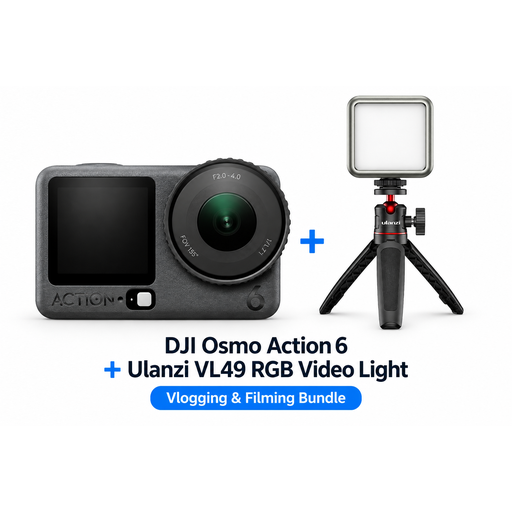 No image available
This action camera is an option for video. Check that the included bundle and your preferred fixed camera angle suit your lesson setup.
The product name lists a Ulanzi VL49 RGB LED video light in the bundle.
 No image available
This vlog camera is an option for video. Check that the lens setup frames the writing area properly from your shooting height.
The product information lists 8K HDR video, two lenses and zoom.
 No image available
The included microphone may be useful if you want to record spoken explanations. Check that the camera frames the whole sheet of paper from your chosen position.
The product name lists a 1'' CMOS sensor, 4K/120fps video, 3-axis stabilisation and an included microphone.
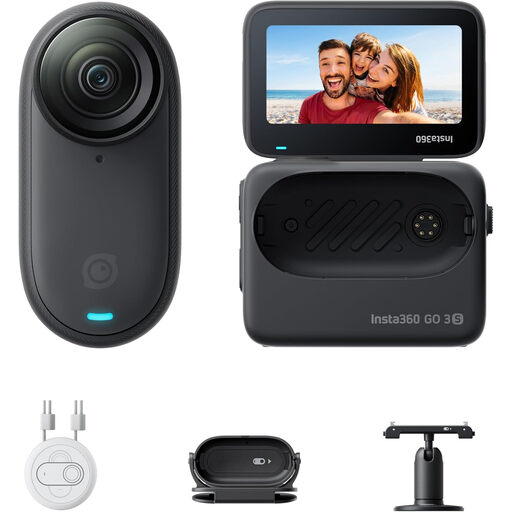 No image available
This portable camera is an option for video. Check that the mount and framing work for a fixed overhead recording.
The product information lists 4K POV recording, stabilisation and mounting accessories.
Take a test recording under exactly those lights and adjust the video shutter speed if needed. Sony Support recommends starting at 1/50 or 1/100 of a second in regions with a 50 Hz mains frequency. LED lights can behave differently, so check the results in your recording.
No. First measure the writing area and the available distance to the camera. Then compare the angle of view and minimum focus distance of the exact lens. For example, Panasonic lists different minimum focus distances at the wide-angle and telephoto ends for the H-FS12060.
Check the white balance under the lights you use for the lesson and compare a test recording with the actual paper. Canon Nederland explains how artificial light can cause a colour cast if it isn’t corrected appropriately.
No. According to the Dutch government, the Netherlands has no fixed statutory warranty period. You’re entitled to a product that meets reasonable expectations for the length of time you could reasonably expect it to last. Contact the retailer if there’s a problem. An additional warranty doesn’t replace your statutory rights.
Not without further steps. The Dutch Data Protection Authority says that professional or commercial filming and publication of identifiable people requires a legal basis under the GDPR; consent is one possible basis. For identifiable pupils at school, the authority mentions consent and good security. This doesn’t automatically apply to footage showing only your own hands and paper.