
Silhouette photographer
You want to keep the bridge’s outline clear against a brighter sky and decide for yourself how dark the bridge appears. Nikon USA and Canon Europe explain the importance of a brighter background and setting a darker exposure.


Start by finding a viewpoint where the bridge stands out clearly against a brighter sky: a camera can’t create contrast where there isn’t any. Then choose controls that let you adjust the exposure, and a field of view that suits your viewpoint. A zoom lens gives you more flexibility when framing the bridge; if it’s raining, check the weather protection of both the camera and the lens.
You want to keep the bridge’s outline clear against a brighter sky and decide for yourself how dark the bridge appears. Nikon USA and Canon Europe explain the importance of a brighter background and setting a darker exposure.
You take photos from different distances and want to adjust the field of view, rather than relying on cropping afterwards. The Consumers’ Association highlights zoom range and the subjects you photograph as factors to consider when choosing a camera.
You take your camera with you regularly and consider portability and the possibility of rain when choosing. The Consumers’ Association highlights size as a factor to consider; OM SYSTEM lists IP53 weather resistance for the OM-5.
First, find a viewpoint where the bridge’s outline stands out clearly against the sky. Then decide whether a prime lens or a zoom better suits the way you want to frame the shot. If you also plan to take photos in the rain, check the protection offered by the complete camera-and-lens combination.
| What to consider | What should you check? | Who is this important for? |
|---|---|---|
| Control over the silhouette | Check whether you can set exposure compensation or manual exposure; Canon Europe explains how negative exposure compensation can darken a shot. Also assess the contrast at the location. | If my main aim is to capture a dark, recognisable bridge against a brighter sky, I prioritise control over exposure. Around 33% of consumers put control over the silhouette first. |
| A suitable field of view | Compare the field of view from your viewpoint with the composition you want to create. According to Fujifilm, the Fujifilm X100VI has a fixed 23 mm lens, equivalent to 35 mm in 35 mm format. | When I’m taking photos from different spots, I want to frame the bridge more widely or tightly without relying only on cropping afterwards. Around 27% of consumers give field of view top priority. |
| Portability and outdoor photography | Compare weights on a like-for-like basis, such as body only or the complete kit, and check the protection offered by both the camera and the lens. OM SYSTEM lists IP53 for the OM-5. | If I take my camera with me regularly and want to be able to take photos in the rain, I consider portability and the protection offered by the combination. Around 20% of consumers prioritise portability and outdoor use. |
| What’s included in the kit? | Check whether you’re buying a body or a kit, and which lens is included. If you buy a body only, remember to choose a suitable lens. | I want to know in advance which lens and accessories come with the camera, and what else I’ll need for a usable combination. Around 20% of consumers give the contents of the complete kit top priority. |
Canon Europe explains that cloud cover diffuses sunlight and softens shadows. A silhouette, on the other hand, relies on a clearly defined dark shape against a brighter background.
First, assess your viewpoint and the contrast. Then choose a camera that lets you adjust the exposure.
The Sony α6400A version reviewed is body only; the Canon EOS R50 and Nikon Z50II versions mentioned come with a zoom lens.
Check the exact version, included lens and lens mount before comparing models.
According to Fujifilm, the Fujifilm X100VI has a fixed 23 mm lens, equivalent to 35 mm in 35 mm format. You can’t change the lens on this model to get a different field of view.
Before you buy, consider whether the bridge will fit the composition you want from your chosen viewpoint.
OM SYSTEM’s IP53 rating applies to the OM-5. It doesn’t prove that every lens or every situation offers the same protection.
Check the documentation for both the exact camera body and the lens you’ll be using before taking photos in the rain.
The EOS R50 kit reviewed combines an APS-C mirrorless camera with an RF-S 18–45 mm zoom lens.
According to Nikon Netherlands, the Z50II kit reviewed includes a NIKKOR Z DX 16–50 mm VR zoom lens.
The X-T5 is a camera with interchangeable X-mount lenses; the X100VI is a separate camera with a fixed lens.
The Dutch α6400A version reviewed is an APS-C mirrorless camera with an E-mount.
The OM-5 kit reviewed includes a 12–45 mm PRO lens. It’s worth considering if you often use your camera outdoors.
These zoom cameras are for anyone who wants to adjust the framing of a bridge from their chosen viewpoint.
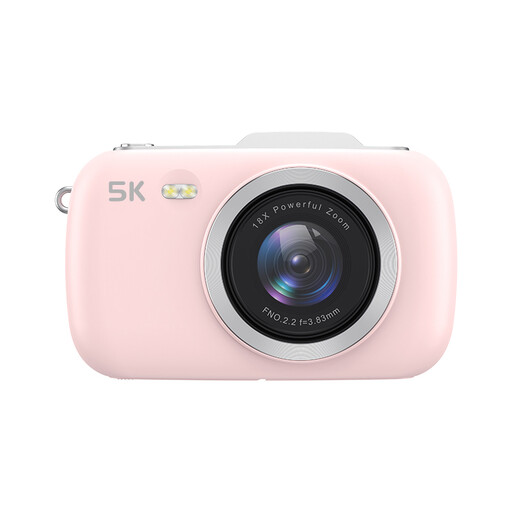 Image unavailable
The listed zoom may suit you if you want to adjust the framing from your viewpoint.
The product title lists 80 MP and 18× zoom; an SD card isn’t included.
 Image unavailable
The listed zoom lens may suit you if you want to frame the bridge differently from various viewpoints.
The product title lists a 16–50 mm zoom lens.
 Image unavailable
The listed zoom lens may suit you if you want to adjust the framing to your position.
The product title lists a 16–50 mm f/3.5–5.6 OSS II lens.
If the sky is visibly brighter than the bridge, try negative exposure compensation when using automatic or semi-automatic exposure, and check the result. If there’s little contrast, changing your viewpoint or waiting for different light matters more than choosing a particular camera setting. Canon Europe describes negative exposure compensation as a way to make your next shot darker.
No, not necessarily. A wider aperture lets in more light, but also gives you less depth of field. If you want more of the scene in focus in low light, consider a slower shutter speed and bear in mind the risk of motion blur.
Check the weather specifications for the exact camera-and-lens combination; don’t assume they apply based on the camera body alone. Canon Netherlands recommends professional servicing to help prevent damage to equipment. Follow the manual for the model in question when cleaning it.
No. According to the Dutch government, there’s no fixed statutory warranty period in the Netherlands: you’re entitled to a product that works properly for as long as you could reasonably expect it to. If there’s a fault, contact the retailer; a manufacturer’s warranty is separate.
Not necessarily. According to the Dutch Data Protection Authority, the exception for personal or household use may apply as long as you keep the images private or share them with a very limited group; the exception doesn’t apply to wider publication. If people are identifiable, consider which privacy rules and legal grounds apply to your use of the image.