Who is this relevant to?

Photographers who charge in the camera

If you want to use your camera as a battery charger, first check whether your camera body and battery support USB charging. Sony Netherlands and Canon Netherlands explain that charging options depend on the specific camera and battery combination.

Photographers with spare batteries

If you want to charge a removed battery while keeping your camera free to use, you’ll need a USB battery charger that’s compatible with the exact battery type. For example, Canon Netherlands lists specific compatible batteries for the LC-E6E charger.

Home workers with multiple USB devices

If you want to charge another device as well as a camera, compare the number of ports, but also check how much power is available when several ports are in use at once. Belkin and Xtorm provide model-specific details about ports and output power.

What should you look for when choosing?

Charging in the camera via USB

Suitable when: your camera body’s and battery’s manuals allow USB charging, and the connection and any PD requirement are compatible.

Keep in mind: some cameras need to be switched off while charging; charging does not automatically mean the camera can be powered at the same time. Sony Netherlands and Canon Netherlands describe conditions for specific combinations.

Charging a spare battery with a USB battery charger

Suitable when: the battery can’t be charged in the camera body, or you want to keep using the camera, and a charger for that exact battery type is available.

Keep in mind: you’ll need a compatible separate charger and possibly a separate cable. The required connection and power may differ from charging in the camera.

Using an existing mains charger

Suitable when: you have a socket and a suitable mains power supply or battery charger at your home working setup, and don’t need portable backup power.

Keep in mind: you’ll need access to a socket. With this option too, check that the charger is suitable for the exact battery.

Consideration What to look for Who is this important for?
Compatible charging method Check the exact camera model and battery type, whether charging is supported in the camera body or with a separate charger, and which cable you need. I want to be sure my camera or separate charger can actually charge the battery via USB, so around 40% of consumers give compatibility top priority.
Power and USB PD Compare the required charging mode and the output power with the manual for your setup. For example, Sony Netherlands specifies a minimum of 18 W USB PD for one NP-FZ100 battery in the BC-ZD1; this is not a general requirement for camera batteries. If my camera or charger requires a specific output, I don’t want to rely solely on the highest wattage shown on the packaging; around 30% of consumers prioritise suitable charging power.
Power reserve Decide how many charges you want to get without a socket, and weigh the capacity you need against size and weight. The Consumers’ Association notes that power banks with a larger charge capacity are often bigger and heavier. For a power bank that will mostly sit on my desk, I want enough reserve without unnecessary bulk; around 20% of consumers give power reserve top priority.
Charging devices at the same time Check which ports can be used as outputs at the same time and how much power remains available. Belkin states that the BPB027hqWH delivers up to 20 W through one port and 15 W in total when two ports are used. If I want to charge another USB device as well as my camera, I check the port combination and shared power; around 10% of consumers prioritise simultaneous charging.

Things to watch out for when buying

  • Assuming every USB port can charge a camera battery

    A USB port on the camera doesn’t prove that it can charge the battery through that connection. This depends on the camera body and battery; a separate battery charger may also have its own requirements.

    Check your camera body’s manual and the specifications of any USB battery charger before choosing a power bank.

  • Assuming the maximum wattage is available per port

    Belkin states that the BoostCharge BPB027hqWH delivers up to 20 W through one port, but 15 W in total when both ports are used.

    Check the specification for the port combination you actually plan to use.

  • Judging a safety warning by brand name alone

    On 15 July 2025, the Netherlands Food and Consumer Product Safety Authority (NVWA) issued a warning about specific Anker models: A1257, A1647, A1681 and A1689. A separate NVWA warning dated 15 September 2026 names the imoshion MagSafe Powerbank with article number IM-PB-0007 and batches 2024-06-0004 and 2024-09-0007.

    If there’s a warning, check the full model number and, if listed, the batch number. Don’t use a product covered by the warning.

Brands to compare

Belkin

The BoostCharge BPB027hqWH is a 10,000 mAh option with two USB-C ports and a removable cable.

  • Belkin states that it delivers up to 20 W through one port and 15 W in total when both ports are used.
  • The short USB-C cable supplied is suitable only if its connection and length work for your charging setup; this doesn’t confirm compatibility with a specific camera.

Xtorm

The Fuel Series 5 FS5103U is an option with USB-C and USB-A outputs.

  • For this model, Xtorm lists 10,000 mAh, two USB-C ports, one USB-A port and a 20 W USB-C PD output.
  • These model specifications don’t show whether a specific camera battery or separate battery charger can be charged with it.

Samsung

The EB-P3400XUEGEU is a 10,000 mAh battery pack for anyone who wants to connect several USB devices.

  • Samsung states that it supports PD 3.0 and can connect to two devices at the same time.
  • The listed features alone don’t confirm compatibility with a specific camera or separate camera battery charger.

Anker

The Nano A1259 is a 10,000 mAh option with an integrated USB-C cable.

  • Anker states that this model supports 30 W two-way charging.
  • Check that the fixed cable reaches your camera or charger and is compatible. Check the full model number against any safety warnings.

Power banks on Joybuy

These Joybuy products are power banks with different USB outputs, for use with a compatible charging setup at your home working space. First check whether your camera body or separate battery charger can charge through the relevant output.
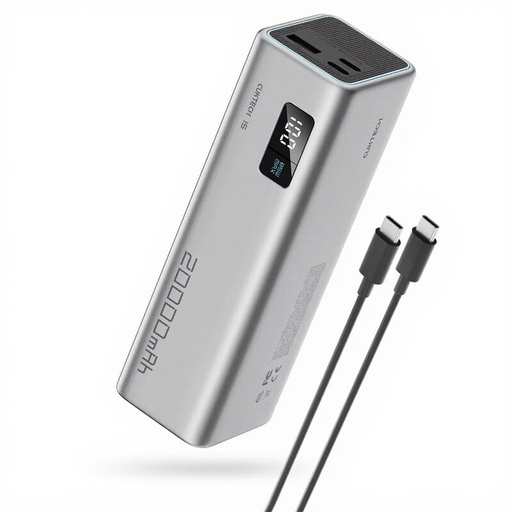
CUKTECH 15 SE Power Bank PB200, 20,000 mAh, 65 W

CUKTECH 15 SE Power Bank PB200, 20,000 mAh, 65 W

Could be suitable if your camera’s charging setup uses a compatible USB output and you also want to connect other USB devices.

The product information lists 20,000 mAh, 65 W and three outputs: two Type-C outputs and one USB-A output.

Joybuy
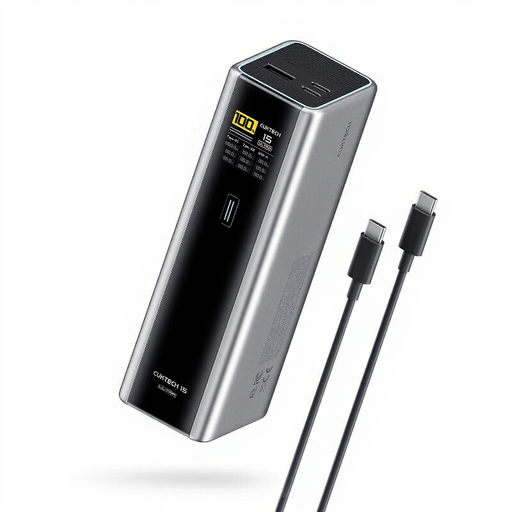
CUKTECH 15 Ultra Power Bank PB200U, 20,000 mAh, up to 140 W

CUKTECH 15 Ultra Power Bank PB200U, 20,000 mAh, up to 140 W

Could be suitable if you’re looking for a power bank with several types of output and your camera or separate charger supports the relevant connection.

The product information lists two USB-C outputs, one USB-A output and PD 3.1.

Joybuy
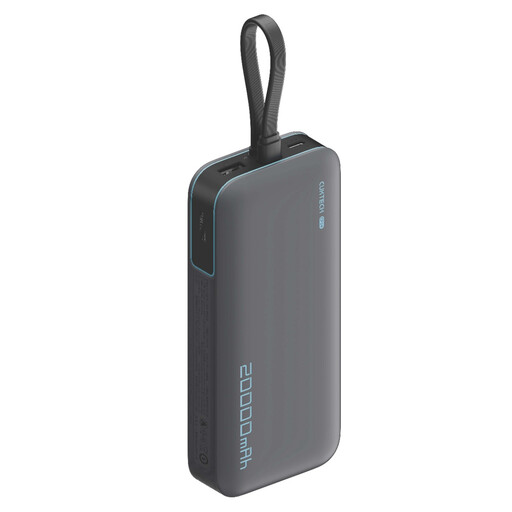
CUKTECH CP24 +3C LPB200N Power Bank, 20,000 mAh, 40 W

CUKTECH CP24 +3C LPB200N Power Bank, 20,000 mAh, 40 W

Could be suitable if the USB outputs match the charging setup for your camera or compatible separate charger.

The product information lists 20,000 mAh, 40 W and three outputs.

Joybuy

Samsung Power Bank Fast Charge 45W, 20,000 mAh, 3 USB-C ports

Samsung Power Bank Fast Charge 45W, 20,000 mAh, 3 USB-C ports

Could be suitable if you want to connect other USB-C devices as well as a compatible camera or charger.

The product information lists 20,000 mAh, three USB-C ports and Power Delivery 3.0; the maximum 45 W applies when one device is connected. The finish is listed as beige.

Joybuy
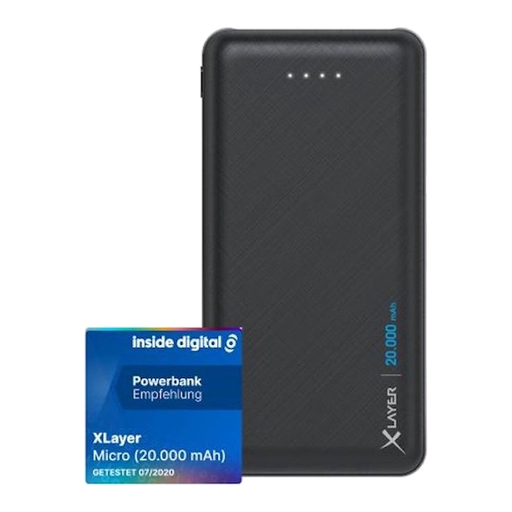
Xlayer Power Bank Micro Black Edition, 20,000 mAh

Xlayer Power Bank Micro Black Edition, 20,000 mAh

Could be suitable if your camera’s charging setup supports USB-A at 5 V; check this before choosing this model.

The product information lists two 5 V USB-A outputs and a USB-C input. According to the description, USB-C is an input here, not an output for connecting devices.

Joybuy

Frequently asked questions

Can I charge any camera battery as soon as my camera has a USB port?

No. A USB port alone doesn’t confirm that the battery can be charged in the camera. Check your camera body’s and battery’s manuals; some cameras need to be switched off. Canon states that in-camera USB PD charging of the LP-E6NH is supported only by compatible bodies.

Can a power bank charge my camera battery and another device at the same time?

That depends on the ports and the power shared by the model you choose. Belkin states that the BPB027hqWH delivers up to 20 W through one port and 15 W in total when both ports are used, so check the specifications for the combination you plan to use.

How can I position a power bank and cable safely while charging?

Place the charger in an open space so heat can escape, and don’t use damaged cables. The Netherlands Fire Service gives this as general safety advice; it doesn’t say anything about whether a specific power bank is compatible with a camera battery.

Am I still entitled to a guarantee after two years in the Netherlands?

You may be, as statutory guarantees in the Netherlands don’t have a fixed two-year limit. According to ACM ConsuWijzer, the expected lifespan depends on what you could reasonably expect from the product under normal use.

Where can I dispose of an old power bank or camera battery?

Take loose batteries to a suitable battery collection point and don’t put them in your general household waste. The Dutch government lists shops that sell batteries and local recycling centres as places to return them. For old electrical appliances, it also describes the ‘old for new’ scheme for purchases made by private individuals.
