
Anyone creating colour-accurate archive photos
You want paper and ink to look consistent across repeated shots, so you pay attention to lighting, white balance and a repeatable setup.


Start with even lighting and a camera or phone that you can position directly above the paper. For a single, readable photo, the device you already have may be enough. A mirrorless camera with a suitable lens is worth considering if you regularly need to capture the same framing and colours, or crop into fine lines. If your lights flicker, test the shutter settings and factor the complete setup into your decision.
You want paper and ink to look consistent across repeated shots, so you pay attention to lighting, white balance and a repeatable setup.
You may notice bands or colour differences in your photos, so it helps to control the shutter and take test shots using your own light source.
You want to enlarge details afterwards, so you assess resolution alongside focus, lens and shooting height.
First, take a test shot with the device you already have and check the lighting, position and focus. Only then compare cameras based on the settings and lens you need for regular use.
| What to consider | What to look for | Who it matters to |
|---|---|---|
| Paper and ink colour | Check whether you can adjust the white balance and, if you want to edit your photos, shoot in RAW. Test the camera under your own lights. | If I want to compare colours between shots, a fixed lighting setup and repeatable settings will help. Around 31% of consumers rank colour consistency as their top priority. |
| Capturing the whole sheet straight-on | Check that the camera, support and lens can capture the entire sheet from your shooting height, with the camera parallel to the work. | If you want to capture the whole sheet straight-on, focus on positioning and even lighting; around 25% of consumers prioritise this type of full-sheet shot. |
| Flickering artificial light | Check which flicker frequencies and shutter types the exact model supports, then take test shots with the lights you use. | If I see bands or uneven exposure under my lights, I want to be able to adjust the shutter to suit them. Around 25% of consumers put flicker control first. |
| Cropping into fine lines | Compare the effective photo resolution of specific models and check the detail at the size you intend to view the image. | If you want to enlarge or crop fine strokes later, consider focus and a stable setup as well as resolution; around 19% of consumers prioritise having room to crop. |
A higher stated resolution won’t correct a tilted camera, uneven lighting or an out-of-focus shot.
First, test the positioning, lighting and focus at the size you intend to use the photo.
A suitable lens and a stable setup may be additional parts of the kit you need.
Features vary by model, supported frequency and shutter type. Canon states that flicker detection on the EOS R50 does not work outside 100 or 120 Hz.
Check the manual for the exact model and take test shots with your own light.
The α6700 version reviewed is body-only, while the Canon and Nikon versions mentioned include a standard zoom lens. Nikon states that the Z50II kit does not include a charger.
Check everything in the box and which components you need for your setup.
You’ll need a suitable lens for a body-only camera; also check whether you need a separate charger.
A bright reflection can obscure details in the affected part of the photo.
Adjust the direction or spread of the light first, then check a test shot before photographing the whole series.
The EOS R50 with the RF-S 18-45mm kit zoom is an option if you’re looking for a camera body and standard zoom together.
The Z50II kit with NIKKOR Z DX 16-50mm f/3.5-6.3 VR is a standard zoom option if you’re looking for a camera and lens together.
The α6700 may be worth considering if you want RAW shooting and more control over settings under artificial light; the version mentioned is a camera body without a lens.
Here are some digital cameras you can consider for this purpose. Take a test shot under your own lights to see whether the camera and setup can capture the whole sheet straight-on, in focus and with even lighting.
 No image available
The stated optical zoom may help you adjust the framing; take a test shot to check whether the whole sheet is in focus.
The product title lists 12× optical zoom, 4K, Wi-Fi and 64 MP.
 No image available
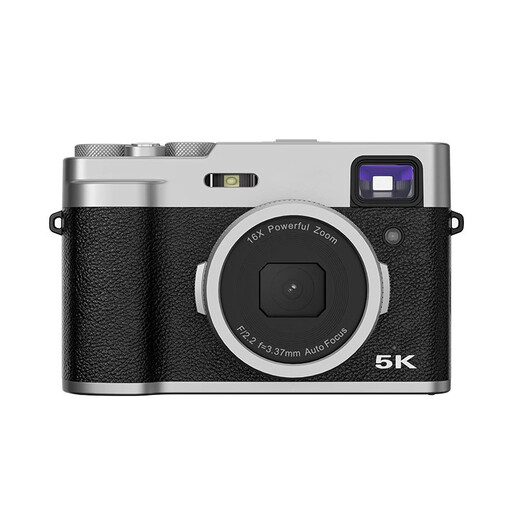
The stated autofocus and optical viewfinder are features to consider when framing and focusing on the sheet.
The product title lists 48 MP, 5K Ultra HD, a 2.8-inch LCD screen and an optical viewfinder.
 No image available
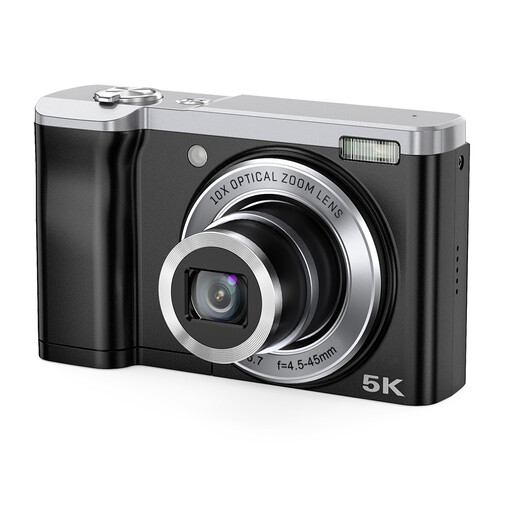
The stated optical zoom may help you adjust the framing; test whether the camera can capture the whole sheet from your setup.
The product title lists 5K and 56 MP; according to the product description, 56 MP is interpolated.
 No image available
The included zoom lens gives you options for adjusting the framing; take a test shot to check the position and focus across the whole sheet.
The product title lists a 16-50mm zoom lens. The product description states that an adapter/charger is not included.
 No image available
The stated 16-50mm lens may help you adjust the framing; take a test shot to check that the whole sheet is straight and in focus.
The product title lists a 16-50mm f/3.5-5.6 OSS II lens.
Position the camera as directly above the sheet as possible and make sure the light is even across the whole piece. Take a test shot first. If you see reflections, adjust the direction or spread of the light rather than tilting the camera.
Not necessarily. Canon states that silent shutter mode on the EOS R50 disables anti-flicker shooting and warns that using the electronic shutter under flickering light may cause bands. Check the manual for your own model and take test shots with the light you’ll actually be using.
First, check what’s included with the version you’ve chosen. Sony describes the α6700 version mentioned as body-only, while Nikon states that the Z50II kit does not include a charger. Also work out whether you need a suitable lens, support or additional lighting for your setup.
For an online purchase by a consumer, ACM ConsuWijzer states that you generally have 14 days from delivery to change your mind, subject to legal exceptions. Your statutory guarantee is separate from any manufacturer’s warranty: if a product develops a fault sooner than you could reasonably expect during normal use, you should generally contact the seller.