
Vandaag of morgen in huis

Kwaliteit gegarandeerd

Welkomstaanbiedingen ontgrendelen: GRATIS bezorging | Tot 80% korting | Gratis 30 dagen JoyPlus-proefperiode
Download de app
Buying a tablet sounds simple—until you have to choose between an Android tablet, iPad, Samsung tablet, Lenovo tablet or Xiaomi tablet. Marketing terms such as “plenty of RAM”, “all-day battery” and “professional display” do not always tell you what to expect in practice. Accessories, mobile connectivity and storage can also have a significant impact on the final cost.
This buying guide from the Joybuy Product Recommendation Officer helps you compare tablets based on verifiable specifications. That way, you can avoid choosing the wrong device for studying, work, entertainment, drawing, gaming or children.
Some models advertise figures such as “20 GB” or “48 GB RAM”. Part of this may be virtual memory: storage space that is temporarily used as working memory. This is not the same as physical RAM. Always check the breakdown, such as 8 GB + 12 GB virtual RAM.
For everyday use, 4 GB to 8 GB of physical RAM is often sufficient. For multitasking, photo editing or demanding apps, a more capable processor is more important than a large total figure in the product title.
Not every tablet comes with a power adapter. According to the product information, the Lenovo Tab One does include a protective case, but not a USB power adapter. Several iPad models list a USB-C cable, while the adapter may be available separately.
Before purchasing, check the following:
A large-screen tablet is ideal for films, documents and split-screen multitasking. However, a 13- or 14-inch model is less practical on the train or on the sofa than a compact 8.7-inch tablet. In addition to the diagonal measurement, consider weight, dimensions, brightness and resolution.
For reading and video, an IPS or Liquid Retina display with sufficient brightness is a practical starting point. A higher resolution delivers sharper text and images. A refresh rate of 90 Hz, 120 Hz or 144 Hz makes scrolling and animations feel smoother, but may affect power consumption.
An 8.7-inch display, as found on the Samsung Galaxy Tab A11 and Lenovo Tab One, is well suited to mobile use. For drawing, documents and films, models between 11 and 14 inches provide more workspace.
A tablet with ample storage gives you room for apps, offline videos, photos and documents. Keep in mind that the operating system already occupies part of the available capacity. 128 GB is suitable for general use, while 256 GB or more is a better fit for creative apps, large games and extensive downloads.
A microSD card can provide an affordable storage upgrade, but not every tablet has a card slot. According to the product information, the Lenovo Tab One supports expansion up to 1 TB. iPad models, on the other hand, do not have an external memory card slot, so choose the right storage capacity in advance.
A Wi-Fi tablet connects through a wireless network or mobile hotspot. A 4G tablet requires a SIM card and mobile data plan, but offers greater independence while travelling. Check whether the model supports nano-SIM, eSIM or dual-SIM, and whether its frequency bands are compatible with your provider.
According to the listed specifications, the Samsung Galaxy Tab A11 X135 supports 4G LTE. Some TECLAST models, including the T65 Plus and ArtPad Pro, also list 4G LTE. An iPad Air Wi-Fi does not support mobile connectivity; for mobile internet access, you need a suitable cellular version.
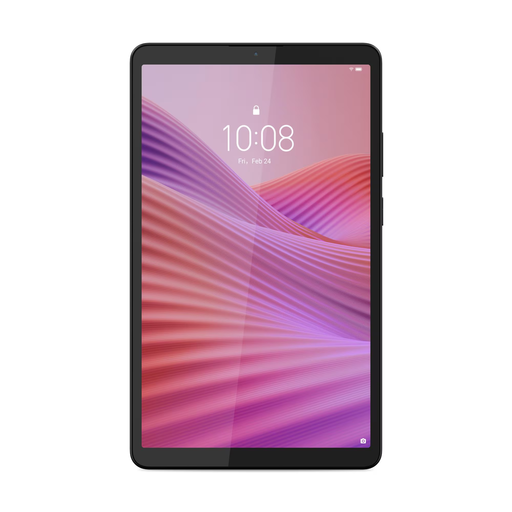
Why it fits: A compact choice for browsing, streaming, reading and online lessons at home or on the go.
The product information clearly states that this is a Wi-Fi model and that the charger must be purchased separately.
8.7-inch IPS display, 128 GB of storage, microSD expansion up to 1 TB and a protective case included.
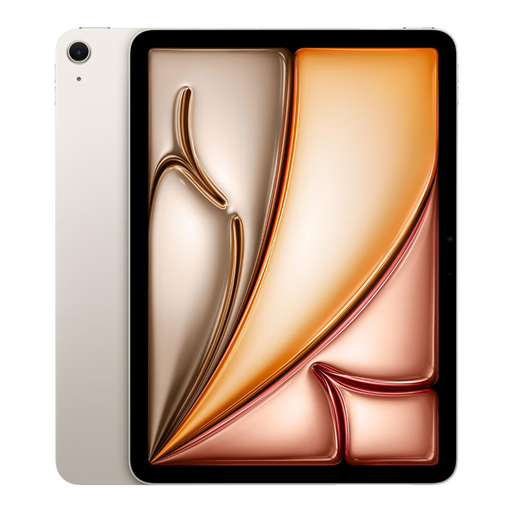
Why it fits: Ideal for users who already own Apple devices and want a tablet for study, work and creative apps.
The Wi-Fi version has no SIM card slot. Choose Wi-Fi deliberately, and also check whether a stylus and adapter are included.
M4 chip, 11-inch Liquid Retina display, 128 GB of storage and support for Apple Pencil Pro.
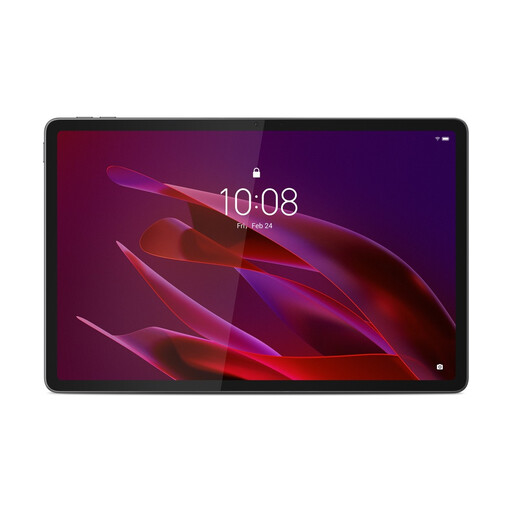
Why it fits: Designed for drawing, multitasking, gaming and document work where a fast display and pen input are valuable.
The specifications list 12 GB of physical LPDDR5X memory and 256 GB of storage, so the high memory figure is not solely virtual.
Snapdragon 8 Gen 3, 3.2K display with 144 Hz refresh rate, 256 GB UFS 4.0 storage and Tab Pen Pro included.
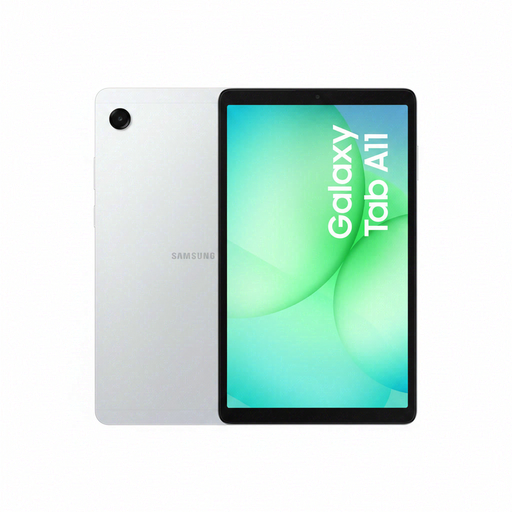
Why it fits: Convenient for travelling, commuting and households that need mobile data without relying on a hotspot.
The product information lists 4G LTE and a nano-SIM slot. However, check compatibility with your mobile provider.
Compact 8.7-inch display, 90 Hz refresh rate, 64 GB of storage, microSD support and a 5100 mAh battery.
Explore a current selection of tablets and compare size, colour, storage and connectivity before placing your order.
An Android tablet gives you a wide choice of brands, screen sizes and price points. Android models such as a Lenovo tablet, Xiaomi tablet, TECLAST or HONOR Pad are appealing if you value flexibility, microSD expansion or a broad selection of accessories.
An iPad is particularly well suited to users who already rely on Apple devices, need specific iPadOS apps or consider Apple Pencil support important. Keep in mind that a stylus, keyboard and charging adapter are not included with every model.
A Samsung tablet is a practical choice for anyone looking to combine Android, mobile connectivity and a compact form factor. For children, a durable case, parental controls and an appropriate screen size are more important than a long list of technical claims. According to the product information, the TABWEE K8 Kids tablet has a 7-inch display, 2 GB of RAM, 32 GB of storage and a protective case. It is designed for basic use, not demanding apps.
Choose at least 128 GB of storage, a bright display of around 10 to 13 inches and support for a keyboard or stylus if you type frequently or take handwritten notes. Also check the software support and whether the apps you need are available.
That depends on how you plan to use it. For handwritten notes, sketching and annotating PDFs, a tablet with a pen can be highly practical. Check whether the stylus is included. The Lenovo Yoga Tab Pro and certain TECLAST ArtPad models list a pen or pen compatibility; with iPad models, Apple Pencil accessories may be sold separately.
A tablet’s lifespan depends on software updates, battery usage, storage and physical protection. A case and sensible charging habits can help reduce wear. Before buying, review the stated warranty and update information. Use only suitable USB-C cables and adapters, and do not charge the tablet in a damp or extremely hot environment.
