
Vandaag of morgen in huis

Kwaliteit gegarandeerd

Welkomstaanbiedingen ontgrendelen: GRATIS bezorging | Tot 80% korting | Gratis 30 dagen JoyPlus-proefperiode
Download de app
Buying a laptop seems straightforward until you start looking at the specifications. A low price may be tempting, but limited memory, a missing charger or an awkward keyboard can make your purchase less practical. Terms such as “AI-ready”, “fast storage” and “long battery life” only mean something when you understand the technical details behind them.
In this buying guide, we look at the key differences between a laptop for work, a laptop for study, a lightweight laptop and a model for more demanding use. We also discuss when a laptop backpack with extra features can be useful.
A processor is important, but it is not the only component that determines everyday performance. A laptop with a modern chip can still feel limited if it has just 8GB of RAM and you regularly use lots of browser tabs, video calls and documents at the same time.
So pay attention to the combination of:
Battery life is usually measured under specific conditions. Actual usage time depends on screen brightness, Wi-Fi, video calls, connected accessories and active programmes. According to Apple’s product information, the MacBook Air can offer up to 18 hours of battery life; this is a stated maximum, not a fixed usage time for every situation.
You should therefore also compare the battery capacity, charging power and whether a suitable charger is included. Several models in this selection do not come with an adapter as standard. This means an additional purchase and potentially a longer wait before you can use the laptop.
A 14-inch laptop is often easier to carry around. A 15-inch laptop provides more room for spreadsheets, timelines and two windows side by side. However, you should also consider the aspect ratio. A screen with 1920 × 1200 pixels and a 16:10 aspect ratio provides more vertical space than a traditional 16:9 screen.
Also check:
A 16GB RAM laptop is suitable for using multiple applications at the same time, such as Microsoft 365, dozens of browser tabs, online meetings and lightweight creative software. 8GB of RAM may be sufficient for basic use, but leaves less room for future needs. Also check whether the memory can be upgraded. On many slim laptops, the RAM is integrated and cannot be replaced.
A 512GB SSD laptop offers a useful balance between storage capacity and speed. Bear in mind that Windows, macOS, recovery files and pre-installed software use part of the available capacity.
A Windows 11 laptop is a logical choice if you work with Windows programmes, peripherals or a school or office environment. The ASUS Vivobook 14 and Lenovo IdeaPad Slim 5 in this selection come with Windows 11 Home.
If you already use an iPhone or other Apple devices, you may choose to buy a MacBook for features such as synchronisation, file sharing and continuing tasks across devices. However, macOS works differently from Windows. Check beforehand that the software you need is available for macOS.
For daily travel, weight, hinge construction, charging options and protection are more important than simply having a slim case. A 15.6-inch laptop backpack should provide enough room for the device and accessories without the laptop rubbing against other hard objects.
A water-resistant laptop backpack mainly protects against light rain and splashes. This is not the same as being fully waterproof. A laptop backpack with a USB port also only works with your own power bank; the USB connection itself does not charge devices.
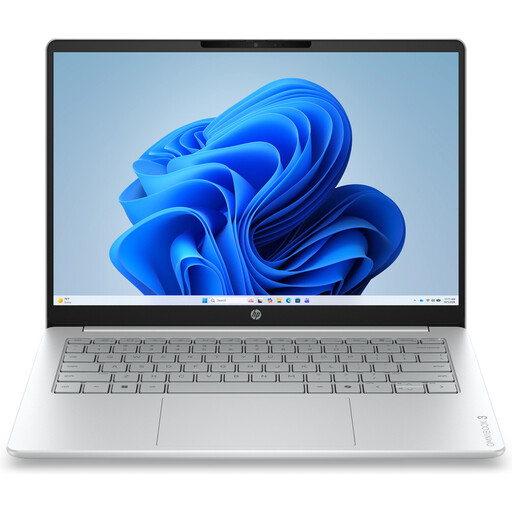
Why it suits this profile: The 14-inch format, weight of approximately 1.42 kg and Windows 11 Home make it suitable for everyday tasks such as documents, browsing, streaming and online lessons.
The product information clearly states that it has 8GB onboard RAM, a 512GB SSD and no charger. This makes it easier to estimate the total cost in advance.
14-inch IPS screen with 1920 × 1200 pixels, 512GB NVMe SSD and a physical camera shutter.
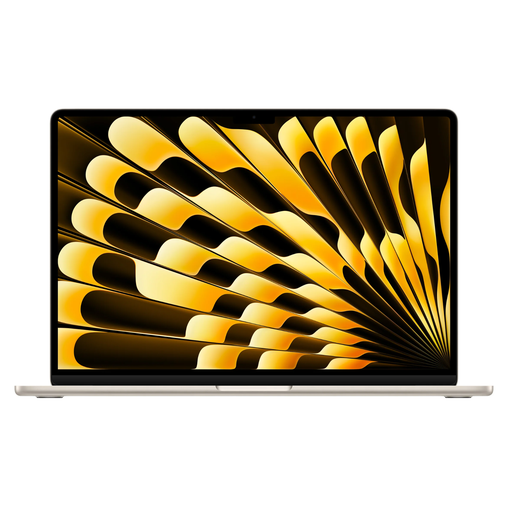
Why it suits this profile: This model combines a 15.3-inch screen with 16GB of memory and a 512GB SSD. It is a good fit for professionals and students who prefer plenty of screen space and macOS.
The storage, screen resolution and ports are described in specific terms. Do note, however, that no power adapter is included.
M5 chip, 16GB of memory, 512GB SSD and two Thunderbolt 4 ports according to the product specifications.
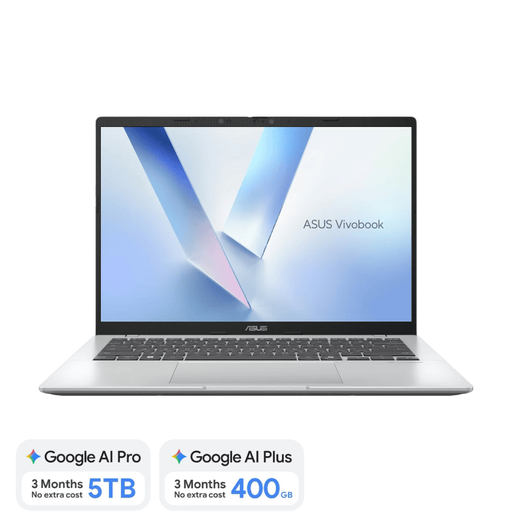
Why it suits this profile: The Snapdragon X processor, 16GB LPDDR5X and 512GB SSD are designed for mobile working, study, video calls and compatible Windows applications.
The integrated 16GB RAM cannot be upgraded, but this is clearly stated in advance. The charger is also not included as standard.
14-inch WUXGA screen, Dutch QWERTY keyboard, Wi-Fi 6E and a weight of approximately 1.49 kg.
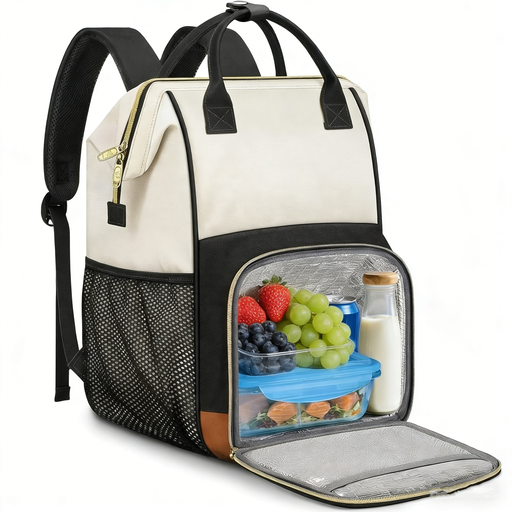
Why it suits this profile: This backpack is designed for anyone who wants to carry a laptop of up to 15.6 inches, documents, lunch and everyday essentials in one bag.
The laptop compartment, dimensions and water-repellent fabric are specified. Water-repellent does not mean fully waterproof, so use additional protection in heavy rain.
Removable insulated lunch compartment, padded laptop compartment, luggage strap and USB port for use with a power bank.
We have compiled a complete, up-to-date list of products that fully meet these strict selection criteria and the applicable European safety regulations.
For word processing, browsing and video calls, 8GB may be sufficient. 16GB of RAM gives you more room when using several programmes at the same time, opening large spreadsheets or planning to keep the laptop for several years. Check whether the memory can be upgraded; this is not possible on many compact models.
Lifespan depends on build quality, battery usage, software updates and the demands of your programmes. A laptop with sufficient RAM and SSD storage will generally remain practical for longer than an entry-level model with limited capacity. Keep the laptop in a protective sleeve or laptop backpack, and make sure the ventilation openings remain clear.
Allow for a possible USB-C or other power adapter, a protective sleeve, a laptop backpack and software subscriptions. For models without a charger included, you will need to budget separately for a charging solution. Also check that your existing printer, monitor and other accessories are compatible with the available ports.
