
Vandaag of morgen in huis

Kwaliteit gegarandeerd

Welkomstaanbiedingen ontgrendelen: GRATIS bezorging | Tot 80% korting | Gratis 30 dagen JoyPlus-proefperiode
Download de app
Buying a tablet seems simple until you start comparing specifications. A low price can be appealing, but a limited display, little usable storage or Wi-Fi-only connectivity can lead to frustration later. On the other hand, with a powerful tablet, you may sometimes pay for features you hardly use.
This guide helps you turn marketing claims into practical choices. We compare an Android 15 tablet, an 11-inch tablet and a 13-inch tablet, focusing on storage, display, performance and mobile connectivity.
A product may list, for example, 16 GB of RAM, while part of this consists of virtual memory. The DOOGEE U11 describes this as 4 GB RAM plus 12 GB extended memory. That is not the same as 16 GB of physical RAM.
This may be sufficient for browsing, streaming and schoolwork. For intensive video editing, large creative projects or demanding apps, the physical amount of RAM and the processor matter most.
A tablet with plenty of storage sounds spacious, but always check whether this refers to internal storage and whether a memory card slot is available. Apple iPad Pro models do not have an external memory card slot, so they depend on the selected internal capacity. According to the product information, a microSD card can provide up to 2 TB of additional storage on a DOOGEE tablet.
Also pay attention to the difference between GB of internal storage and expandable storage. Apps and the operating system use part of the internal space.
WiFi 7 can provide a fast wireless connection, but only when your router supports it. A 5G tablet also does not automatically work with mobile internet: check whether a SIM card or eSIM is supported and whether you need a mobile data plan.
Some product pages use terms such as “5G WiFi” to refer to Wi-Fi on the 5 GHz band. This is different from a tablet with mobile 5G connectivity.
An 11-inch tablet is generally easier to carry around. This size works well for students, commuters and users who mainly read, stream, make video calls and take notes. A smaller display is also more practical when you hold the tablet for longer periods.
A 13-inch tablet offers more workspace for spreadsheets, drawing apps, multitasking and video editing. The trade-off is that the device is larger and often heavier. If you are unsure, measure the space in your bag and consider whether you mainly work on the move or at a desk.
An IPS display is a popular choice for everyday use. OLED generally offers deep blacks and strong contrast, making it appealing for films, photography and creative work. Also check the resolution, brightness and refresh rate.
A 90 Hz display can make scrolling and animations look smoother than 60 Hz. On some tablets, such as the DOOGEE U11, 90 Hz is combined with an IPS display and a resolution of 1280 × 800. This is suitable for streaming and general use, but less sharp than the higher resolutions found on iPad Pro models.
Do not look only at the number of processor cores. The chip used, software version and amount of physical RAM all determine how smoothly a tablet performs. An iPad Pro with an Apple M5 chip is designed for demanding apps and is a tablet for professionals. A DOOGEE tablet with a Unisoc or MediaTek chip is more suited to everyday use, entertainment and online learning.
For drawing and handwritten notes, Apple Pencil support is relevant. However, check whether the pen is included; several iPad Pro listings state that it is not. A keyboard may need to be purchased separately if you want to use the tablet as a laptop replacement.
A larger battery capacity does not automatically mean longer battery life. Screen brightness, mobile data, games and background apps all have a significant impact. According to the product description, DOOGEE quotes up to 11 hours of video playback for the U11, but actual battery life depends on the settings and how you use it.
Pay attention to the safety information: use a suitable or certified charger, avoid moisture and do not leave a tablet in extreme temperatures for long periods. According to the product information, the iPad Pro models mentioned are not water- or dust-resistant.
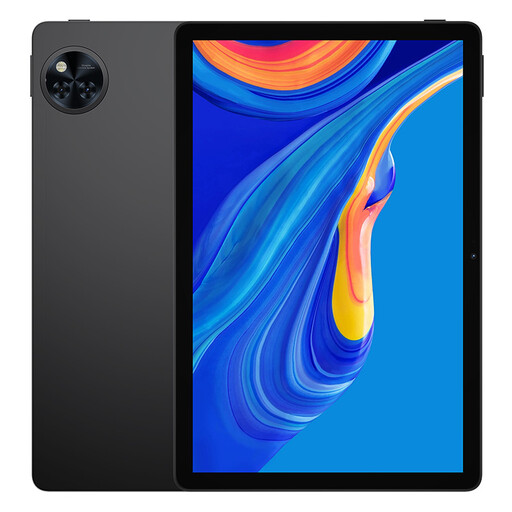
Why it suits this profile: This Android 15 tablet combines an 11-inch IPS display, 128 GB of storage and a microSD slot for everyday use, streaming and online learning.
Expandable storage means you are not limited to the internal 128 GB. However, check the exact camera and memory specifications on the product page.
Android 15, 90Hz IPS display, 8580mAh battery, microSD expansion up to 2TB and Widevine L1 according to the product information.
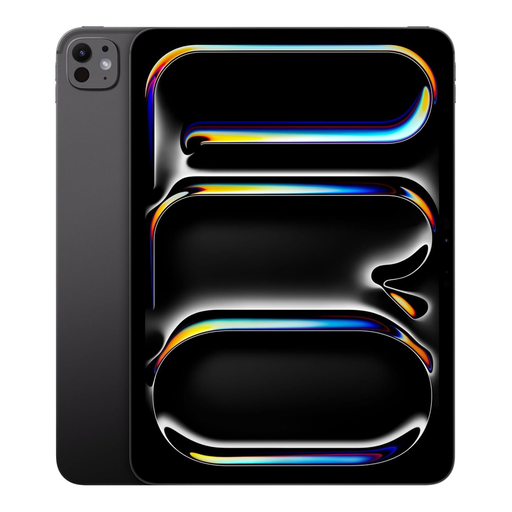
Why it suits this profile: The compact size, M5 chip, 1 TB of internal storage and OLED display meet the needs of demanding users who want to combine mobility with performance.
The generous internal storage reduces the need for external media. Bear in mind that there is no memory card slot and that accessories such as Apple Pencil may be sold separately.
11-inch OLED display with 2420 × 1668 pixels, 16 GB RAM, 1 TB of storage, WiFi 7 and Apple Pencil support according to the product details.
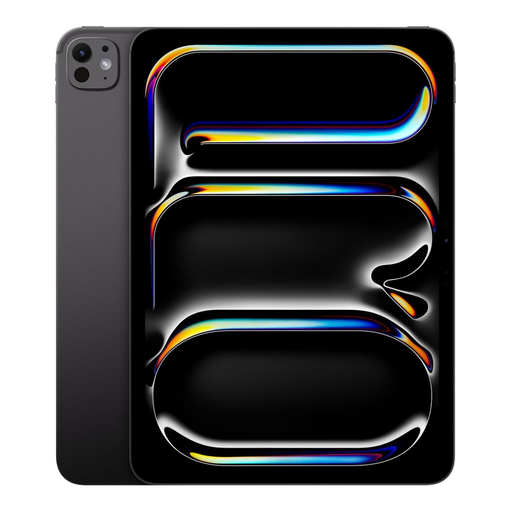
Why it suits this profile: The large OLED display, 2 TB of storage and mobile connectivity are designed for professionals and creative users who work with large files and demanding apps while on the move.
The storage capacity is internal and clearly specified, so large projects are less likely to require external storage. Before buying, check the SIM card and eSIM information for the version you have selected.
13-inch OLED display with 2752 × 2064 pixels, Apple M5 chip, 16 GB RAM, 2 TB of storage, WiFi 7 and 5G according to the product listing.
We have put together a complete, up-to-date list of products that fully meet these strict selection criteria and the applicable European safety regulations.
It depends on how you use it. An 11-inch tablet is easier to handle for travelling, reading and making video calls. A 13-inch tablet offers more room for documents, drawing and multitasking, but it also takes up more space.
Battery wear, software support, storage and physical care all affect a tablet’s lifespan. Choose a model with sufficient storage and check the stated update support. According to the product information, some models have a minimum update period, but this information varies by product.
In addition to the purchase price, you will usually need a mobile data plan or an extra SIM card. Costs depend on your provider and data allowance. If you mainly use the tablet at home, a Wi-Fi model may be more affordable and convenient.
