
Vandaag of morgen in huis

Kwaliteit gegarandeerd

Welkomstaanbiedingen ontgrendelen: GRATIS bezorging | Tot 80% korting | Gratis 30 dagen JoyPlus-proefperiode
Download de app
An SSD often makes a computer noticeably more responsive, but not every drive is compatible with every device. If you only focus on high read speeds, you could end up with an SSD that doesn't fit your laptop, isn't cooled sufficiently, or barely works any faster due to a limited connection.
The main pitfalls when buying an SSD are:
An internal SSD is installed inside a laptop, desktop or console. This provides a neat, permanent storage upgrade, but you'll need to check the connection type and may require some installation know-how.
An external SSD works via USB and is more practical for backups, photo libraries and taking files with you. A portable SSD like the DigiEra uses USB-C. The specified speed of up to 2,000 MB/s is only achievable if the computer, mobile phone or console also supports USB 3.2 Gen 2x2. With an older USB port, the transfer rate will be lower.
A 2.5-inch SATA SSD uses the Serial ATA III interface. The Kingston A400 models in this selection, for example, have specified read speeds of up to 500 MB/s. This is suitable for an older laptop or desktop that has a hard drive and a SATA connection.
An NVMe SSD typically uses the M.2 form factor and the PCIe bus. According to the product specifications, a PCIe 4.0 SSD can reach several thousand MB/s. A PCIe 5.0 SSD goes even further, but requires a compatible motherboard, sufficient cooling and, in some cases, an active fan. For everyday office work, such an extra-high speed isn't always necessary.
Check the manual for your laptop, desktop or PlayStation 5:
For a PS5 SSD, the interface isn't the only important factor. The console also has requirements for dimensions and cooling. According to the product information, the Lexar NQ790 is listed as PS5-compatible, but it requires a heatsink. The Samsung 990 PRO with heatsink is also listed as PS5-compatible in its product specification. Always check the latest guidelines from Sony and the size of the heatsink before installation.
Manufacturers usually list sequential read and write speeds. These are useful for large files, such as video projects or game installations. For normal browsing and word processing, other system components like the processor, RAM and software also determine the perceived speed.
For gaming, a gaming SSD with NVMe and PCIe 4.0 is often a practical middle ground. Content creators who move large video files may benefit more from a 2TB or 4TB SSD with a high write speed. Also, look at the specified TBW (Terabytes Written) value if you write large amounts of data daily. This is an indication of the specified write load, not a guarantee that a drive will fail immediately afterwards.
Choose a capacity based on your usage:
An SSD is not a substitute for a backup. Always keep important files in a second location, such as a NAS, external drive or cloud storage.
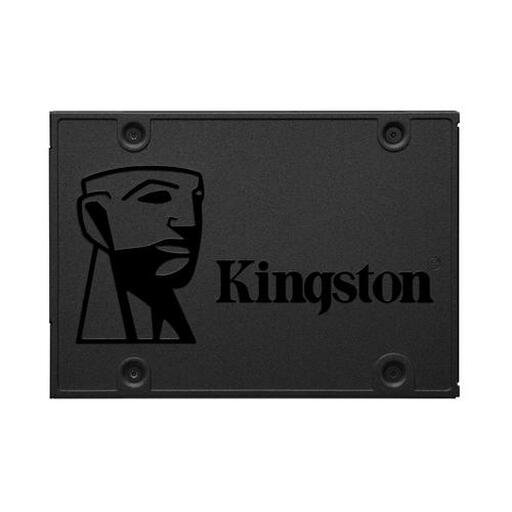
Why this fits the profile: This 2.5-inch SATA SSD is aimed at providing a simple upgrade for an older desktop or laptop with a hard drive.
The SATA III interface makes the required connection clear. You won't pay for PCIe speeds that your older system may not be able to utilise.
960GB capacity, 2.5-inch form factor and, according to the product specification, up to 500 MB/s read speed.
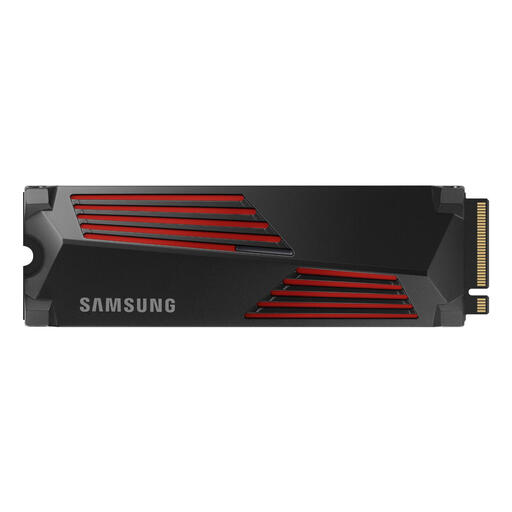
Why this fits the profile: This M.2 PCIe 4.0 SSD is designed for users looking for a powerful internal drive for gaming, video editing or a PS5.
The included heatsink addresses the risk of heat generation. However, do check if the total height fits in your laptop, desktop or console.
Specified speeds of up to 7,450 MB/s read and 6,900 MB/s write; PS5-compatible including heatsink, according to the product specification.

Why this fits the profile: A mobile choice for content creators and users who move files between USB-C devices, such as a mobile phone, laptop or console.
The USB-C connection and compact housing make it clearly suited for mobile use. Check your device's USB version beforehand to avoid disappointment with the speed.
1TB storage, specified read speed of up to 2,000 MB/s and magnetic attachment for certain iPhone models.
We have compiled a full, up-to-date list of products that fully meet these strict selection criteria and comply with applicable European safety regulations.
According to the specified interface and speed specifications, an NVMe SSD can offer significantly higher sequential speeds. However, the actual difference depends on the device, the software and the type of files. For an older computer with only SATA ports, a SATA SSD is a more suitable choice.
For a basic laptop, a 1TB SSD is often sufficient. Gamers and users with lots of photos or videos will usually find 2TB to be a more practical choice. If you store large projects locally, you might consider 4TB. Also, remember to leave free space for updates and temporary files.
The lifespan depends on the write load, temperature, usage and model. Manufacturers sometimes state a TBW value and a mean time between failures (MTBF) in the product specifications. You should view these figures as technical guidelines. Always make backups of important data and install firmware updates according to the manufacturer's instructions.
