
Vandaag of morgen in huis

Kwaliteit gegarandeerd

Welkomstaanbiedingen ontgrendelen: GRATIS bezorging | Tot 80% korting | Gratis 30 dagen JoyPlus-proefperiode
Download de app
A new SSD (Solid State Drive) can give your computer or gaming console a huge speed boost. But the market is filled with technical jargon and marketing promises. Anyone looking to buy an SSD can quickly feel overwhelmed by the options. Many people fall into the same traps, wasting money on a drive that isn't suitable for their PC, laptop, or PS5.
As a Joybuy Product Recommendation Officer, I'm here to help you avoid these mistakes. We'll look past the marketing hype and focus on the specifications that truly matter. These are the most common pitfalls:
To avoid a bad purchase, it's important to understand a few key specifications. These determine whether an SSD is the right choice for your needs.
The first question is simple: do you need storage for inside your device or for on the go?
For internal SSDs, there are two main standards. The difference in speed is enormous.
The required storage depends on your usage. Modern games and 4K video files take up a lot of space.
Below is a selection of SSDs tailored to different user profiles. We explain why a specific drive is a good fit and how it avoids the pitfalls mentioned earlier.
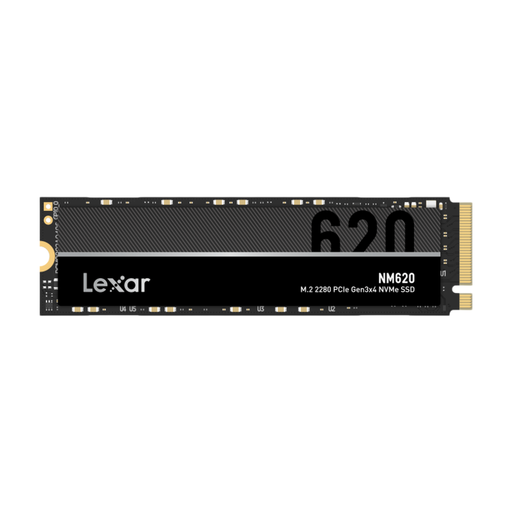
Why This Fits Their Persona: Perfect for those who want to give an older PC or laptop with an M.2 slot a significant speed boost without breaking the bank. This 1TB SSD offers an excellent balance of price, performance, and storage space.
This PCIe Gen3 NVMe drive is much faster than a SATA SSD, so you're not stuck with outdated technology. You get a noticeable performance improvement for a competitive price.
Read speed up to 3300 MB/s: A huge leap forward compared to traditional hard drives and SATA SSDs. Great value for money: Plenty of speed and 1TB of storage for an accessible price.
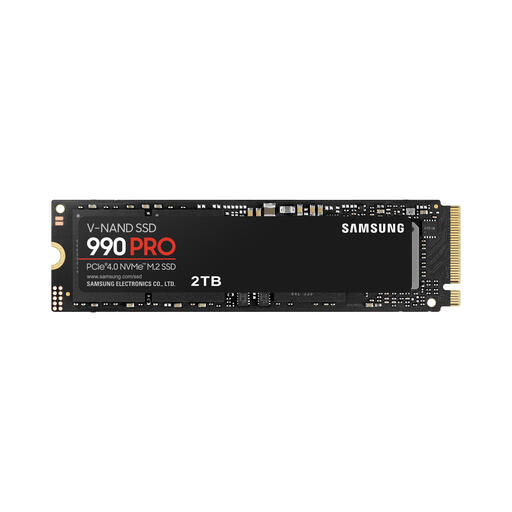
Why This Fits Their Persona: For serious gamers and professionals who demand maximum performance. This Samsung SSD is ideal for fast loading times in games, 4K video editing, and data analysis. The 2TB version provides ample space for large projects and game libraries.
This drive not only excels in sequential speed but also has extremely high IOPS (random read/write), which is crucial for a responsive system and fast game loading times. The high TBW rating (1.2 PB) guarantees a long lifespan under intensive use.
PCIe 4.0 speeds: Read speeds up to 7,450 MB/s for lightning-fast file transfers. High endurance: The 1200 TBW is suitable for heavy workloads. Smart thermal control: Maintains performance under heavy load.
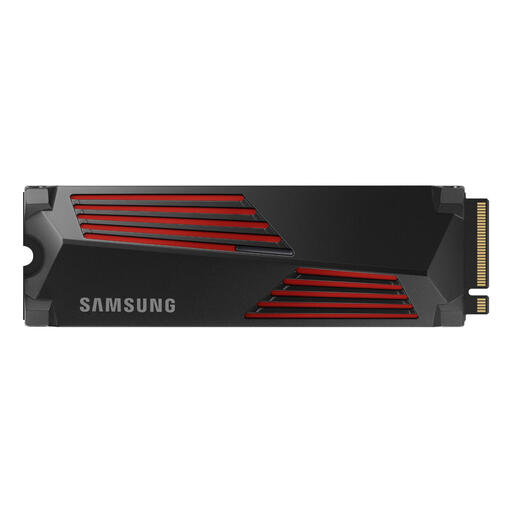
Why This Fits Their Persona: Specifically for PlayStation 5 users looking to expand their storage. This version of the 990 PRO comes with a pre-installed heatsink, which is a requirement for use in the PS5. With 2TB of extra space, you can install dozens of games.
Completely avoids the compatibility trap. This PS5 SSD meets all of Sony's speed requirements, and the integrated heatsink prevents overheating and performance loss during long gaming sessions. No fuss, just install and play.
Plug-and-play for PS5: The heatsink is pre-mounted, making installation simple. Top-tier performance: Loading times are often even faster than the PS5's internal storage. RGB lighting: The heatsink features a stylish design with RGB lighting.
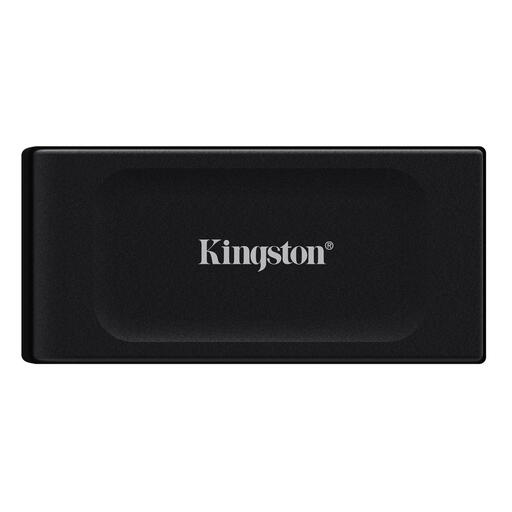
Why This Fits Their Persona: For those who are often on the go and need to transfer large files quickly. This external SSD is extremely compact and lightweight, yet offers 2TB of high-speed storage. Ideal for photographers, videographers, or professionals working with large datasets.
Unlike bulky and fragile external hard drives, this is a robust and lightning-fast solution. You won't have to wait for minutes to copy files. The USB 3.2 Gen 2 interface ensures broad compatibility and high speeds.
Extremely compact and light: Weighs only 29 grams and fits easily in your pocket. High transfer speeds: Up to 1,050 MB/s read and 1,000 MB/s write, transferring large files in seconds.
We have compiled a complete, up-to-date list of products that fully meet these strict selection criteria.
For most PCIe 3.0 and many PCIe 4.0 NVMe SSDs, a heatsink is not strictly necessary for normal use in a well-ventilated PC case. However, for high-end PCIe 4.0 and all PCIe 5.0 SSDs, it is strongly recommended. These drives can get very hot under heavy load, which can lead to performance loss (thermal throttling). For use in a PlayStation 5, a heatsink is always mandatory.
The biggest difference is speed and the connection type. A SATA SSD uses the older SATA interface and has a maximum speed of about 550 MB/s. An NVMe SSD uses the much faster PCIe interface, which communicates directly with the processor. This allows NVMe SSDs to reach speeds many times higher, from 3,000 MB/s to as much as 14,000 MB/s.
This depends entirely on your usage. For a standard SSD for PC that only runs the operating system and some programs, 500 GB is often enough. Gamers are better off choosing a 1TB SSD or 2TB SSD, as modern games can easily take up 100-200 GB each. Content creators who work with large video or photo files will benefit most from 2TB or even 4TB to avoid constantly having to free up space.
