
Vandaag of morgen in huis

Kwaliteit gegarandeerd

Welkomstaanbiedingen ontgrendelen: GRATIS bezorging | Tot 80% korting | Gratis 30 dagen JoyPlus-proefperiode
Download de app
Buying a smart robot might seem straightforward, until you realise how many different devices fall under the same umbrella. Robot vacuum cleaners, app-controlled robots, educational robots and autonomous robots have little in common. If you choose based only on terms such as “AI”, “autonomous” or a high power rating, you could end up with a product that isn’t right for your home, garden or intended use.
The main pitfalls to watch out for:
Start with the task you want the robot to do, rather than the brand.
If you’re still weighing up different categories, take a look at our wider range of intelligent robots.
A robot that runs on battery power alone isn’t automatically more practical. According to the product information, the EUREKA E20 Plus has a stated run time of up to 180 minutes and a 5200 mAh battery. In practice, run time can vary depending on the suction setting, floor type and route.
The difference matters even more with a window-cleaning robot. The PuRuiKai PRK-21B must stay connected to mains power while in use. According to the product information, its internal battery is intended as a backup in the event of a power cut, not as a standalone power source. A safety cable is still essential.
LiDAR, cameras, 3D sensors and laser sensors each have a different purpose. On a robot vacuum cleaner, LiDAR helps create a map and plan routes. On a robot dog or humanoid robot, sensors may be used for obstacle avoidance and positioning.
Think about the environment where you’ll use the robot:
According to the product description, the JONR T5 Pro features LiDAR navigation, obstacle avoidance and app control. The manufacturer also says you should let it create a complete map on its first run and clear the floor beforehand.
An all-in-one station means fewer tasks, but it doesn’t make a product maintenance-free. Water tanks, filters, brushes, mop pads and dust containers still need to be checked.
Also check:
For example, the Unitree G1 is explicitly stated not to have an SDK/API available for this version. This is important for business users and robot enthusiasts who want to develop their own software.
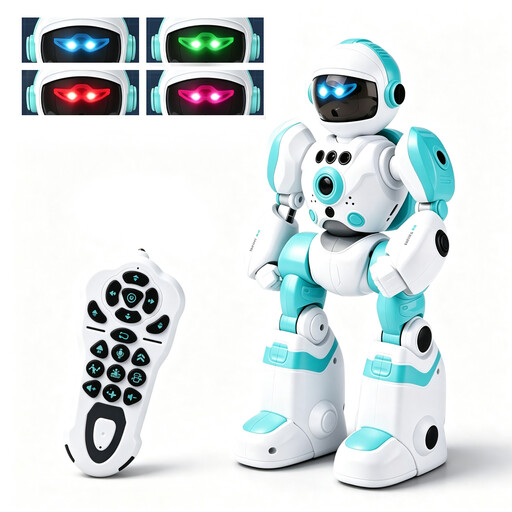
Why it suits this profile: This educational robot is designed for children and interactive play, with remote control, voice commands, gesture control and programmable actions.
The product description lists specific features, including 5 stories, 8 songs, 10 simple voice commands and 30 programmable actions. Be sure to check the age warning and use it under supervision.
Rechargeable 3,7V battery, 2,4GHz control and several ways to operate it. The stated play time is up to 120 minutes per full charge.
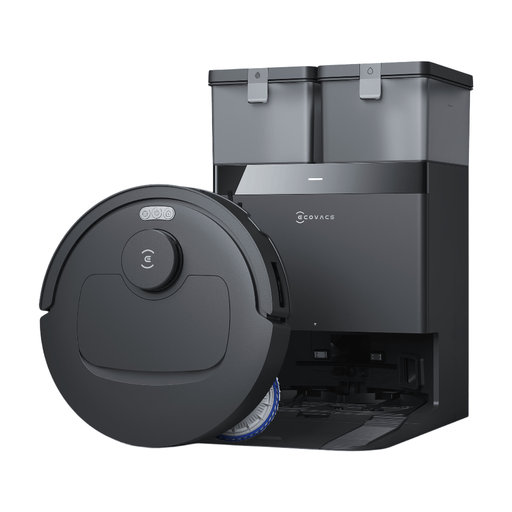
Why it suits this profile: For households with hard floors, carpets and pets, and anyone looking to automate vacuuming and mopping.
Its features are clearly described: TrueMapping 2.0, carpet detection, fall protection and a station that empties dust, washes the mops and dries them. These features reduce the number of tasks, but maintenance is still required.
The stated specifications include 20.000 Pa suction power, 75°C wash water for the mops, a 4 litre clean water tank and control via the ECOVACS Home app.
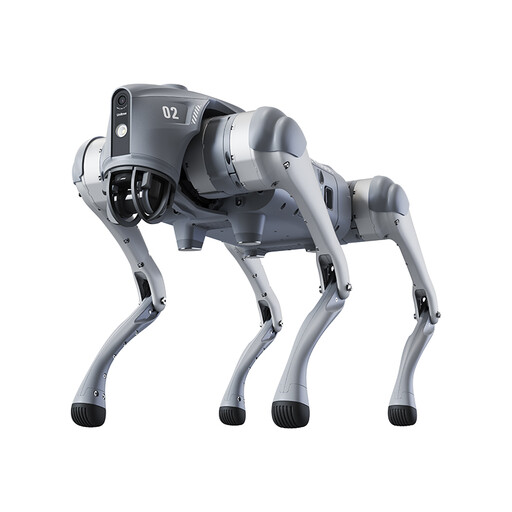
Why it suits this profile: Designed for robot enthusiasts, demonstrations, inspections and technical applications where movement, sensors and app control are central.
The product information clearly states that this is not a toy and is not suitable for anyone under 14. It also includes specific instructions for positioning, starting up and fitting the battery.
Listed features include 3D LiDAR, obstacle avoidance, a camera, Wi-Fi 6, Bluetooth, app-based map viewing and a stated battery life of 1 to 2 hours.
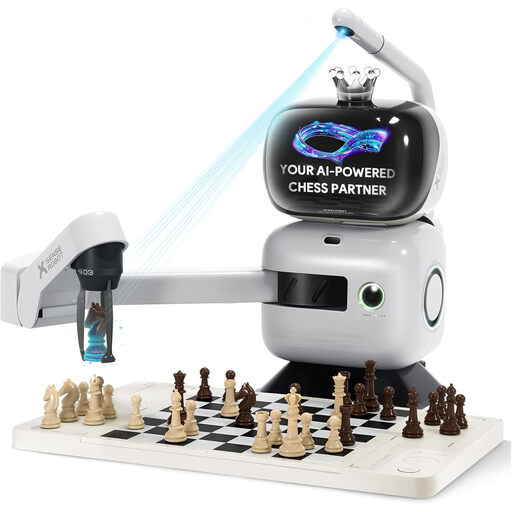
Why it suits this profile: For chess players who want to practise without a regular opponent and are looking for features such as lessons, endgames and app synchronisation.
The product listing mentions 25 AI levels, over 1.200 exercises, endgame training and Lichess integration. Before buying, check which app and Wi-Fi features will work for you.
According to the product information, the robotic arm has a stated accuracy of less than 1 mm, and the robot offers voice guidance, app analysis and OTA updates.
We’ve put together a complete, up-to-date list of products that meet these strict selection criteria and the applicable European safety requirements.
A robot vacuum cleaner with mapping, obstacle detection and adjustable no-go zones is often a practical choice. Check the threshold height, the available space around the charging station and whether you have carpets. A robot mop may be less suitable if its water tanks or wet pads are difficult to maintain.
Its lifespan depends on how often you use it, how well you maintain it, the condition of the battery and whether replacement parts are available. Clean the brushes and sensors according to the instructions, don’t leave water in the tanks for long periods, and check the cables and safety features. For advanced models, software support and updates also play a part.
On top of the purchase price, you may need to pay for electricity, filters, brushes, mop pads, dust bags, cleaning products and batteries. A station without a dust bag can help reduce ongoing costs, but check which parts are available for your specific model. For garden, pool or window-cleaning robots, it’s also worth factoring in power supply, storage and regular maintenance.
