
Vandaag of morgen in huis

Kwaliteit gegarandeerd

Welkomstaanbiedingen ontgrendelen: GRATIS bezorging | Tot 80% korting | Gratis 30 dagen JoyPlus-proefperiode
Download de app
A slow or unreliable SD card can disrupt a project. Imagine stuttering 4K footage during a critical shoot, a drone displaying an error message, or endlessly waiting for files to transfer. Choosing the right memory card is essential, but the array of specifications like U3, V30, and A2 can be confusing.
As a Joybuy Product Recommendation Officer, my job is to help you make an informed choice. This guide is designed to clarify the technical details and help you find a reliable SD card that fits your equipment and needs.
Before we look at specific products, here are a few practical points to consider. Understanding these specifications will help you buy a memory card that meets your requirements.
The speed of an SD card is often indicated by different classes. These are more important than just the maximum read speed (MB/s).
Memory cards come in various capacities, designated as SD, SDHC, SDXC, and SDUC.
Always check your device's manual to see the maximum supported capacity. A camera or memory card for a drone that supports a maximum of 128 GB will not recognize a 256 GB card.
The two most common form factors are the standard SD card and the smaller micro SD card. Most modern devices like drones, action cams, and smartphones use a micro SD card. Many cameras still use the standard format. Fortunately, many micro SD cards come with an adapter, allowing them to fit into devices with a standard SD slot.
Based on product specifications and use cases, we have selected several popular choices for different user profiles.
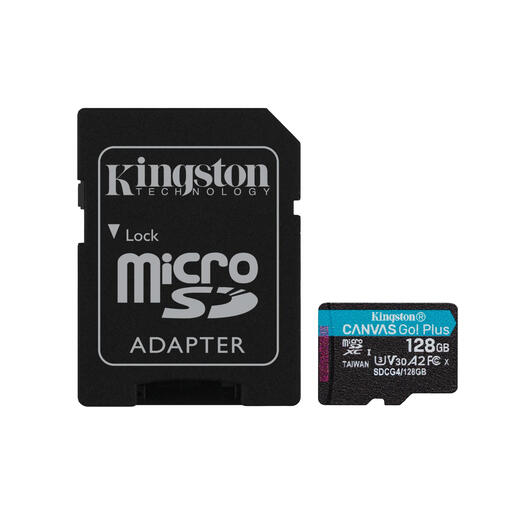
Why It Stands Out The Kingston Canvas Go Plus is a versatile card that delivers high performance for a wide range of applications. According to Kingston, the card achieves read speeds of up to 200 MB/s, which significantly speeds up the transfer of large files like 4K videos. The combination of U3, V30, and A2 specifications makes it a flexible choice.
Pros:
Who is this for? This Kingston memory card is ideal for on-the-go content creators, drone pilots who need reliable recordings, and gamers looking to reduce loading times on their console or smartphone.
View the Kingston Canvas Go Plus 128GB
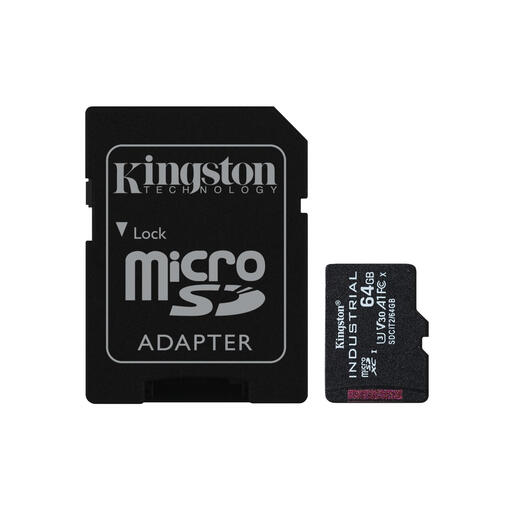
Why It Stands Out This card is not designed for everyday use, but for extreme conditions. According to the manufacturer, the Kingston Industrial card operates in temperatures from -40°C to 85°C. This makes it suitable for industrial applications, dashcams left in a hot car, or equipment in unheated outdoor locations.
Pros:
Who is this for? Professionals in industry, security, and telemetry. Also a solid choice for users of dashcams or other devices that need to perform continuously under harsh conditions.
View the Kingston Industrial 64GB
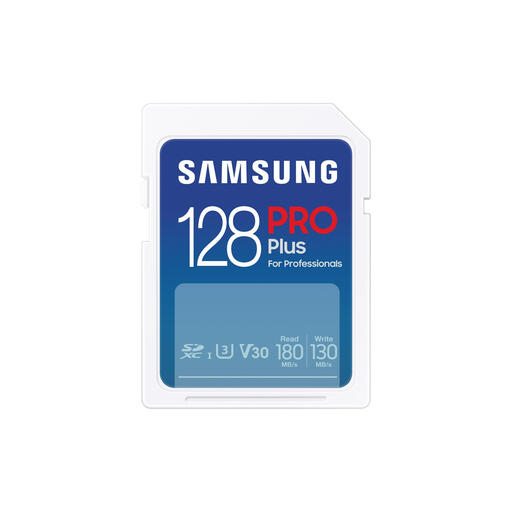
Why It Stands Out The Samsung SD card from the PRO Plus series is aimed at professional photographers and videographers. With high read and write speeds (up to 180 MB/s and 130 MB/s, respectively), this card is designed for fast burst photography and smooth 4K video capture. Samsung claims 7-proof protection against water, temperature, shocks, and more.
Pros:
Who is this for? This is an excellent SD card for camera users, especially (semi-)professional photographers and videographers who need a reliable and fast card for their DSLR or mirrorless camera.
View the Samsung PRO Plus 128GB
Storage needs can vary greatly. If the recommendations above don't quite match what you're looking for, or if you need a different capacity or brand, a wider selection is available.
Discover more digital camera compatible memory cards
The main difference is the guaranteed minimum write speed. a U1 card guarantees 10 MB/s, while a U3 card guarantees 30 MB/s. For recording 4K video, a U3 card (or V30) is necessary to prevent the recording from stopping or dropping frames.
No, always check your device's specifications. Pay attention to the format (SD or micro SD), the maximum supported storage capacity (e.g., 128 GB), and the required speed class. A memory card for a drone often requires at least a U3/V30 rating for stable 4K recording.
This depends on the bitrate (the amount of data per second) your camera uses. As a general guideline, you can record approximately 2 to 4 hours of 4K video on a 128gb sd card. This is an estimate; the actual recording time may vary depending on the camera and settings.
