
Vandaag of morgen in huis

Kwaliteit gegarandeerd

Welkomstaanbiedingen ontgrendelen: GRATIS bezorging | Tot 80% korting | Gratis 30 dagen JoyPlus-proefperiode
Download de app
Buying a projector seems simple until you start comparing the specifications. One projector lists thousands of lumens, another mentions 4K support, while a third promises automatic image correction. But these terms don’t always tell you what you’ll actually see in your living room, bedroom, classroom or garden.
So the most important question isn’t which projector has the longest list of features, but which features suit your room, viewing distance and source devices. Read on to find out what to look for and which models suit different needs.
Brightness is listed in ANSI lumens, ISO lumens or simply as ‘lumens’. These values aren’t necessarily directly comparable. A higher figure also doesn’t automatically mean a better picture: your viewing experience depends on ambient light, image size and the colour of the projection surface too.
A lower brightness rating may be enough for a darkened home cinema. In a bright living room, classroom or meeting room, more brightness is often more practical. So always check which unit is used and the conditions under which the manufacturer takes its measurements.
A 4K projector can display native 3840 × 2160 pixels, but some models only accept a 4K signal and scale it down to 1080p or a lower resolution. That’s not the same as having a native 4K panel.
The same applies to Full HD. A Full HD projector has a native resolution of 1920 × 1080 pixels. If the specifications only say ‘1080p supported’ or ‘4K compatible’, check the native resolution in the product details.
A smart projector with Android, Google TV or another interface may include apps, but not every streaming service works in the same way on every platform. You may still need a TV stick, laptop or games console. Also check that your home network is stable enough and that the projector has the connections you need.
For a home cinema projector, native 1080p is often a sensible minimum. For gaming, input lag matters too. A projector may produce a sharp image but still be less suitable for competitive gaming if the lag is high.
The throw ratio determines how far the projector needs to be from the wall or screen. A short-throw projector has a low throw ratio and can produce a large image from a short distance. This is useful in a flat, classroom or small bedroom.
A standard projector needs more space between the lens and the screen. So measure the following in advance:
A projector with autofocus and automatic keystone correction can make setup easier, but digital correction can affect the image. Positioning the projector straight on is usually the most reliable option.
Check whether you need HDMI, USB, Wi-Fi and Bluetooth. HDMI is important for a gaming projector, while a projector with Wi-Fi can be handy for wireless streaming. Bluetooth is especially useful for connecting a wireless speaker or headphones.
A portable projector is appealing if you want to use it on the move, but check the battery life and brightness. For an outdoor projector, you’ll also need a stable surface, a power source and protection from moisture. Most projectors aren’t waterproof, even if they’re advertised for outdoor use.
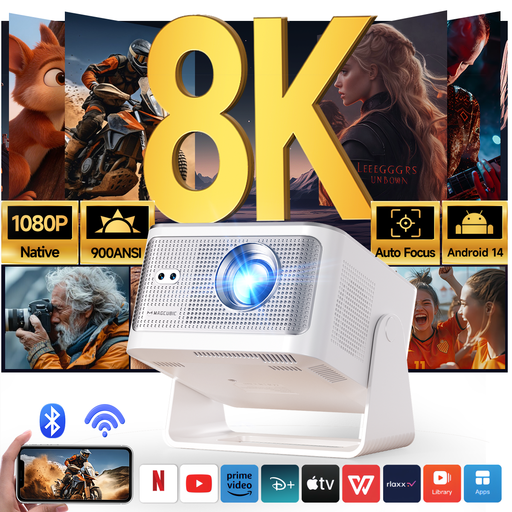
Why it suits this user: The combination of native 1080p, Android 14, Wi-Fi 6, Bluetooth 5.4 and automatic focus is a practical choice if you want to stream films without a complicated setup.
The product specifications list native 1080p separately from 8K support. This makes the difference between the displayed resolution and supported source material clearer.
Native 1080p, 900 ANSI lumens according to the product information, automatic focus and a 1:1 throw ratio.
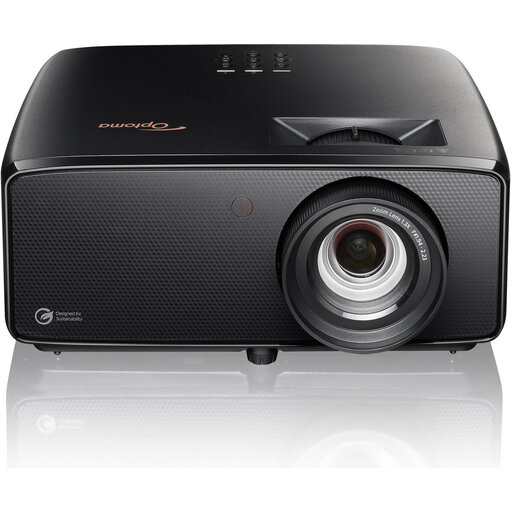
Why it suits this user: This model is aimed at people creating a larger home cinema setup who value native 4K, laser illumination and flexible placement.
The specifications list 3840 × 2160 as the native resolution. The light source and its lifespan are also listed separately, so 4K isn’t just used as a marketing term.
Native 4K UHD, 3,800 lumens according to the product specifications, a dual-laser light source, 1.3x optical zoom and two HDMI 2.0 ports.
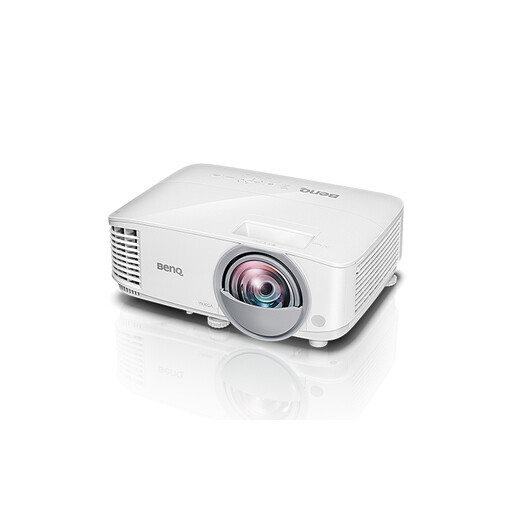
Why it suits this user: Its short throw distance and high brightness make it a good fit for classrooms, meeting rooms and other spaces with limited room and relatively high levels of ambient light.
The stated throw ratio of 0.49:1 makes it clear that this model is designed for short distances. Its native XGA resolution also helps avoid mistaken expectations about Full HD.
DLP technology, 3,600 ANSI lumens, short throw distance and a stated lamp life of up to 15,000 hours.
We’ve put together a complete, up-to-date list of products that meet these strict selection criteria and the applicable European safety requirements.
Use this checklist when buying a projector:
A lower brightness may be enough in a darkened room. In a living room with daylight or for presentations, a higher ANSI or ISO lumen rating is more practical. The brightness you need also depends on the image size: the larger the image, the more important it is to have enough light output.
That depends on the light source. Manufacturers quote different theoretical lifespans for lamps, LEDs and lasers. A lamp may also have a different lifespan in each operating mode. Ventilation, dust, hours of use and the selected brightness setting all affect its real-world lifespan. So check the official specifications and maintenance instructions.
The purchase price is only part of the cost. Also consider a projection screen, replacement lamps for some models, electricity consumption and, if needed, an external soundbar or streaming stick. A projector is particularly appealing if you want a large image and can darken the room sufficiently.
