
Vandaag of morgen in huis

Kwaliteit gegarandeerd

Welkomstaanbiedingen ontgrendelen: GRATIS bezorging | Tot 80% korting | Gratis 30 dagen JoyPlus-proefperiode
Download de app
A movie night on a giant screen, right in your own living room. That's the promise of a projector. But the search for the right model can feel like a maze of technical terms and marketing claims. Before you make a purchase, it's crucial to know what to look for. Many specifications sound impressive but prove disappointing in practice.
As a Joybuy Product Recommendation Officer, I'm here to help you cut through the noise. We'll focus on the facts, so you can make a choice that fits your needs and budget. Let's discuss the most common pitfalls that could cost you money.
To avoid a bad purchase, there are a few technical specifications you must check. These determine the actual image quality and ease of use.
This is a crucial difference. Many projectors advertise "supports 4K," but their native resolution (the actual number of pixels) is much lower, such as 720p or 1080p. This means the projector can receive a 4K signal, but it downscales the image to its own, lower resolution. For a truly sharp image, look at the native resolution. If you want a true 4K projector experience, the native resolution must be 3840 x 2160 pixels. For most home cinemas, a native 1080p (Full HD) is an excellent and affordable starting point.
Think about how you'll use the projector.
Not every projector is suitable for every room. The throw ratio determines how large the image is from a certain distance. A "short-throw" projector can project a large image from up close, ideal for smaller rooms. Also, check the correction features. Automatic keystone correction (image distortion) and autofocus make setup much easier. For a permanent installation, a projector ceiling mount is a stable solution, while a projector tripod offers more flexibility for a portable projector.
Below is a selection of products tailored to different user profiles, based on their objective specifications.
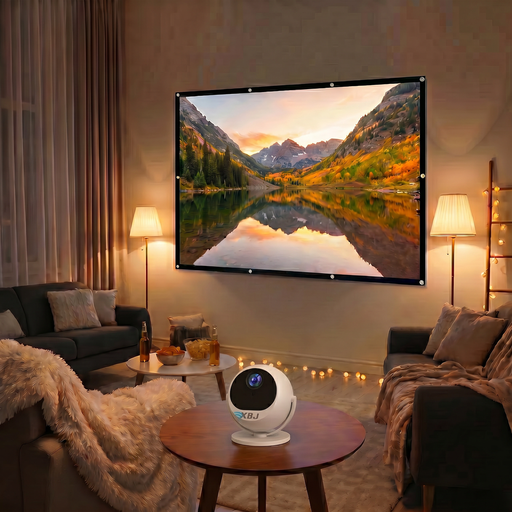
Why This Fits Their Persona: Ideal for those who want to create a cinema experience anywhere: in the living room, bedroom, or even on the balcony. The 360° rotating stand and automatic setup make it extremely flexible.
The brightness is clearly specified as 900 ANSI lumens. The native 1080p resolution is honest, and the WiFi 6 and auto-focus features are modern and functional, helping you avoid the 'dumb' smart projector and connectivity traps.
The combination of a native 1080p resolution, high brightness, and fast, automatic image correction in a portable design. Includes a 100-inch projector screen for a complete setup.
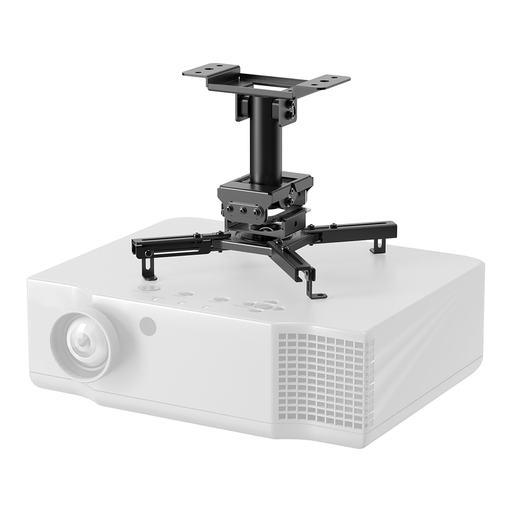
Why This Fits Their Persona: For those who want to set up a permanent and sleek home cinema system. This mount ensures a stable, vibration-free installation and a clean look thanks to cable management.
The pitfall with accessories is skimping on quality. A flimsy mount can vibrate or sag. This projector ceiling mount has a high load capacity (45 kg) and extensive adjustment options, ensuring a stable and perfectly aligned projection.
Universal compatibility and full range of motion (tilt, rotate, swivel) for perfect alignment. The easy-release system simplifies installation and maintenance.
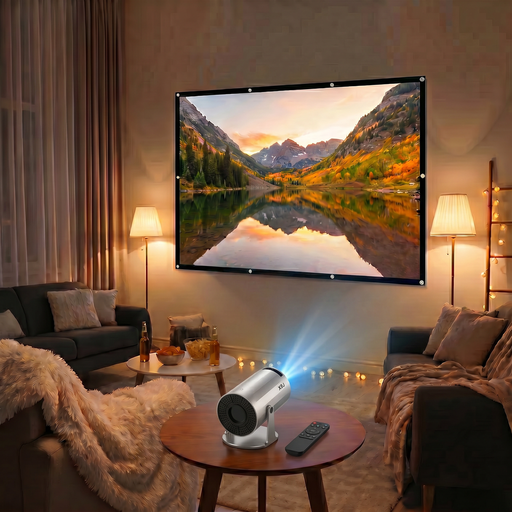
Why This Fits Their Persona: Perfect for those looking for an affordable and complete solution for casual movie nights. This compact mini projector is easy to take with you and comes with a projector screen.
This model is transparent about its specs: 200 ANSI lumens and a native 720p resolution. It doesn't overpromise, but offers a functional smart experience (Android 11, WiFi 6) for a competitive price, thus avoiding the trap of exaggerated claims.
A complete, portable package with a built-in smart platform and modern connectivity. The 220° rotatable stand offers versatile projection options, even onto the ceiling.
A great setup is more than just the projector. Discover our range of accessories that meet strict selection criteria and safety standards.
This depends on the lighting conditions in the room.
A true 4K projector has a native resolution of 3840 x 2160 pixels, resulting in a razor-sharp and detailed image. A '4K supported' projector has a lower native resolution (often 1080p) and downscales the 4K source material. The image is sharper than standard 1080p but doesn't achieve the detail of native 4K. For most users, a good native 1080p projector offers an excellent balance between price and quality.
The lifespan depends on the type of light source.
