
Vandaag of morgen in huis

Kwaliteit gegarandeerd

Welkomstaanbiedingen ontgrendelen: GRATIS bezorging | Tot 80% korting | Gratis 30 dagen JoyPlus-proefperiode
Download de app
Building or upgrading a PC yourself is a rewarding experience. But the market for PC parts can be a labyrinth, filled with marketing jargon and technical specifications. It's easy to make the wrong choice, which can lead to unnecessary costs, frustration, and a system that doesn't perform as expected. As a Joybuy Product Recommendation Officer, I'll help you recognise the most common pitfalls and select the right components for your needs.
Before you spend any money, it's crucial to be aware of a few common mistakes. Avoiding them will not only save you money but also ensure you end up with a stable and powerful system.
You don't need to be an engineer to make the right choices. Focus on a few crucial specifications to ensure you build a balanced and functional system.
These three components are inextricably linked. Always check for compatibility before making a purchase:
When choosing RAM, the clock speed (in MHz) isn't the only thing that matters. CAS Latency (CL) is just as important. This number indicates the delay before the memory responds to a command. A lower CL value is better. For many modern systems, especially those with an AMD processor, a DDR5 kit with 6000 MT/s and a CL value around 30 is a popular choice that offers a great balance between speed and responsiveness.
Every processor generates heat, expressed as Thermal Design Power (TDP). Ensure your cooling solution—whether it's air cooling or water cooling—can handle your CPU's TDP. Don't forget about the airflow in your case. Good case fans bring in cool air and exhaust hot air, which is essential for maintaining the performance of all your PC parts.
Not everyone has the same needs. Here are some product recommendations tailored to different user profiles.
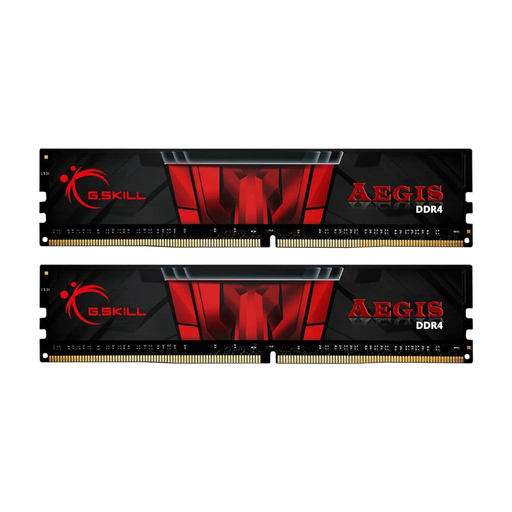
Why This Fits Their Persona: Perfect for a first PC build or an affordable PC upgrade. This 16GB DDR4 kit offers enough capacity for modern games and multitasking on a more budget-friendly platform.
You avoid the pitfall of unnecessarily expensive DDR5 components when your budget is limited. This kit prevents a compatibility error by being a clear choice for the widespread DDR4 platform.
Excellent price-to-performance ratio. The combination of 3200 MT/s and CL16 is a solid and stable standard for DDR4 systems, ensuring a smooth experience without paying a premium.
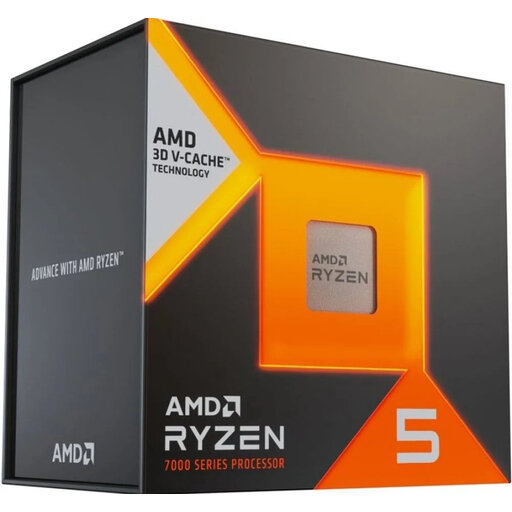
Why This Fits Their Persona: This processor is specifically designed for gamers. AMD's 3D V-Cache technology delivers noticeably higher framerates in many games, making it a popular choice for those seeking maximum gaming performance.
You avoid the pitfall of overspending on a CPU with more cores than you need for gaming. This processor focuses its power on what really matters for gamers: a large and fast cache.
The massive 96 MB L3 cache delivers excellent gaming performance. The processor is built for the modern AM5 platform, providing a future-proof foundation for your system.
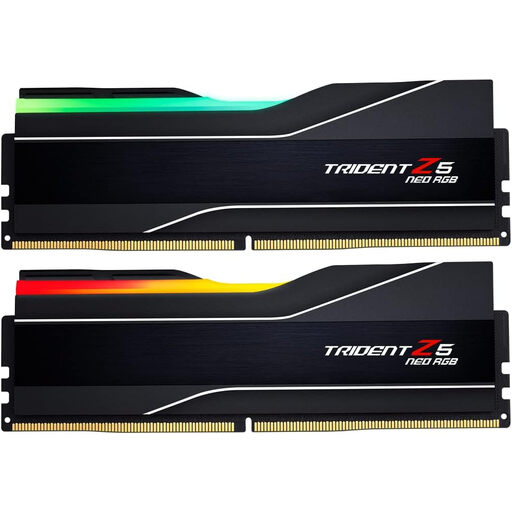
Why This Fits Their Persona: For the builder who wants the latest and greatest. This 64GB DDR5 kit is ideal for a high-end AMD Ryzen system, with more than enough capacity for heavy content creation and the most demanding games.
This kit avoids the trap of chasing the highest MHz. The 6000 MT/s speed with CL30 is the 'sweet spot' for AMD systems, so you're not paying for marginal gains and potential instability.
A massive 64GB capacity and an optimised speed-to-latency ratio for AMD EXPO. The heatspreaders and RGB lighting contribute to both the performance and aesthetics of a high-end build.
Choosing the right PC parts is a personal journey. If you want to explore more options that meet these practical selection criteria, check out our full range.
Not necessarily. A high-quality air cooler can be just as effective and often more reliable than a cheap all-in-one (AIO) water cooler. The choice depends on your processor's TDP, your case size, your budget, and your personal preference for aesthetics and noise levels. For most processors, a good air cooler is more than sufficient.
For a smooth gaming experience, 16 GB is the recommended minimum. However, 32 GB is increasingly becoming the standard, as it provides more headroom for multitasking (like streaming or browsing while gaming) and better prepares your system for future games. 64 GB is typically only necessary for very heavy content creation or professional simulations.
No, absolutely not. DDR4 and DDR5 use physically different slots (DIMM slots) and have different electrical specifications. They are in no way compatible. Forcing a module into the wrong slot will permanently damage both the memory and the motherboard. Always double-check this.
