
Vandaag of morgen in huis

Kwaliteit gegarandeerd

Welkomstaanbiedingen ontgrendelen: GRATIS bezorging | Tot 80% korting | Gratis 30 dagen JoyPlus-proefperiode
Download de app
Buying a laptop seems straightforward until you start comparing the specifications. A low price can be tempting, but an unsuitable keyboard layout, too little memory or a missing charger can make your new laptop less practical than expected. Terms such as “AI-ready”, “long battery life” and “fast SSD” only tell you so much until you check the exact specifications.
In this buying guide, we explain what to look for in a laptop for studying, work, entertainment and gaming. Then we look at a few models to suit different types of user.
A modern processor doesn’t guarantee that a laptop will be suitable for every task. Check the RAM, storage and graphics chip too. A laptop with 8GB RAM may be enough for email and word processing, but 16GB gives you more headroom for lots of browser tabs, spreadsheets and video calls at the same time.
A dedicated graphics card is also important for photo editing, video editing and gaming. Integrated Intel or AMD graphics are mainly designed for everyday use and light creative work.
A laptop may meet your technical requirements but still be awkward to use if the keyboard layout isn’t right for you. An AZERTY laptop has a different arrangement of letters and punctuation from a Dutch or English QWERTY keyboard. Check the layout before you buy.
Also check what’s in the box. Some models come with only a USB-C cable, while others don’t include a power adapter at all. For example, the Acer Aspire Go 15 is listed as not including a charger as standard. The product information for the MacBook Neo also states that a power adapter isn’t included; you’ll need a USB-C Power Delivery adapter of at least 20 watts.
Stated battery life depends on screen brightness, the programmes you use, Wi-Fi, video streaming and power settings. Acer claims up to 13.5 hours for the Aspire Go 15. Apple claims up to 16 hours for the MacBook Neo. Treat these figures as a guide, not a guaranteed runtime.
For a laptop for studying or work, 16GB RAM is a practical guideline if you regularly multitask. That could mean video calls, Office programmes, dozens of browser tabs and cloud storage all at once.
A 512GB SSD gives you space for documents, programmes and a selection of media files. If you store lots of photos, videos or large projects, consider a laptop with a 1TB SSD. Check storage carefully on Apple models, as neither the memory nor the storage on the MacBook Neo mentioned here can be upgraded.
A 13-inch laptop is handy for train journeys, lectures and working on the go. A 14-inch laptop often offers a good balance between portability and workspace. A 15-inch laptop, such as the Acer Aspire Go 15, is more comfortable if you work with lots of spreadsheets or want a larger screen for films and working from home.
Don’t just look at the diagonal measurement. A Full HD resolution of 1920 × 1080 is suitable for everyday use. The Lenovo IdeaPad Slim 3 has a resolution of 1920 × 1200 and a 16:10 aspect ratio, giving you a little more vertical workspace. For gaming and image editing, the refresh rate, brightness and colour coverage also matter.
A standard Windows 11 laptop with integrated graphics is suitable for browsing, word processing and streaming. A gaming laptop needs a dedicated graphics card. The Lenovo Legion 5 combines an NVIDIA GeForce RTX 5060 with 8GB GDDR7 memory and a 165Hz screen. These are verifiable specifications suited to demanding games and graphics applications.
Check the ports too. HDMI is handy for connecting an external screen, while USB-C doesn’t automatically mean that charging, video output or Power Delivery is supported. Check the full port description to be sure.
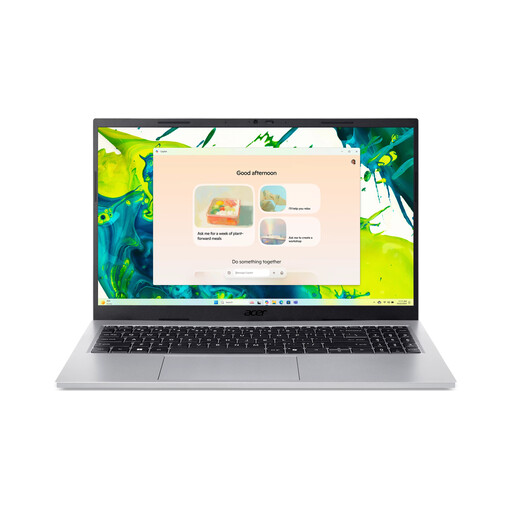
Why it suits this type of user: This 15.6-inch laptop combines Windows 11 Home, 16GB RAM and a 512GB SSD for studying, office work and everyday use at home.
The storage and memory capacities are clearly listed. Do check the AZERTY layout, and bear in mind that you’ll need to buy the charger separately.
IPS Full HD screen, Wi-Fi 6, numeric keypad, two USB-A ports and two USB-C ports.

Why it suits this type of user: A compact Apple laptop for anyone who values macOS, an aluminium body and seamless integration with other Apple devices.
The product information specifies 8GB of non-upgradable RAM, a 256GB SSD and no power adapter. You can take these points into account before making your choice.
13-inch Liquid Retina screen, 1080p camera, weight of around 1.23kg and up to 16 hours of battery life according to Apple.
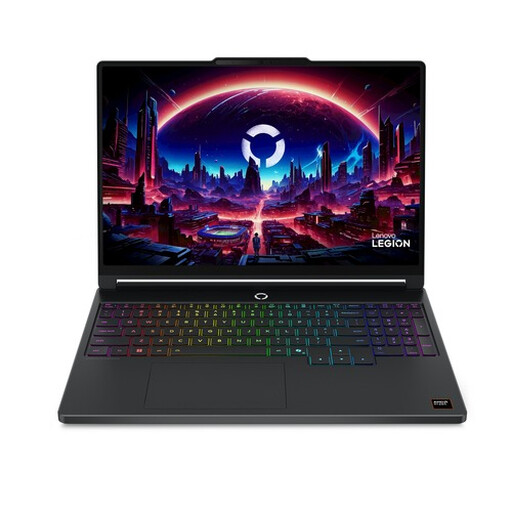
Why it suits this type of user: This gaming laptop is designed for demanding games, creative software and intensive multitasking.
The dedicated RTX 5060 graphics card and 165Hz screen make it clear that this model is built for more graphics-intensive use, not just office work.
2560 × 1600 OLED screen, 16GB DDR5, 512GB SSD and RTX 5060 with 8GB GDDR7 memory.
We’ve put together a complete, up-to-date list of products that meet these strict selection criteria and the applicable European safety regulations.
8GB of memory is enough for basic use. If you use lots of programmes at the same time, 16GB RAM is a better choice. You may need more memory for demanding video editing or virtual machines, but check first whether the RAM can be upgraded.
A 512GB SSD is often a practical choice for documents, apps and everyday use. If you store lots of videos, RAW photos or games, a laptop with a 1TB SSD gives you more space. For models without upgradeable storage, an external SSD is one way to add extra capacity.
Battery life varies depending on how you use your laptop. Manufacturers generally give a maximum figure based on specific conditions. According to Acer and Apple, the selected models offer up to 13.5 and 16 hours respectively. Before ordering, also check the battery capacity, screen type and whether a charger is included.
