
Vandaag of morgen in huis

Kwaliteit gegarandeerd

Welkomstaanbiedingen ontgrendelen: GRATIS bezorging | Tot 80% korting | Gratis 30 dagen JoyPlus-proefperiode
Download de app
Buying a laptop seems straightforward until you compare specifications, screen sizes and operating systems side by side. A low price may look appealing, but a model with too little memory, the wrong keyboard layout or no charger can end up costing more in the long run.
So make sure you look out for these common pitfalls:
For browsing, word processing, video calls and online lessons, an AMD Ryzen 5, Intel Core 5 or comparable chip is generally suitable. If you regularly use several programmes at once, edit photos or compile code, you will benefit more from a Ryzen 7, Intel Core i7 or a comparable performance level.
Also pay attention to the RAM:
Check whether the memory can be upgraded. In many slim laptops, including certain HP, ASUS and Microsoft models, the RAM is soldered to the motherboard and cannot be replaced.
A 14-inch laptop is handy if you often travel by train or move between lecture theatres, the office and home. A 15-inch laptop provides a more spacious workspace without being as large as a desktop replacement. A 16-inch laptop or 17-inch laptop is better suited to users working with spreadsheets, multiple windows or games.
Do not just look at the diagonal measurement. A resolution of 1920 × 1200 with a 16:10 aspect ratio provides more vertical space than 1920 × 1080 at 16:9. You will notice the difference when working with documents, websites and spreadsheets. For gaming, the refresh rate and graphics card are also important. A 144Hz, 165Hz or 240Hz screen can display movement more smoothly, but usually requires more powerful hardware.
According to manufacturers’ product specifications, an OLED laptop generally offers high contrast and deep blacks. An IPS screen, meanwhile, can be a practical choice for office work and prolonged everyday use. A touchscreen laptop or 2-in-1 model is particularly useful if you want to navigate directly on the screen. Also check whether a stylus is included; this should not be taken for granted.
A 512GB SSD is a useful starting point for many users, providing space for Windows, programmes, documents and several games. The amount of space actually available will be lower because of system files and recovery partitions. For large video libraries or lots of games, 1TB may be more practical.
Windows 11 laptops work with a wide range of software and peripherals. With a Copilot+ laptop featuring a Snapdragon processor, it is worth checking in advance whether older programmes, specialised drivers and business equipment are compatible with Windows on Snapdragon.
If you are thinking of buying a MacBook, you should also check your software requirements. macOS works well within the Apple ecosystem, but specific Windows programmes or peripherals may require an alternative or additional checks.
Also look at the USB-C, HDMI, card reader and network ports. A gaming laptop often needs HDMI, Ethernet and several USB ports. An ultra-light laptop is more likely to be used with a USB-C dock.
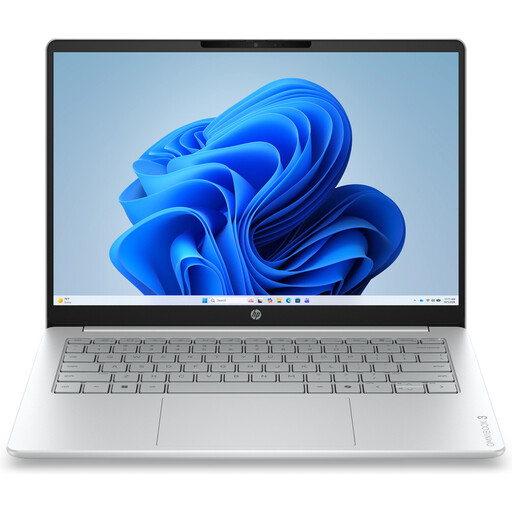
Why it suits this profile: The combination of Ryzen 5, 8GB RAM, 512GB SSD and Windows 11 Home is designed for browsing, documents, video calls and online lessons. It weighs approximately 1.42kg.
The product specifications clearly state the screen resolution, ports and non-upgradable memory. This allows you to assess in advance whether 8GB will be sufficient.
14-inch IPS screen with 1920 × 1200 resolution, privacy shutter, Wi-Fi 6 and a 512GB NVMe SSD.
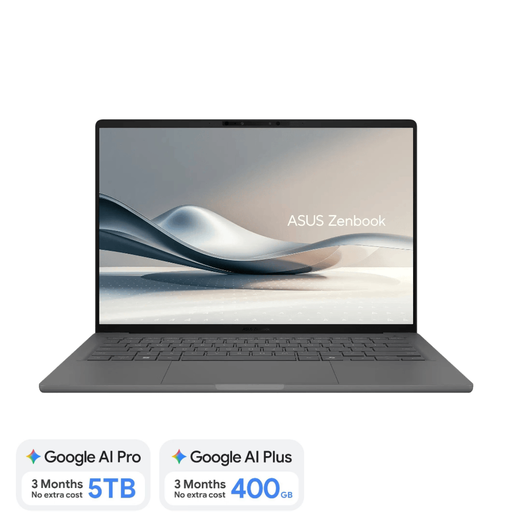
Why it suits this profile: This lightweight 14-inch laptop weighs approximately 0.98kg and combines 16GB RAM, a 512GB SSD and an OLED screen. The Dutch QWERTY keyboard layout is suitable for users in the Netherlands.
The configuration explicitly states that the screen is not touch-sensitive and that the 65W USB-C charger is required separately. Snapdragon software compatibility is also highlighted as something to consider.
OLED with 1920 × 1200 resolution, 16GB LPDDR5x, a 70Wh battery and a weight of approximately 0.98kg.
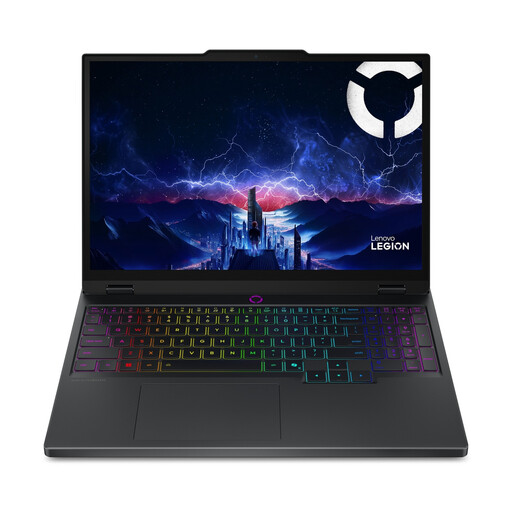
Why it suits this profile: The Core Ultra 7, RTX 5060, 16GB DDR5 and 15.1-inch OLED screen with 165Hz are designed for gaming and graphically intensive applications.
The dedicated RTX 5060 graphics card is listed alongside the amount of video memory and maximum GPU power. This makes it clearer that the model does not rely on the CPU alone.
RTX 5060 with 8GB GDDR7, 165Hz OLED display, two RAM slots and an 80Wh battery.
We have put together a complete, up-to-date list of products that fully meet these strict selection criteria and the applicable European safety regulations.
For documents, video calls, internet use and online learning platforms, 8GB is often sufficient. 16GB RAM gives you more room for multitasking and is the wiser choice if you want to use the same laptop for several years.
That depends on the price of a suitable adapter. Include the cost of a USB-C Power Delivery charger or mains cable in your total budget. Also check the required wattage; a standard phone charger may not provide enough power.
Its lifespan depends on build quality, battery wear, software requirements and whether the storage or memory can be upgraded. So do not choose solely on the basis of a laptop deal. Check the RAM, SSD, ports, warranty and keyboard layout too. It is also a good idea to keep important files on an external drive or in the cloud.
