
Vandaag of morgen in huis

Kwaliteit gegarandeerd

Welkomstaanbiedingen ontgrendelen: GRATIS bezorging | Tot 80% korting | Gratis 30 dagen JoyPlus-proefperiode
Download de app
Buying a laptop seems simple until you start comparing specifications. A low price can be tempting, but limited memory, little storage or a missing charger can make your final choice less practical. Terms such as “AI PC”, “fast processor” and “slim design” only mean something when you consider how you’ll use the laptop.
This guide helps students, homeworkers, families and office workers compare laptops in a clear, verifiable way.
A laptop with an Intel Core or AMD Ryzen 5 processor isn’t automatically suited to every task. Check the number of cores, the memory and the cooling system too. For browsing, documents and video calls, an entry-level processor is often enough. If you regularly use lots of browser tabs, spreadsheets and programmes at the same time, 16GB RAM will be more useful than a processor name that simply sounds impressive.
A 512GB SSD offers more space than a 256GB SSD, but storage capacity and speed are different things. A PCIe 4.0 NVMe SSD can be more responsive than older storage technology. Also check how much space Windows, programmes and personal files will take up. You may still need an external drive for photos, videos and large files.
According to the product information, a charger is not included with several of the HP and Lenovo models in this guide. The laptops do support USB-C Power Delivery, but you’ll need to check whether you already have a suitable charger.
Pay attention to the RAM too. Some models have memory that’s built into the motherboard and can’t be upgraded. This is particularly important if you plan to use the laptop for several years.
A 14-inch laptop is usually more convenient for students and commuters. The models in this selection weigh around 1.42 kg and often have a 16:10 aspect ratio. This gives you extra vertical space for documents and websites.
A 15-inch laptop is a practical middle ground. A 15.3- or 15.6-inch screen gives you more room to work without the added weight of a larger model. This size is often a good fit for a laptop for work and study.
A 17-inch laptop gives you more room for spreadsheets, windows and entertainment. However, models weighing around 2 kg are less convenient to carry every day. A 17-inch laptop makes most sense if it’ll usually stay on a desk.
8GB RAM is suitable for email, word processing, streaming and light multitasking. It may be enough for a family or a basic home computer.
16GB RAM gives you more headroom if you use lots of browser tabs, Teams or Zoom calls, spreadsheets and other programmes at the same time. Check whether the memory can be upgraded. According to the product information, the 16GB LPDDR5X in the Lenovo IdeaPad Slim 5 is built in and can’t be upgraded. The Lenovo IdeaPad Slim 3, on the other hand, has one soldered module and one SO-DIMM slot, with a stated maximum of 24GB.
A laptop with Ryzen 5 is a good option for everyday multitasking when it’s paired with enough RAM. For example, the Lenovo IdeaPad Slim 5 uses a Ryzen 5 7535HS with 6 cores and 12 threads. The HP OmniBook 3 14-hy0005ndx has a Ryzen 5 130 with 6 cores and 12 threads.
With a laptop featuring Intel Core, you should also check the full model number. The HP 15-fd1251ndx is listed with an Intel Core 5 120U, while some ASUS Vivobook models use a Core 3 processor. These configurations can be suitable for documents, browsing and video calls; for more demanding software, extra memory and a more powerful processor are more important.
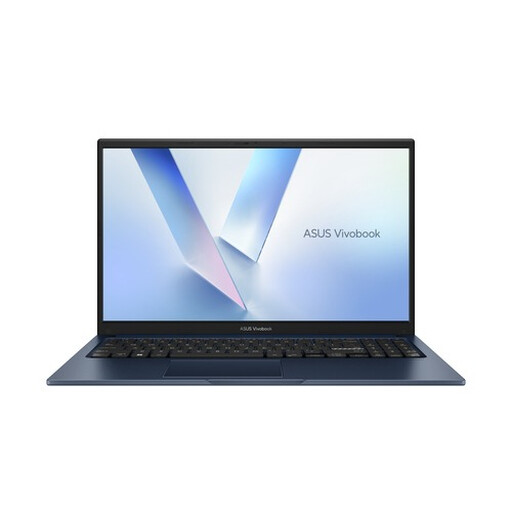
Why it suits this profile: This 15.6-inch QWERTY laptop is designed for everyday use, with Windows 11 Home, 8GB DDR5 and a 256GB PCIe 4.0 SSD.
The product information clearly lists the storage capacity, screen resolution, ports and webcam privacy shutter. Do check whether 256GB is enough for your files.
15.6-inch Full HD screen, Wi-Fi 6, Bluetooth 5.3, 180° hinge and QWERTY keyboard.
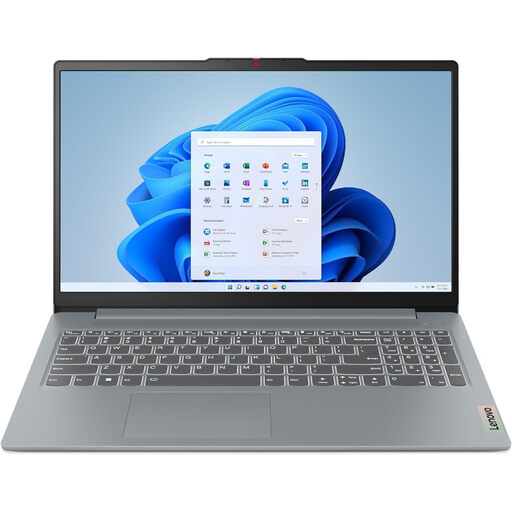
Why it suits this profile: With a Ryzen 7 8840HS, 16GB DDR5, 512GB SSD and Radeon 780M, this model is designed for multitasking, entertainment and light creative work.
The combination of 16GB RAM and two M.2 storage slots means you don’t have to judge the laptop by its processor name alone. The product specifications also mention the option to expand the storage.
16GB DDR5, 512GB PCIe 4.0 SSD, WUXGA 16:10 screen, SD card reader and a two-year warranty according to the product information.
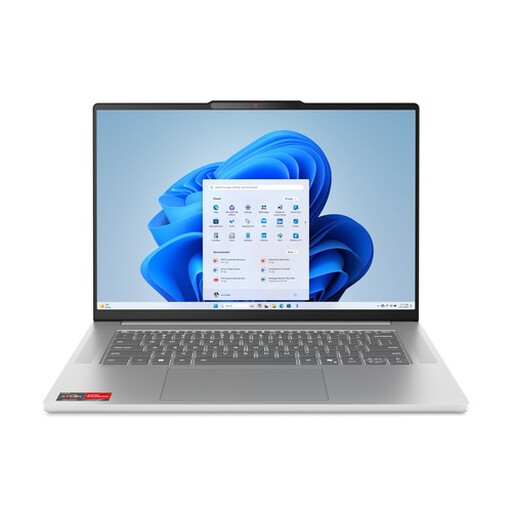
Why it suits this profile: The Ryzen 5 7535HS, 16GB LPDDR5X and 512GB SSD provide a strong foundation for more intensive office work, lots of tabs and online meetings.
The specifications clearly state that the memory can’t be upgraded. This avoids any false expectations, but it also means you should work out how much RAM you’ll need before buying.
16GB dual-channel LPDDR5X, Ryzen 5 with 6 cores and 12 threads, 15.3-inch 1920 × 1200 IPS screen and webcam privacy shutter.
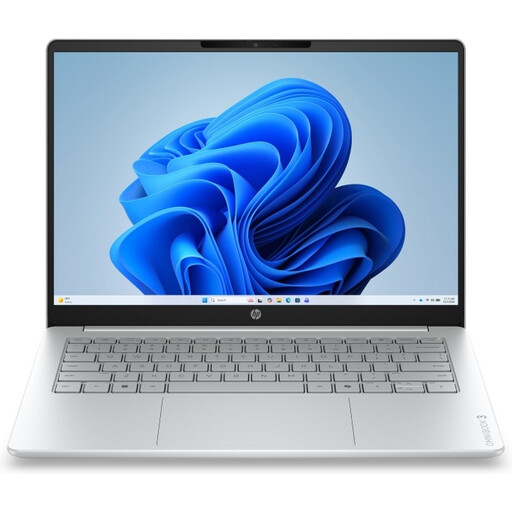
Why it suits this profile: The 17.3-inch Full HD IPS screen and numeric keypad are practical for spreadsheets, documents and use at a dedicated workstation.
The product information states that the memory can’t be upgraded and that the charger must be purchased separately. You can factor these points into your budget before buying.
17.3-inch IPS screen, 512GB SSD, Full HD webcam, numeric QWERTY keyboard and two USB-C ports.
We’ve put together a complete, up-to-date list of products that meet these strict selection criteria and the applicable European safety regulations.
For documents, email, browsing, video calls and streaming, 8GB may be enough. If you use lots of tabs, spreadsheets and several programmes at the same time, a laptop with 16GB RAM gives you more room to work.
Yes, especially if you travel often or move between home, school and the office. A 14-inch laptop with a 16:10 screen can provide enough working space. For extended work with large spreadsheets, a 15-, 16- or 17-inch model is more practical.
This mainly depends on how long you use it, its charging power and the cost of electricity. A laptop generally uses less power than a desktop computer, but actual consumption varies by model. Check the stated charging power, and don’t leave the laptop switched on all the time when you don’t need to.
