
Vandaag of morgen in huis

Kwaliteit gegarandeerd

Welkomstaanbiedingen ontgrendelen: GRATIS bezorging | Tot 80% korting | Gratis 30 dagen JoyPlus-proefperiode
Download de app
Buying a laptop may seem straightforward, until you have to choose between screen sizes, processors, RAM and storage. A low price can be tempting, but the wrong combination of specifications can quickly become frustrating. A laptop might be too heavy for your daily commute, have too little storage or lack the graphics power you need for gaming.
As a Joybuy Product Recommendation Officer, I focus on the product details that matter in practice. This helps you see which specifications are relevant for studying, office work, entertainment and gaming.
An Intel Core or Ryzen processor doesn’t tell you everything. Check the number of cores, RAM and graphics solution too. Even a laptop with a modern processor can feel limited if it has only 8GB RAM and you use lots of browser tabs, video calls and spreadsheets.
16GB RAM is a useful guideline for everyday multitasking. 8GB may be enough for simple tasks such as email, word processing and streaming, but check whether the memory can be upgraded.
When buying a laptop in the Netherlands, check that it has a QWERTY keyboard. The Windows 11 language setting doesn’t automatically determine the physical keyboard layout. Check the product information for terms such as “English QWERTY”, “Dutch QWERTY” or “QWERTY with numeric keypad”.
A standard keyboard is fine for most writing tasks. If you work with numbers frequently, for example in spreadsheets, a laptop with a numeric keypad may be more useful.
Some models in this selection don’t come with a charger as standard. This applies, among others, to certain HP OmniBook, Lenovo IdeaPad and gaming models. You may need to buy a suitable USB-C Power Delivery charger or manufacturer’s adapter separately.
Before buying, check:
16GB RAM is suitable for multitasking, online classes, office software and lots of browser tabs. 8GB RAM is better suited to basic use. If the memory is integrated, check the upgrade options. Some HP OmniBook models have memory that is soldered to the motherboard and cannot be upgraded.
A 512GB SSD has room for Windows, programmes, documents and a reasonable amount of media. A 1TB SSD is a better option if you store lots of photos, videos or large projects locally. An SSD starts up faster than a traditional hard drive and has no moving parts.
A 14-inch laptop is generally practical for students and commuters. A 15- or 16-inch model gives you more room to work. A 17.3-inch screen is great for documents and films, but the laptop is less suitable for taking with you every day.
As well as the resolution, consider the aspect ratio:
A brightness of 250 to 300 nits is best suited to indoor use. A higher brightness may be more practical in brightly lit rooms. A matt or anti-glare finish helps reduce reflections, but won’t make the screen completely reflection-free.
An integrated graphics chip, such as AMD Radeon 780M or Intel Graphics, is suitable for office work, video and light creative tasks. For modern, graphics-intensive games, a dedicated graphics card such as the NVIDIA GeForce RTX 5060 or RTX 5070 makes more sense.
A gaming laptop usually has a more powerful cooling system and a heavier adapter. So don’t just look at the graphics card: consider the weight, battery capacity, ventilation and screen refresh rate too. A 144Hz or 165Hz screen can be useful for gaming, while 60Hz is generally enough for studying and office work.
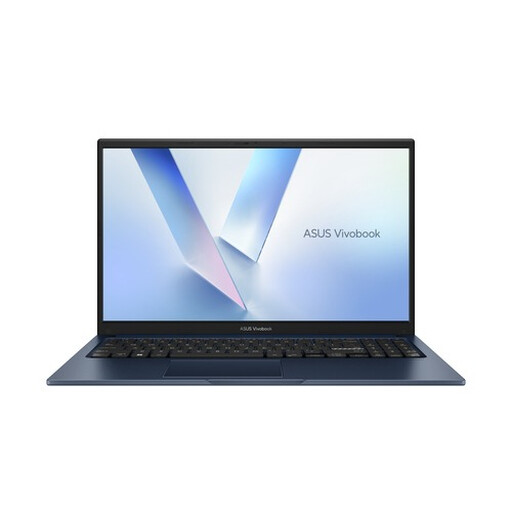
Why it suits this user profile: This 15.6-inch model is designed for everyday browsing, studying, office software and streaming. Its QWERTY layout is well suited to many Dutch workplaces.
The product information lists a 512GB SSD and a QWERTY keyboard. Be sure to check which adapter is included and confirm the exact storage configuration before ordering.
15.6-inch Full HD screen, 8GB DDR5, 512GB PCIe 4.0 SSD, Wi-Fi 6 and Windows 11 Home.
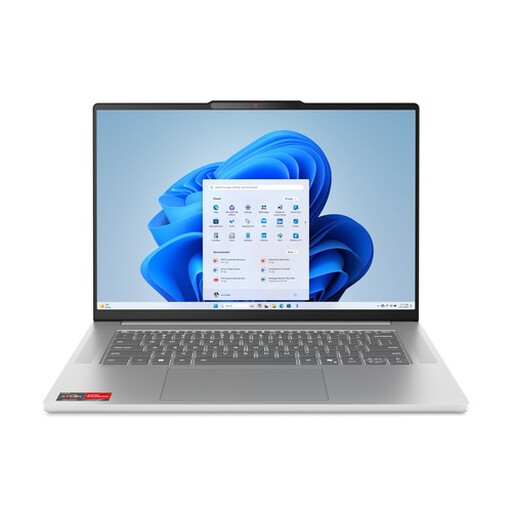
Why it suits this user profile: The combination of a 15.3-inch 16:10 screen, aluminium casing and 16GB of memory makes this a good choice for people who work on the go and value a well-rounded setup.
The fixed 16GB LPDDR5X memory is clearly specified. As it can’t be upgraded, make sure this capacity meets your needs before buying.
Ryzen 5 7535HS, 16GB LPDDR5X, 512GB SSD, 100% sRGB according to the product specifications, and a weight of around 1.50kg.
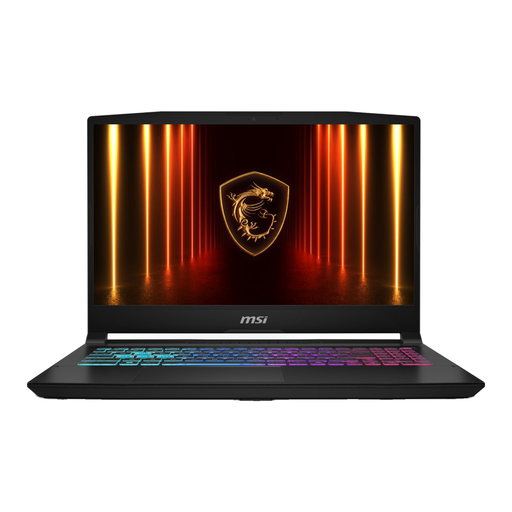
Why it suits this user profile: This gaming laptop combines an Intel Core i7-13620H with an RTX 5060, 16GB DDR5 and a 144Hz screen, making it suitable for users who game and run demanding tasks at the same time.
The dedicated RTX 5060 and 144Hz refresh rate are clearly stated. Bear in mind that it weighs 2.1kg and the charger must be bought separately.
RTX 5060 with 8GB GDDR7, Full HD IPS screen at 144Hz, 16GB DDR5 and an HDMI 2.1 port.
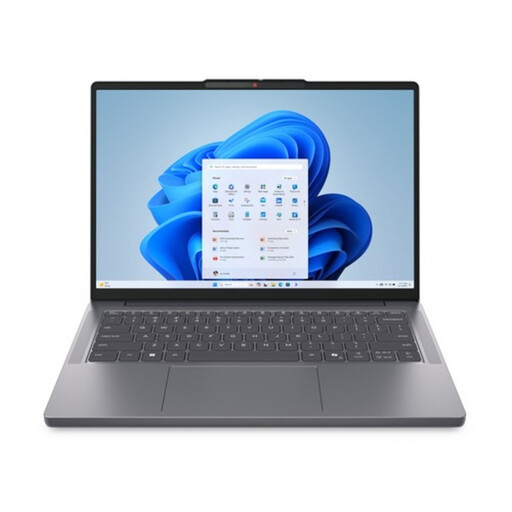
Why it suits this user profile: Weighing around 1.39kg, with a 14-inch screen and 16GB RAM, this model is designed for studying, working from home and everyday travel.
The 1TB version gives you more storage than a standard 512GB model. The product specifications also explicitly list an FHD webcam with a privacy shutter.
Ryzen 7 8840HS, 16GB DDR5, 1TB PCIe 4.0 SSD, WUXGA IPS screen and QWERTY keyboard.
We’ve put together a complete, up-to-date list of products that meet these strict selection criteria and comply with the applicable European safety regulations.
Not always. 8GB may be enough for word processing, email and a few browser tabs. 16GB RAM is a sensible choice if you often make video calls, work with large spreadsheets or have several programmes open at once.
How long it lasts depends on workload, maintenance, battery use and software. A laptop for office work or studying can remain useful for several years if its specifications suit your needs. Also check the warranty, battery capacity and whether the storage or memory can be upgraded.
Power consumption depends on the processor, screen brightness, charging habits and how long you use it. A gaming laptop with a dedicated graphics card generally uses more energy than a lightweight laptop for word processing. Check the adapter’s power rating and use a suitable power-saving mode for office work.
