
Vandaag of morgen in huis

Kwaliteit gegarandeerd

Welkomstaanbiedingen ontgrendelen: GRATIS bezorging | Tot 80% korting | Gratis 30 dagen JoyPlus-proefperiode
Download de app
Buying a laptop seems straightforward until you start comparing specifications, keyboard layouts and included accessories. A low price can be tempting, but it doesn’t tell you whether a laptop is right for work, study or home use. And a powerful processor won’t necessarily make a laptop practical if the screen is uncomfortable to use or the storage fills up quickly.
Three common pitfalls to watch out for:
For browsing the internet, word processing, video calls and administrative software, 8GB RAM is generally a practical starting point. If you often use lots of browser tabs, spreadsheets and communication apps at the same time, 16GB RAM is a better choice. Check whether the memory is upgradeable, too. In many slim laptops, the RAM is soldered to the motherboard.
A 512GB SSD gives you noticeably more space than 256GB for documents, photos, apps and offline media. An NVMe SSD typically supports fast start-up times and quick app loading. Bear in mind that usable space will be lower once you account for Windows, recovery partitions and pre-installed software.
A 14-inch laptop is usually easier to carry around. A 15.6-inch model gives you more room to work without being too large. A 16:10 screen is useful for documents and web pages because you can see more vertically than on a 16:9 screen.
Also consider:
A Windows 11 laptop is a good fit if you use Microsoft 365, Windows programmes or peripherals designed specifically for Windows. Buying a MacBook may make more sense if you already use Apple devices and prefer macOS apps. If you’re considering a laptop with a Snapdragon processor, check that your older software, printers and specialist programmes are compatible.
Check the ports, too. USB-C with Power Delivery can support charging, but a USB-C port doesn’t automatically mean that every monitor, hub or charger will work. Check the required charging capacity and cable specification.
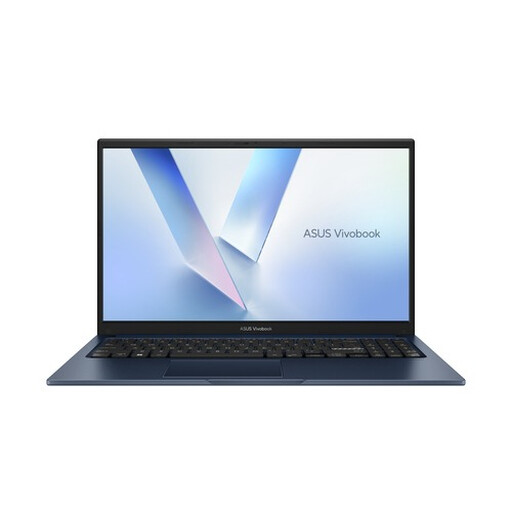
Why it suits this user: This ASUS laptop is designed for browsing, schoolwork, video streaming and everyday office tasks. Its 15.6-inch Full HD screen gives you plenty of room to work day to day.
The specifications clearly list 8GB DDR5, a 256GB SSD and Windows 11 Home. Check in advance whether 256GB will be enough for your files.
Full HD anti-glare display, Wi-Fi 6, webcam privacy shutter and QWERTY keyboard.
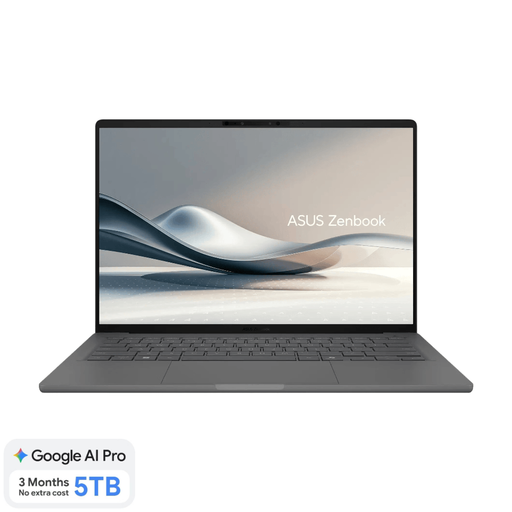
Why it suits this user: Weighing around 0.98 kg, this lightweight laptop is ideal if you regularly travel between the office, your place of study, home and other workspaces.
The configuration includes 16GB of onboard memory and a 512GB SSD. The memory isn’t upgradeable, and the charger must be bought separately.
14-inch WUXGA OLED screen, 16GB LPDDR5x, 512GB SSD, Dutch QWERTY keyboard and two USB4 ports.
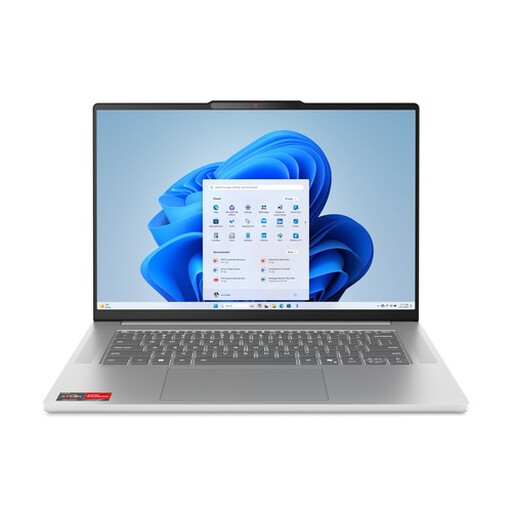
Why it suits this user: With a Ryzen 5 processor, 16GB RAM and a 512GB SSD, this Lenovo laptop is well suited to multitasking, studying, working from home and light creative work.
The combination of 16GB LPDDR5X and 512GB NVMe storage means you’re less likely to find the basic configuration limiting when multitasking day to day. The RAM isn’t upgradeable.
15.3-inch 16:10 IPS screen, 100% sRGB according to the product specifications, Wi-Fi 6 and FHD IR camera.
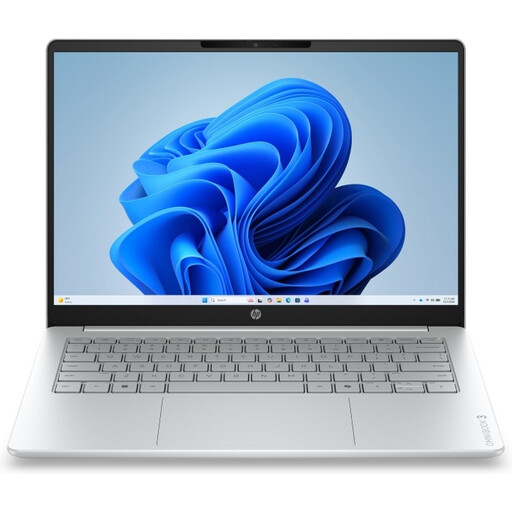
Why it suits this user: The large 17.3-inch screen is handy for documents, spreadsheets, video calls and entertainment from a regular spot at home.
The product information clearly states that it has 8GB of onboard memory and a 512GB SSD, and that a charger isn’t included. This helps you work out the total cost before you buy.
Full HD IPS screen, numeric keypad, 512GB SSD, HDMI, USB-A and USB-C ports.
We’ve put together a complete, up-to-date list of products that meet these strict selection criteria and the applicable European safety regulations.
For documents, browsing, video calls and standard software, 8GB is a useful starting point. 16GB RAM gives you more room for multitasking and is a sensible choice if you use several programmes at once. Check whether the memory is upgradeable, as it’s fixed in many slim models.
For studying, office work, photos and everyday home use, 512GB SSD storage is often a practical choice. If you store lots of videos, large project files or offline games, you may also need external or cloud storage. The space actually available is always lower than the stated capacity.
As well as the purchase price, you may need to pay for a charger, protective case, docking station, external storage and, potentially, software subscriptions. If a model doesn’t come with an adapter, check which USB-C Power Delivery charger it requires. That way, you can avoid finding out later that an apparently affordable laptop needs extra accessories.
