
Vandaag of morgen in huis

Kwaliteit gegarandeerd

Welkomstaanbiedingen ontgrendelen: GRATIS bezorging | Tot 80% korting | Gratis 30 dagen JoyPlus-proefperiode
Download de app
Buying a laptop sounds straightforward, until you have to choose between a 14-inch laptop, a 16-inch laptop, a gaming laptop, a business laptop or a 2-in-1 laptop. Manufacturers often emphasise fast processors, AI features or bright screens. But it’s often the less obvious details that determine how comfortable a laptop is to use day to day.
When comparing models, pay particular attention to these three potential pitfalls:
For studying, admin and working from home, modern Intel Core 5, AMD Ryzen 5 and similar processors are generally designed for everyday multitasking. If you work with large spreadsheets, edit images, use local AI applications or run virtual machines, a more powerful platform is a better choice.
A laptop with 16GB RAM gives you more room to run several programmes at once. Also check whether the memory can be upgraded. On models with onboard LPDDR5 or LPDDR5X, a later upgrade may not be possible. For example, the Lenovo ThinkBook 16 G8 IAL has two DDR5-SODIMM slots and, according to its product specifications, supports upgrades up to 64GB.
A laptop with an SSD will generally start up more quickly than one with a traditional hard drive. 512GB is suitable for documents, apps and a regular media collection. For large video files, photo libraries or lots of games, 1TB may be more convenient.
Don’t just look at capacity: check the upgrade options too. The Lenovo IdeaPad Slim 3 with a 1TB PCIe 4.0 NVMe SSD offers more internal storage than the 512GB version. On some slim laptops, storage can’t be upgraded, or there’s very little scope to do so.
A 14-inch laptop is often a practical choice for students, commuters and people working from home who regularly take their device with them. A 16-inch laptop gives you more room for spreadsheets, timelines and two windows side by side, but it usually weighs more.
Also check:
A Windows laptop works with a wide range of programmes and peripherals. A MacBook runs macOS and is best suited to people who already use Apple devices or need specific macOS software. If you’re considering a Copilot+ PC with Snapdragon, also check whether your older programmes, printers and specialist drivers are compatible.
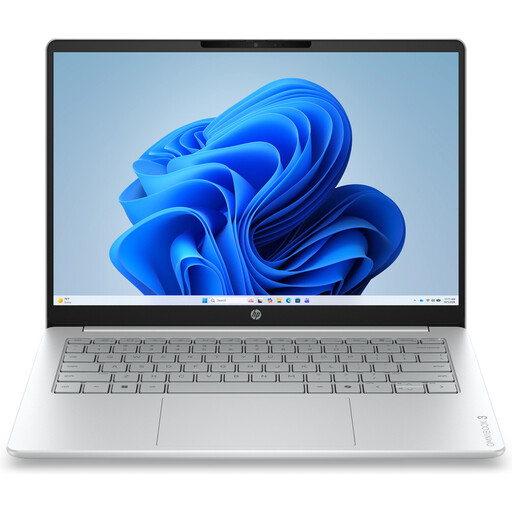
Why it suits this profile: This compact Windows laptop is designed for browsing, documents, video calls and streaming. At around 1.42 kg, it’s well suited to use at home, at school or on the go.
The product specifications list 12GB RAM and a 512GB PCIe NVMe SSD. Make sure you check in advance, though, as the charger must be purchased separately.
14-inch IPS screen with 1920 × 1200 resolution, privacy shutter and USB-C with Power Delivery.
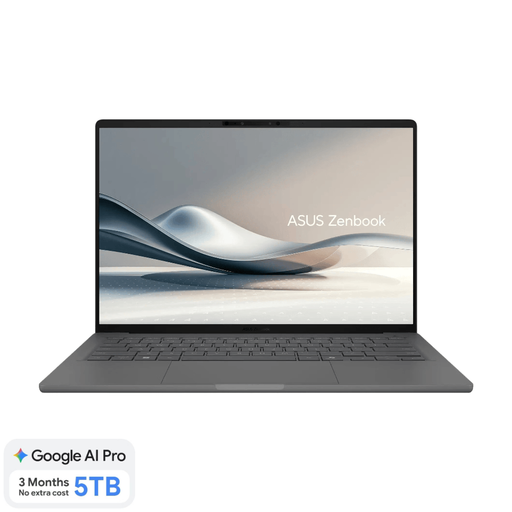
Why it suits this profile: Weighing around 0.98 kg, with 16GB RAM and a 14-inch OLED screen, this model is designed for working on the move, studying and travelling.
The product clearly lists 16GB of onboard memory and a non-touchscreen display. A compatible 65W USB-C charger isn’t included.
OLED screen with 100% DCI-P3, Wi-Fi 6E, 512GB SSD and support for compatible Copilot+ PC features.
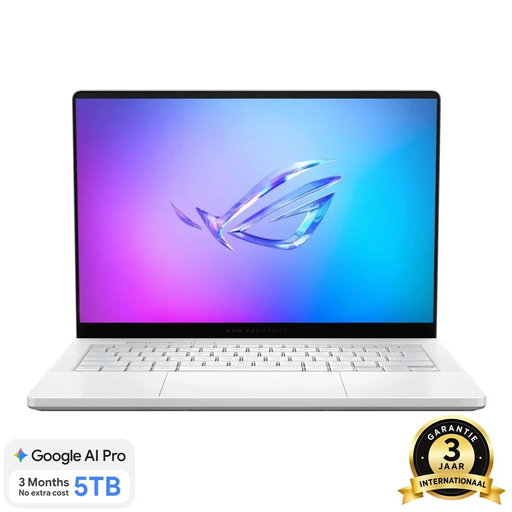
Why it suits this profile: This compact gaming laptop combines a Ryzen 9 processor, RTX 5060 Laptop GPU and 120Hz OLED screen for gaming and more demanding creative work.
The configuration lists 16GB RAM, a 1TB SSD and a dedicated graphics card. The memory is onboard and can’t be upgraded; according to the product information, the charger must be purchased separately.
14-inch OLED with 2880 × 1800 resolution, 120Hz, RTX 5060 with 8GB GDDR7 and a microSD card reader.
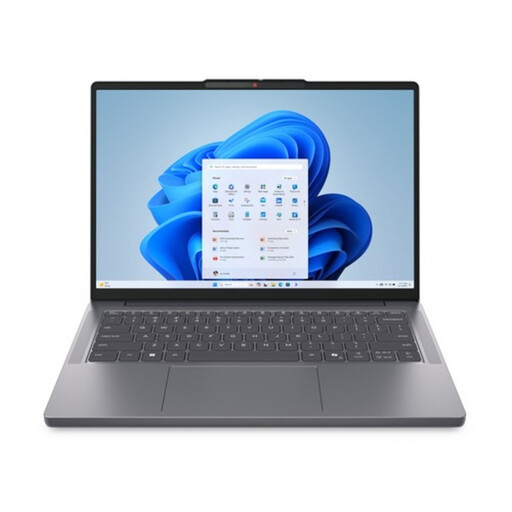
Why it suits this profile: The 16-inch format, numeric keypad and Windows 11 Pro are well suited to spreadsheets, admin, hybrid working and business software.
As well as 16GB DDR5, it’s listed as supporting upgrades up to 64GB. The anti-glare IPS display won’t eliminate all reflections, but it’s designed for office environments.
16-inch WUXGA 16:10 screen, Thunderbolt 4, Ethernet, numeric keypad and two M.2 storage slots.
We’ve put together a full, up-to-date list of products that meet these strict selection criteria and current European safety regulations.
8GB may be enough for email, word processing and browsing. 16GB RAM is more practical if you use lots of tabs, make video calls or run Office programmes and creative software at the same time. Check whether the memory can be upgraded before you order.
Yes. An SSD generally helps your system start quickly and reduces loading times. As well as storage capacity, check the type of SSD and whether you can add more storage later. 512GB is often enough for studying and office work; 1TB may be a better fit for games and large media files.
Remember to budget for a separate USB-C or branded charger, a protective case, a docking station and extra storage if needed. Power consumption also varies by type: under heavy load, a gaming laptop with a dedicated GPU generally uses more power than a lightweight business laptop. Always check what’s in the box and which accessories you’ll need for your setup.
