
Vandaag of morgen in huis

Kwaliteit gegarandeerd

Welkomstaanbiedingen ontgrendelen: GRATIS bezorging | Tot 80% korting | Gratis 30 dagen JoyPlus-proefperiode
Download de app
Buying a laptop seems straightforward until you start comparing the specifications. Is 8GB RAM enough? Do you need a 14-inch laptop, or would a 15-inch laptop be more comfortable to use? And is a low price still appealing if the charger isn’t included?
As a Joybuy Product Recommendation Officer, I focus on features you can check for yourself: the processor, memory, storage, screen, weight, keyboard layout and included accessories. This helps you make sure marketing claims don’t overshadow what you actually need.
An Intel Core or AMD Ryzen label doesn’t tell you everything. Check the number of cores, the generation, the memory and the type of storage too. A laptop with a modern processor but only 8GB RAM may still feel limited when you have lots of browser tabs open or are running demanding programmes.
For office work, everyday use at home and studying, 8GB RAM is suitable for basic tasks. If you often have several programmes open at once, 16GB RAM is a better choice. Check whether the memory can be upgraded, too. On some models, such as the Lenovo IdeaPad Slim 5 and ASUS Zenbook A14, the memory is onboard and can’t be replaced.
A laptop with a 512GB SSD has more room for documents, photos and programmes than a model with 256GB. However, the space actually available is lower because of Windows, recovery partitions and pre-installed software.
For studying, admin and streaming, 256GB may be enough if you do a lot of work in the cloud. For creative applications, local video files or lots of programmes, 512GB is more practical. An SSD generally means faster start-up and loading times, but it doesn’t tell you anything about the laptop’s graphics performance.
Several models in this guide don’t come with a power adapter. This includes some HP, Lenovo and ASUS models, as well as the MacBooks mentioned here. You’ll need to buy a suitable USB-C Power Delivery charger separately.
Before you buy, check:
An unsuitable or underpowered charger may charge slowly or fail to provide enough power.
8GB RAM is suitable for browsing, email, word processing and online lessons. For heavier multitasking, large spreadsheets, photo editing or working from home for long periods, a laptop with 16GB RAM is a more sensible choice.
Choose an SSD at a minimum if fast start-up and quick access to files matter to you. A 512GB SSD is a practical middle ground for many users. Bear in mind that the memory in some compact models can’t be upgraded.
A 14-inch laptop is usually a good choice for students, commuters and home workers who often take their device with them. A 15- or 15.6-inch screen gives you more room for spreadsheets and windows, but often weighs a little more. A 16-inch laptop can be handy for large timelines, documents and creative programmes, but is less compact.
As well as the diagonal measurement, consider:
A Windows 11 laptop is a good fit if you rely on Microsoft 365, specific business software or peripherals. A Copilot+ PC, such as the ASUS Zenbook A14, uses a Snapdragon platform with a dedicated NPU for compatible AI features. Check that your older programmes, printers and specialist software are compatible before you buy.
If you’re looking to buy a MacBook, you’ll be choosing macOS. It’s particularly suited to people who already use an iPhone or other Apple devices. Do check that the Windows programmes you need are available for macOS.
Always check the keyboard layout when buying in the Netherlands. A QWERTY laptop with a Dutch layout differs from a Belgian AZERTY model and sometimes from a US or UK QWERTY version, too.
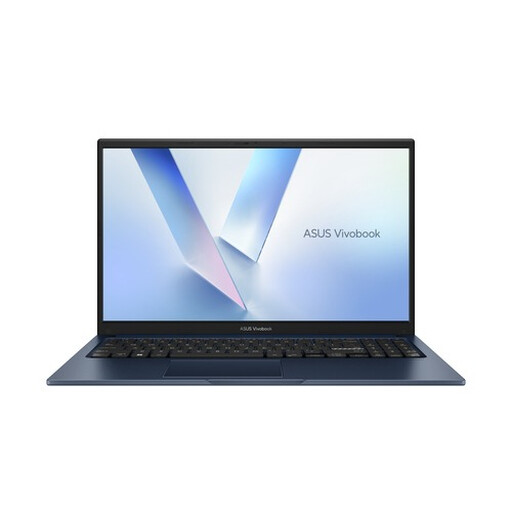
Why it suits this user: This 15.6-inch Full HD laptop is designed for browsing, documents, streaming and online learning. Windows 11 Home and a full-size keyboard make it a good fit for everyday use at home or at school.
The product specifications list 8GB DDR5, a 256GB PCIe 4.0 SSD and an included USB-C adapter. Check the current box contents before ordering.
15.6-inch Full HD screen, Wi-Fi 6, webcam privacy shutter and a 24-month manufacturer’s warranty.
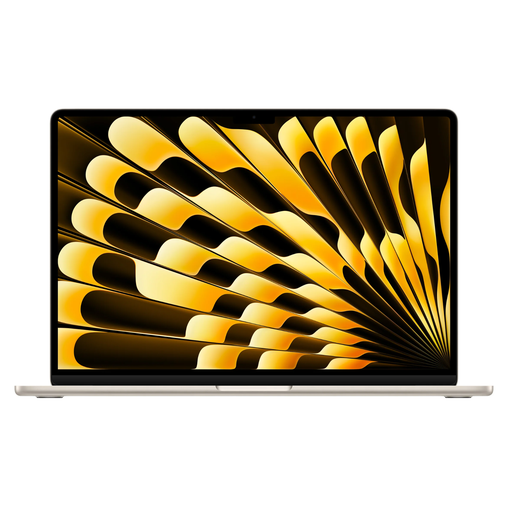
Why it suits this user: According to the product specifications, this model combines a 15.3-inch Liquid Retina screen with 16GB of memory and 512GB of SSD storage. It’s a good fit for creative professionals and users who work with lots of windows open at once.
The configuration clearly lists 16GB RAM and a 512GB SSD. The MacBook comes with a USB-C to MagSafe cable; you’ll need to arrange a power adapter separately.
M5 chip, 15.3-inch screen, two Thunderbolt 4 ports, Wi-Fi 7 and macOS.
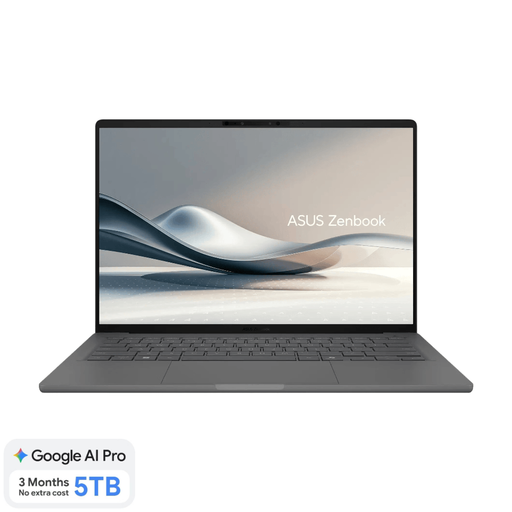
Why it suits this user: Weighing around 0.98 kg, with 16GB RAM, a 512GB SSD and a 14-inch OLED screen, this model is designed for working, studying and joining meetings on the go.
The exact configuration lists a Dutch QWERTY layout and 16GB of onboard memory. Bear in mind the Snapdragon compatibility requirements and that a 65W USB-C charger isn’t included.
0.98 kg, OLED screen with 1920 × 1200 resolution, Copilot+ PC features and Full HD IR camera.
We’ve put together a complete, up-to-date list of products that meet these strict selection criteria and the applicable European safety regulations.
For word processing, email, video calls and a limited number of browser tabs, 8GB is usually suitable. Choose 16GB if you use lots of programmes at once, work with large spreadsheets or want to keep using the laptop for several years.
It depends on what you do. A 14-inch screen with 1920 × 1200 resolution gives you relatively generous vertical space and is suitable for documents, meetings and browsing. If you often work with wide spreadsheets or several windows at once, you may find a 15- or 16-inch model, or an external monitor, more comfortable.
Remember to allow for a charger if needed, a protective case, external storage and accessories such as a USB-C dock. Also check whether you’ll need paid software, cloud storage or an adapter for an external screen. This will give you a more realistic picture of the total cost.
