
Vandaag of morgen in huis

Kwaliteit gegarandeerd

Welkomstaanbiedingen ontgrendelen: GRATIS bezorging | Tot 80% korting | Gratis 30 dagen JoyPlus-proefperiode
Download de app
Buying a laptop seems simple until you start comparing specifications. One laptop may have a powerful processor but a mediocre display. Another may offer plenty of storage but little room for future upgrades. Accessories, keyboard layout and the included charger are also regularly overlooked.
With this practical buying guide, you can compare laptops based on the features that really matter in the UK: performance, portability, screen size, connections and everyday use.
A Ryzen 7 laptop or Intel Core laptop sounds appealing, but the processor is not the only component that determines speed. Also consider the number of cores and threads, the type of RAM and the graphics chip.
For word processing, video calls and web browsing, a mid-range processor is often sufficient. For video editing, programming with demanding software or gaming, a more powerful processor with a dedicated graphics card makes more sense.
16GB RAM determines how many programmes and browser tabs can run smoothly at the same time. A laptop with a 512GB SSD provides fast access to files and programmes, but 512GB can fill up quickly with large games, photos and video files.
Also check whether the RAM can be upgraded. On some models, the memory is soldered in place. For example, the Lenovo IdeaPad Slim 5 15ARP10 has 16GB of LPDDR5X memory, which the product information states cannot be upgraded.
Several models in this range state that a charger is not included as standard. Before checking out, therefore, confirm exactly what is included in the box and which charging standard is supported.
Also pay attention to the layout. Many laptops for the UK market have an English QWERTY keyboard, sometimes with a numeric keypad. This is not the same as a Dutch QWERTY or AZERTY model.
For a laptop for study and work, 16GB RAM is a practical guideline if you use documents, video calls and multiple browser tabs at the same time. Less may be enough for basic office work, but extra RAM gives you more flexibility when multitasking.
An SSD starts Windows and programmes faster than a traditional hard drive. 512GB NVMe SSD storage is a useful starting point for studying, office work and everyday entertainment. Gamers can also consider an external SSD or cloud storage if the internal capacity starts to run low.
A 15-inch laptop provides a spacious working area without immediately reaching desktop-replacement proportions. A 14-inch model is usually easier to carry on public transport or by bike. A 15.3-inch or 16-inch screen with a 16:10 aspect ratio displays more vertical content than a traditional 16:9 screen. This is useful for documents and websites.
Refresh rate also matters for gaming. A 144Hz or 165Hz display can show movement more smoothly, but the laptop must be capable of delivering enough frames. A portable 144Hz monitor is only worthwhile if the laptop supports the desired signal through the right connection and cable.
Integrated graphics are suitable for office work, streaming, entry-level photo editing and lighter creative applications. A gaming laptop with a dedicated NVIDIA GeForce RTX graphics card is designed for more demanding games and graphics software.
Pay attention to the difference between brand claims and verifiable specifications. According to NVIDIA’s own information, technology such as DLSS can affect image quality in supported games, but the result depends on the game, settings and hardware. Treat features like these as an added benefit, not a guarantee of a particular gaming experience.
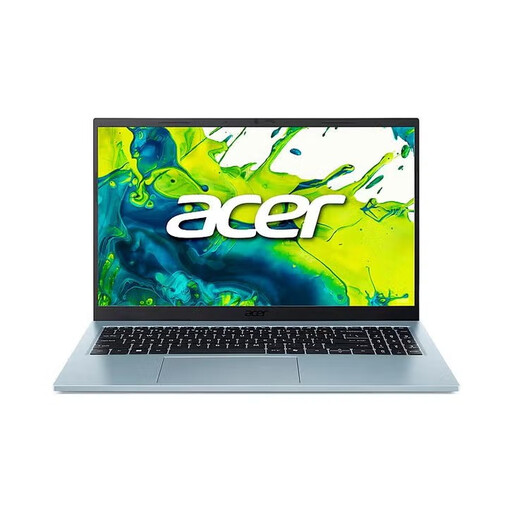
Why it suits this profile: This Acer laptop is designed for everyday tasks, studying and working from home, with a 15.6-inch Full HD IPS display, 16GB RAM and 512GB SSD storage.
The product information lists a 65W adapter and power cable. Even so, check the current box contents before ordering.
15.6-inch matt IPS display, Wi-Fi 6, 2 USB-C ports and a numeric keypad.
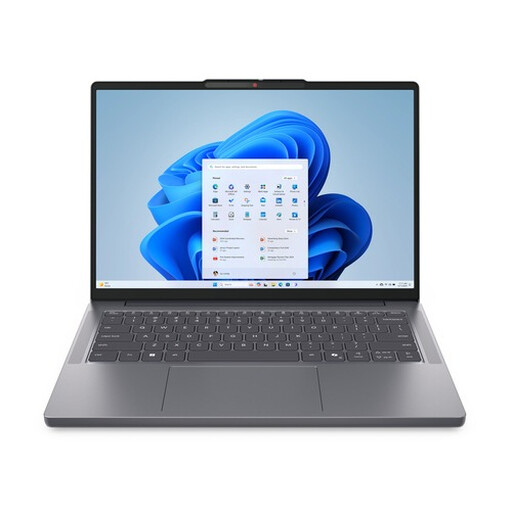
Why it suits this profile: This 14-inch Lenovo laptop combines a Ryzen 7 8840HS processor with a weight starting at approximately 1.39kg. It is well suited to mobile working, studying and everyday multitasking.
The specifications clearly state 16GB DDR5, a 512GB PCIe NVMe SSD and a 16:10 WUXGA display. You are comparing more than just the Ryzen 7 name.
8 cores and 16 threads, privacy shutter, USB-C with DisplayPort and a stated 2-year warranty.
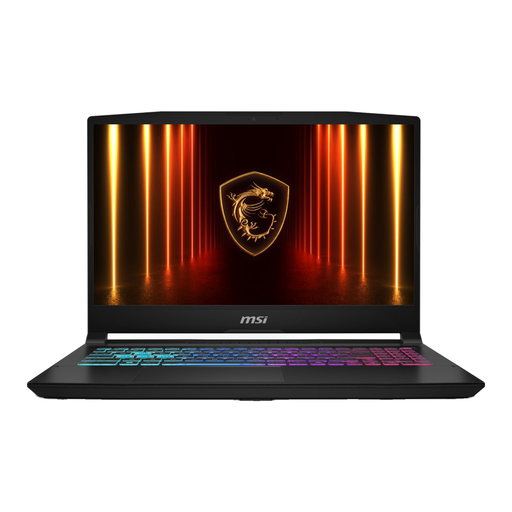
Why it suits this profile: This MSI gaming laptop features an Intel Core i7-13620H, RTX 5060 with 8GB of video memory, 16GB DDR5 and a 144Hz Full HD display.
The processor, graphics card, RAM and refresh rate are listed separately. Bear in mind the product note stating that the charger must be purchased separately.
RTX 5060 with 8GB GDDR7, 144Hz IPS-level display, HDMI 2.1, Wi-Fi 6E and Gigabit Ethernet.
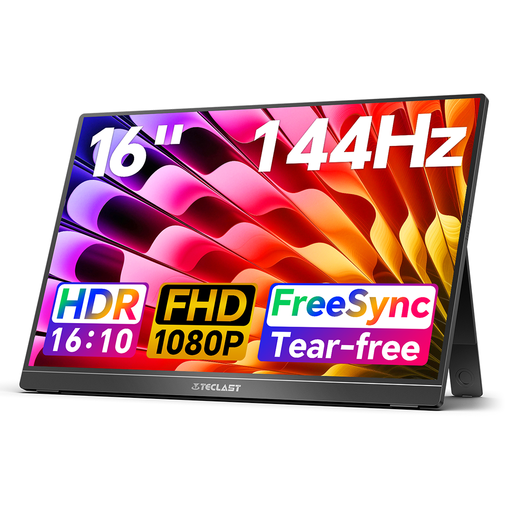
Why it suits this profile: An extra screen is practical for working from home, travelling and gaming when a single laptop display does not provide enough workspace.
Check beforehand whether your laptop supports USB-C with video output or mini-HDMI. The monitor should be placed on a stable, flat surface with adequate ventilation.
16-inch FHD IPS, 144Hz, 16:10 aspect ratio, two USB-C ports, mini-HDMI and a built-in stand.
A 15.6-inch laptop backpack keeps your laptop from being loose among books or chargers. When choosing a backpack, check the dimensions of the laptop compartment, the protection underneath and whether the shoulder straps can be adjusted. “Water-repellent” does not automatically mean waterproof, so take an additional cover for prolonged rain.
For commuting or a short trip, a slim business backpack and a roll-top model are practical options. Choose a compartment for the charger, cables and, if necessary, a portable monitor. Also browse the range of travel laptops if portability is your top priority.
We have put together a complete, up-to-date list of products that fully meet these strict selection criteria and the applicable European safety regulations.
16GB RAM is a practical choice for multitasking with Office programmes, video calls and lots of browser tabs. Less may be sufficient for basic word processing. When buying, check whether the memory can be upgraded later.
Yes, but the weight and dimensions have a greater impact on portability than screen size alone. A 14-inch model often weighs less, while a 15.3- or 15.6-inch screen provides more workspace. A suitable 15.6-inch laptop backpack helps you carry it safely.
Besides the purchase price, power consumption, accessories and any storage upgrades are the main factors to consider. A gaming laptop with a powerful graphics card generally uses more energy than a slim model with integrated graphics. Also check whether a charger is included, as the additional cost can affect the total price.
