
Vandaag of morgen in huis

Kwaliteit gegarandeerd

Welkomstaanbiedingen ontgrendelen: GRATIS bezorging | Tot 80% korting | Gratis 30 dagen JoyPlus-proefperiode
Download de app
Buying a laptop seems straightforward until you have to choose between a Windows laptop, MacBook, 2-in-1 laptop or lightweight laptop. Marketing often focuses on a fast processor, AI features or a display with rich colours. In practice, it’s the practical details that determine whether a laptop remains comfortable to use.
Three common pitfalls come up time and again:
For a laptop for studying, home use or standard office work, 8GB RAM is suitable for light tasks. If you regularly use several programmes at the same time, a laptop with 16GB RAM is the more practical choice. On some slim laptops, the memory is soldered directly to the motherboard and cannot be upgraded.
A 512GB SSD provides space for Windows, programmes, documents and photos. The amount of storage actually available will be lower because of system files and recovery partitions. If you work with large video files, local games or extensive photo libraries, you may need additional cloud or external storage.
A 13- or 14-inch laptop is generally easier to carry around. A 15- or 17-inch model gives you more room for spreadsheets, documents and multiple windows, but takes up more space in a bag.
Pay attention to these points:
A QWERTY keyboard is common in the Netherlands, but check whether it has a Dutch or international layout. A Dutch QWERTY layout differs from Belgian AZERTY and some British or American variants.
Windows 11 offers broad compatibility with software and accessories. With a MacBook, you get macOS and seamless integration with other Apple devices, but check beforehand that the specific Windows programmes you need are available. For a Copilot+ PC with Snapdragon, it’s sensible to check compatibility with older software, specialist drivers and business peripherals in advance.
Also look for USB-C, USB-A, HDMI and, if needed, a card reader. A laptop without HDMI can work perfectly well, but you may need a USB-C hub to connect an external monitor.
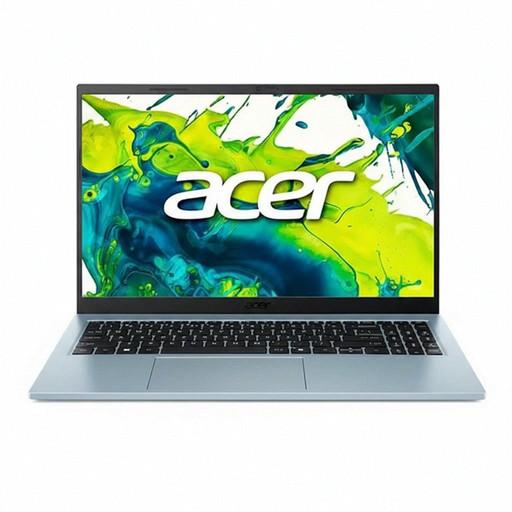
Why it suits this profile: This Windows laptop is designed for everyday use, studying, administration and streaming. The 15.6-inch version provides a clear working area without the bulk of a large 17-inch format.
The product specifications list 8GB RAM, a 512GB SSD and a 65W adapter included in the box. However, check whether 8GB is enough for how you expect to use it.
Intel Core 5 120U, matt Full HD IPS display, 512GB PCIe SSD and support for up to 32GB RAM according to the product specifications.
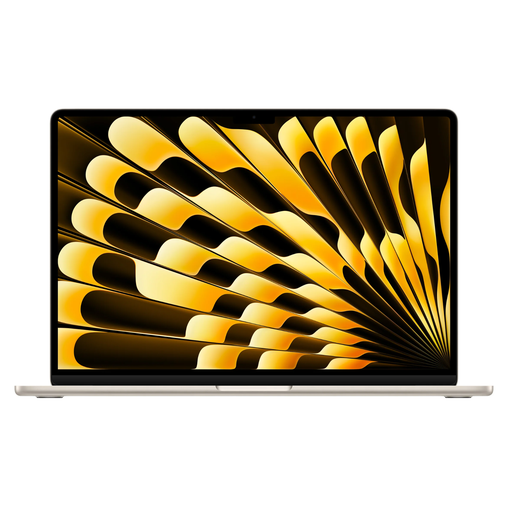
Why it suits this profile: The 15.3-inch MacBook Air gives creative users, professionals and home workers extra screen space in a relatively slim design.
The configuration includes 16GB RAM and a 512GB SSD. According to the product information, the charger is not included, so make sure you have a suitable USB-C adapter.
Apple M5 chip, 16GB memory, 512GB SSD, Liquid Retina display and two Thunderbolt 4 ports.
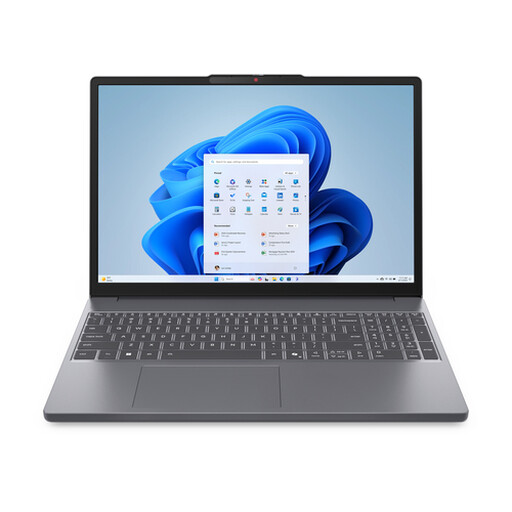
Why it suits this profile: This model is a good match for users who multitask frequently and work with spreadsheets, documents, cloud software and multiple screens.
The 16GB RAM avoids the limitations of an entry-level configuration. The display is not touch-enabled and does not use OLED, so you’re paying for practical features rather than functions you may not use.
AMD Ryzen 7 8840HS, 16GB DDR5, 512GB PCIe 4.0 SSD, SD card reader and USB-C with DisplayPort and Power Delivery.
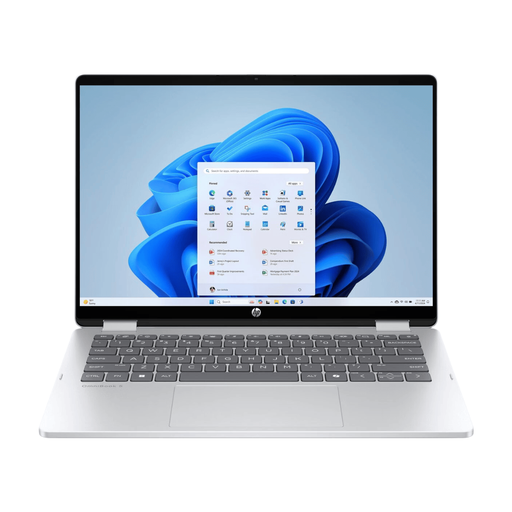
Why it suits this profile: The 360-degree hinge makes this 2-in-1 laptop suitable for typing, presenting, watching videos and using it as a tablet.
The product information clearly states that it has a touchscreen and an OLED panel. However, the charger is not included, so plan to purchase a suitable USB-C PD charger rated at least 45W.
Intel Core 7 150U, 16GB RAM, 512GB SSD, 14-inch OLED touchscreen and backlit QWERTY keyboard.
We’ve put together a complete, up-to-date list of products that fully meet these strict selection criteria and the applicable European safety regulations.
For word processing, online lessons, email and browsing, 8GB RAM may be enough. If you use lots of tabs, make video calls or work with spreadsheets or creative software, 16GB RAM is the more practical choice. Check whether the memory can be upgraded, as it is soldered to the motherboard in many compact models.
A MacBook can be a good choice for office work, studying and creative applications, especially if you already use an iPhone or other Apple devices. Check beforehand that the software and peripherals you need work with macOS. For specific business programmes, a Windows laptop may offer broader compatibility.
Pay particular attention to the charger. Several models in this range are supplied without one. Also check the warranty, storage requirements and any costs for cloud storage, software and accessories such as a USB-C hub. Statutory EU consumer rights are separate from any additional manufacturer’s warranty; check the terms on the product page before ordering.
