
Vandaag of morgen in huis

Kwaliteit gegarandeerd

Welkomstaanbiedingen ontgrendelen: GRATIS bezorging | Tot 80% korting | Gratis 30 dagen JoyPlus-proefperiode
Download de app
Buying a laptop seems simple until you start comparing dozens of models. The processor, RAM, screen size, operating system and connections all determine whether a laptop remains comfortable to use every day. A low price means little if you later need to buy a separate charger, external storage or keyboard.
For consumers in the Netherlands, three pitfalls are particularly important:
Memory determines how many programmes can run smoothly at the same time. For a home-use laptop for internet browsing, streaming and simple documents, 8GB RAM may be sufficient. If you are looking for a laptop for study, office work or multitasking, 16GB RAM is usually the better option.
Also consider expandability. Some models have memory permanently installed on the motherboard, so you cannot easily add more RAM later. The ASUS Zenbook A14 and ASUS Vivobook 14, for example, have 16GB onboard LPDDR5X memory that cannot be expanded.
A 512GB SSD provides space for Windows, programmes, documents and photos. The usable capacity is lower than 512GB, however, because Windows and recovery files use some of the storage. External or cloud storage may be needed for large video libraries or lots of locally stored games.
A laptop with Ryzen 5 is suitable for many everyday tasks. A Ryzen 7 generally offers more processor cores and is better suited to heavier multitasking or light creative work. However, look beyond the label alone. The Lenovo IdeaPad Slim 3 with Ryzen 7 8840HS, for example, has 8 cores, 16 threads and integrated Radeon 780M graphics.
An Intel Core Ultra laptop may support additional AI features through an NPU. Check which features are actually supported by Windows and your software. With a Copilot+ PC featuring Snapdragon X, some older Windows programmes, printer drivers or specialist accessories may also not work in the same way as on a traditional x86 laptop. Check with the software provider.
Also consider whether you need a laptop with a touchscreen. For typing, video calls and office software, a laptop without a touchscreen is often sufficient. A touchscreen or 360-degree hinge is particularly useful for direct interaction, presentations or tablet use.
Finally, pay attention to the layout. A Dutch QWERTY keyboard differs from AZERTY, UK QWERTY and US QWERTY. You will notice the difference every day when using special characters and certain keys.
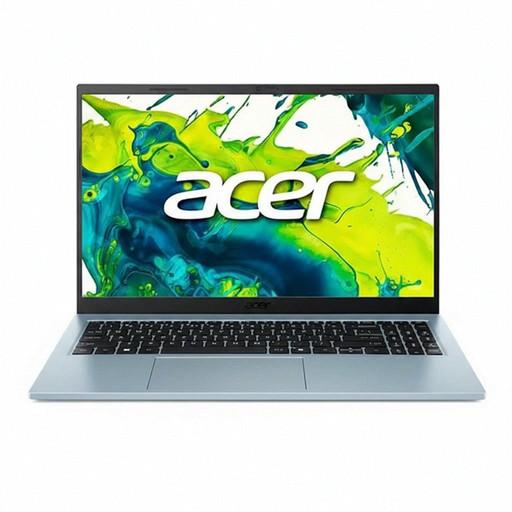
Why it suits this profile: This 15.6-inch Windows 11 laptop is designed for browsing, documents, video calls and streaming. At 1.53 kg, it is practical for use at home, for study and in the office.
The specifications clearly state 8GB RAM and a 512GB SSD. According to the product information, a 65W adapter is included; nevertheless, check the current product page.
15.6-inch Full HD IPS screen, 512GB PCIe 4.0 SSD, two USB-C ports and support for expansion up to 32GB according to the product specifications.
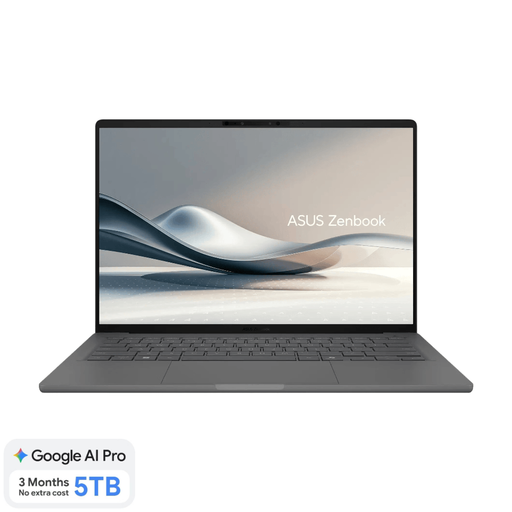
Why it suits this profile: Weighing 0.98 kg and featuring a 14-inch OLED screen, 16GB RAM and a Snapdragon X processor, this model is ideal for mobile working, study and business travel.
The product information explicitly states the Dutch QWERTY layout, non-touchscreen display and the requirement for a separate 65W USB-C charger.
WUXGA OLED screen with a 16:10 aspect ratio, 512GB SSD, Wi-Fi 6E, two USB4 ports and Full HD IR camera.
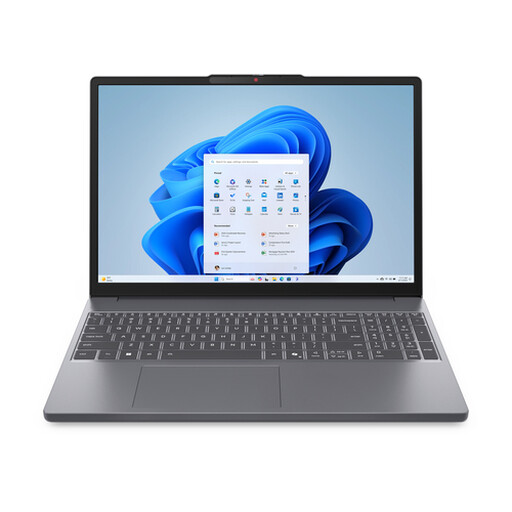
Why it suits this profile: The Ryzen 7 8840HS, 16GB DDR5 and Radeon 780M graphics are well suited to users who combine numerous browser windows, spreadsheets and more demanding everyday software.
Choosing 16GB RAM avoids a limited starting configuration when multitasking. The screen is clearly specified as non-touch.
8 cores and 16 threads, 16GB DDR5, 512GB PCIe 4.0 SSD, SD card reader and a 15.3-inch WUXGA screen.
We have put together a complete, up-to-date list of products that fully meet these strict selection criteria and the applicable European safety regulations.
For word processing, email and a limited number of browser tabs, 8GB may be sufficient. If you use video calls, edit presentations and have lots of tabs open at the same time, 16GB RAM is the more practical choice. Also check whether the memory can be expanded.
Allow for a separate charger if one is not included. Also check whether you need additional storage, a USB-C hub, mouse or monitor. With a Snapdragon X laptop, it is wise to check in advance that your software and peripherals are compatible.
Its lifespan depends on build quality, software updates, battery usage and the demands of your tasks. A laptop with 16GB RAM and a 512GB SSD generally offers more scope for everyday multitasking than an entry-level model with 8GB. Also check the warranty, upgrade options and availability of service before placing your order.
