
Vandaag of morgen in huis

Kwaliteit gegarandeerd

Welkomstaanbiedingen ontgrendelen: GRATIS bezorging | Tot 80% korting | Gratis 30 dagen JoyPlus-proefperiode
Download de app
A keyboard seems like a straightforward purchase, until you get home and discover that the layout doesn’t match your keys, the connection keeps dropping or the numeric keypad is missing. If you’re looking to buy a keyboard, it’s therefore best to look beyond colour, lighting and marketing jargon.
The main pitfalls are usually:
@, " and € may be in different places.A QWERTY keyboard is commonly used in the Netherlands, but the exact design can vary. Many models in the range use US International QWERTY. In that case, the key labels and layout are based on the ANSI standard rather than a specific Dutch ISO layout.
Do you regularly work with Dutch punctuation, programming code or special currency and accent characters? Then check:
@, €, ? and quotation marks.A keyboard for Mac may also have macOS-specific keys. Apple Magic Keyboard models with Touch ID are designed for Macs with Apple Silicon. For a keyboard for Windows, it’s worth checking that the Windows keys and media keys match your workflow.
A USB keyboard is usually simple: plug it in and start typing. A cable means you don’t have to recharge batteries and is practical at a fixed workstation or gaming PC. Do bear in mind the cable length and the type of USB connection.
A wireless keyboard usually works via Bluetooth or a 2.4GHz USB receiver. Bluetooth is handy for laptops, tablets and smartphones, while a USB receiver is often suitable for desktops without Bluetooth. A multi-device keyboard combines both options and allows you to switch between several devices.
Also check the power supply:
A full-size keyboard usually has a numeric keypad. This is practical for spreadsheets, accounting and administrative work. A compact keyboard saves space, but may combine keys with Fn functions.
Pay attention to the difference between:
A quiet keyboard with low-profile membrane or scissor keys is better suited to a shared workspace than a loud clicky mechanical model. RGB lighting is mainly visual; on its own, it says nothing about the feel, durability or connection.
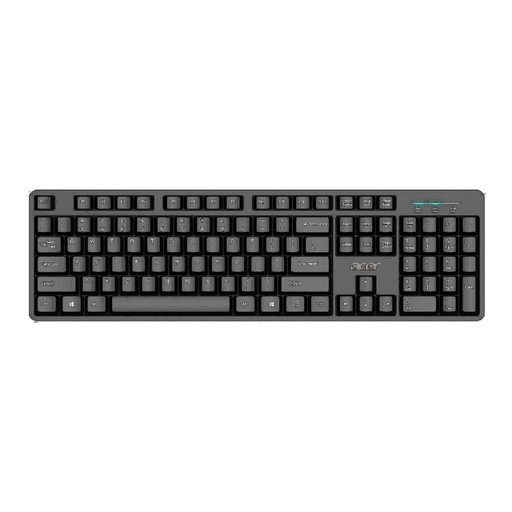
Why it suits this profile: A straightforward full-size model for home, study and the office, with no wireless pairing or charging to manage.
The USB connection and plug-and-play setup help to minimise connection problems. Do check that the US International layout suits you.
Full-size design, numeric keypad, 1.45-metre cable and, according to the product information, a water-resistant design.
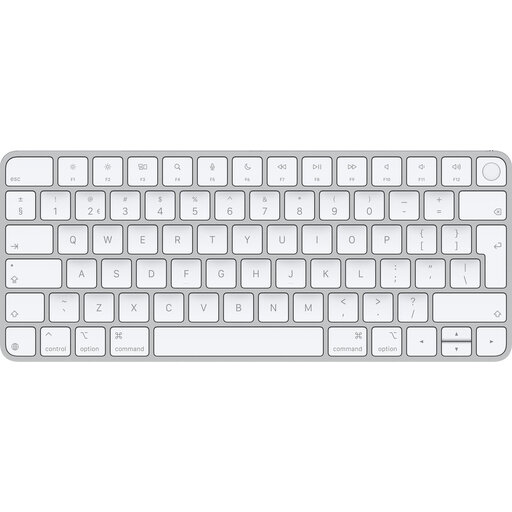
Why it suits this profile: Designed for Mac users looking for a low-profile wireless keyboard with a rechargeable battery and Touch ID.
Compatibility is clearly defined: macOS 11.4 or later with Apple Silicon. This makes it easy to check in advance whether the model is suitable.
Bluetooth, USB-C charging, QWERTY layout and, according to Apple, around a month of battery life per charge.
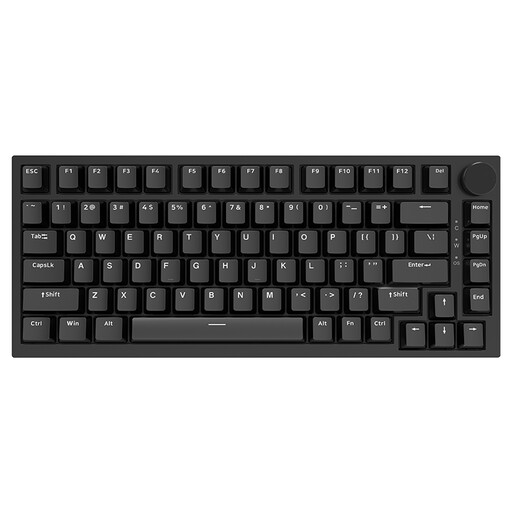
Why it suits this profile: A compact mechanical keyboard for gamers, programmers and users who want to customise their typing experience.
The 75% layout keeps the arrow keys and function keys available, while leaving out the numeric keypad. This prevents any confusion about the size.
Hot-swappable switches, PBT keycaps, USB-C connection, volume dial and, according to the product description, RGB lighting.
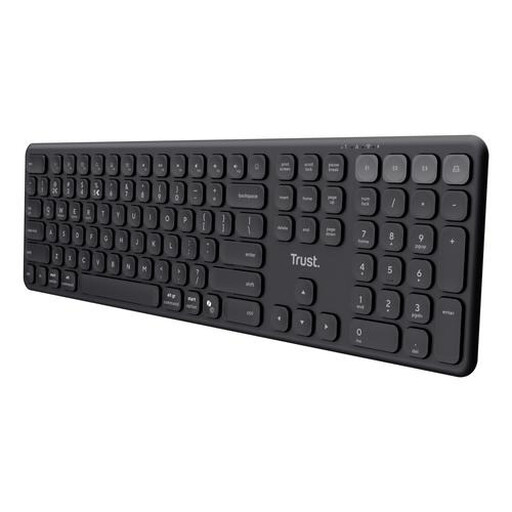
Why it suits this profile: Handy for anyone switching between a laptop, tablet, smartphone and desktop who also wants a full-size keyboard.
The connection options are clearly specified: one USB receiver and three Bluetooth channels. This tells you in advance how many devices you can pair.
Quiet scissor keys, numeric keypad, USB-C rechargeable battery and support for Windows, macOS, iOS, Android and ChromeOS.
We’ve put together a complete, up-to-date list of products that fully meet these strict selection criteria and the applicable European safety regulations.
For working from home, a quiet typing feel, comfortable height and the right layout are more important than RGB lighting. Choose a full-size model if you enter lots of figures. If you work with multiple devices, look for Bluetooth, a USB receiver and easy device selection.
No. The noise depends on the switches, keycaps and construction. Some mechanical models use linear switches and sound-dampening layers. However, a membrane or scissor keyboard is often the sensible choice when quiet typing is a priority.
Its lifespan depends on usage, dirt, liquids and the quality of the keys. Manufacturers sometimes state a number of keystrokes, but this is a technical figure measured under specific conditions. Keeping your keyboard clean, avoiding spills and not forcing the cable or USB port can help prevent unnecessary wear.
