
Vandaag of morgen in huis

Kwaliteit gegarandeerd

Welkomstaanbiedingen ontgrendelen: GRATIS bezorging | Tot 80% korting | Gratis 30 dagen JoyPlus-proefperiode
Download de app
A keyboard may seem like a straightforward purchase, until you need to use it in a shared space, switch between a laptop and tablet or react quickly in a game. Marketing terms such as “mechanical feeling”, “quiet” and “wireless” do not always tell the whole story. The layout, connection and design ultimately determine whether a keyboard suits the way you use it.
Many models available online have a QWERTY US layout. This layout differs from the Dutch keyboard layout. Pay particular attention to the position of the Enter key, special characters and certain punctuation marks. If you touch-type using a familiar Dutch layout, you may need to make some adjustments.
Always check the product title and specifications. A QWERTY keyboard can work perfectly well with Windows, macOS or Chrome OS, but the physical layout still determines where the keys are positioned.
A membrane keyboard may be described as offering a mechanical feel. That does not automatically mean it contains mechanical switches. A genuine mechanical keyboard will usually state the switch type, such as linear or tactile, and often whether the switches can be replaced.
If quiet typing is your priority, look for low-profile membrane keys or scissor switches. If you want a more pronounced key feel and greater customisation, a mechanical model is more likely to be the right choice.
“Wireless” can refer to a 2.4GHz USB receiver, Bluetooth or both. A USB receiver is practical for a PC, but not every tablet has a suitable port. Bluetooth is more flexible for laptops and mobile devices, but the device must support it.
Also check the power supply. Some models use AA or AAA batteries, while others have a built-in rechargeable battery with USB-C. In addition, make sure a wireless gaming setup offers enough connections and a stable connection.
A compact 60% keyboard omits the number pad and often the function keys as well. This saves space for your mouse, but some functions are accessed using an Fn combination. A 75% model generally retains more navigation keys in a smaller case. A full-size keyboard is more practical for administration, spreadsheets and frequent data entry.
Scissor switches offer a low-profile, laptop-style key feel. They are generally suitable for offices, working from home and studying, where less noise is preferable. A quiet keyboard with membrane keys is not completely silent; the bottoming-out of a key and the desk surface also affect the noise level.
With mechanical models, the switches, keycaps and sound dampening all play an important role. Specifications such as PBT keycaps, hot-swappable switches and a gasket-mounted construction provide more useful information than general terms such as “comfortable” or “premium”.
Check that the keyboard works with your operating system and device. For wireless models, look for:
A keyboard and mouse set can be more affordable and easier to manage than two separate purchases. However, check whether both devices use the same connection and whether the mouse offers sufficient DPI settings.
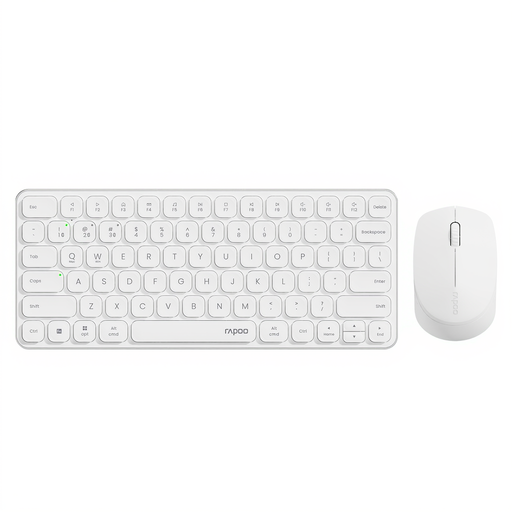
Why it suits this profile: A keyboard and mouse set is a practical starting point for working from home, studying or setting up a simple home office. The set is compatible with Windows, Mac, Linux and Chrome OS.
The connection options are clearly specified: 2.4GHz and Bluetooth 4.0/5.0. According to the product specifications, up to four devices can be paired. The low-profile scissor keys are designed for quieter typing.
Multi-device support, adjustable mouse resolution from 800 to 2400 dpi and battery power.
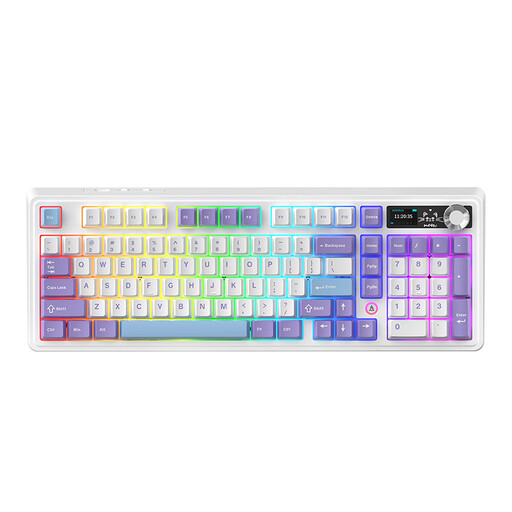
Why it suits this profile: This model combines a 98% layout with mechanical switches, a volume knob and three connection methods for work and gaming.
The product specifications explicitly list mechanical, hot-swappable switches, along with wired, Bluetooth and 2.4GHz connections. Before buying, check the selected switch and layout variant.
97 keys, customisable switches, RGB lighting and a built-in rechargeable battery according to the product information.
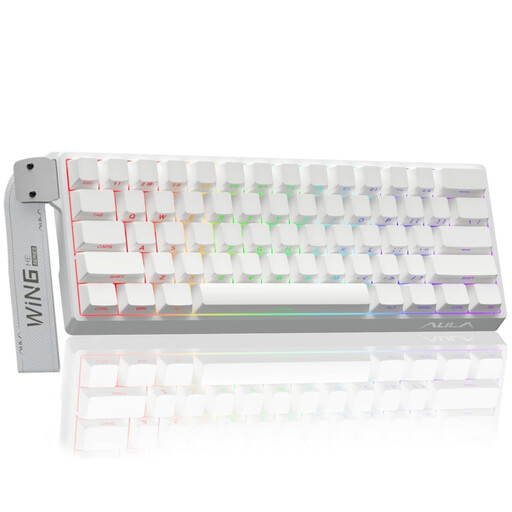
Why it suits this profile: A compact gaming keyboard with a wired connection is ideal for players who want to keep their desk clear and are looking for specific customisation options.
The product title mentions Hall Effect magnetic switches, Rapid Trigger, adjustable actuation from 0.01 mm and an 8K polling rate. Check beforehand that your software and game support these features.
60% format, RGB lighting and a wired connection according to the product listing.
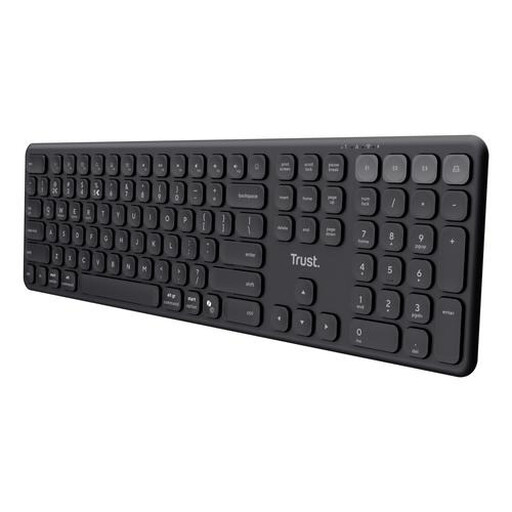
Why it suits this profile: People working from home or in flexible workspaces get a full-size keyboard with a number pad and quiet scissor switches.
The connection is not limited to one method: the model supports one USB receiver and three Bluetooth channels. The US QWERTY layout is clearly stated.
Switch between up to four devices, USB-C charging and a full-size layout with a number pad.
We have compiled a complete, up-to-date list of products that fully meet these strict selection criteria and the applicable European safety regulations.
Choose a model with a quiet key feel, a layout you are familiar with and enough space for your desk. A full-size keyboard is useful for working with numbers, while a compact model leaves more room for your mouse. For multiple devices, Bluetooth and multi-device features are useful.
No. The noise level depends on the switch, keycaps, case and any sound dampening. A mechanical keyboard with sound-dampening layers may be quieter than a model without them. If you want to work as quietly as possible, you could also consider a scissor or membrane keyboard.
Its lifespan depends on usage, dust, moisture and the construction. A model with replaceable switches can make maintenance and customisation easier. With battery-powered models, it is sensible to remove the batteries if the keyboard will not be used for an extended period. Also, do not use liquids when cleaning and follow the manufacturer’s safety instructions.
