
Vandaag of morgen in huis

Kwaliteit gegarandeerd

Welkomstaanbiedingen ontgrendelen: GRATIS bezorging | Tot 80% korting | Gratis 30 dagen JoyPlus-proefperiode
Download de app
By a Joybuy Product Recommendation Officer | July 29, 2026
A blinking light on your printer and faded prints: the inktcartridges are empty. For many, this marks the beginning of a daunting search. The market is vast, and a wrong choice is easily made, resulting in wasted money, poor print quality, or even a damaged printer.
As a Product Recommendation Officer at Joybuy, I sift through the market daily to help you make the right choices. In this article, we'll discuss the three most common pitfalls when buying cartridges and how you can easily avoid them.
Before you order new printer ink, it's wise to consider these common mistakes. They may seem obvious, but they cost many printer owners unnecessary money and frustration every year.
genuine cartridges can affect the warranty.XL ink cartridge.To sidestep the pitfalls above, you only need to pay attention to a few key specifications. This ensures you always find the right ink for your printer.
This is the most crucial step. Every printer works with a specific series of cartridge numbers. You can find the correct number in three places:
HP 305, Canon PG-545, Brother LC3219XL) is printed prominently on it.ink cartridges.With this number, you can specifically search for the right HP ink, Canon ink, Brother ink, or Epson ink.
Printer manufacturers often offer two sizes: standard and XL (high capacity).
Genuine cartridges are produced by the printer manufacturer itself. They are specifically designed to work seamlessly with your all-in-one printer or standard model. According to the manufacturers, this guarantees reliable operation, consistent print quality, and the preservation of the printer warranty. While alternatives exist on the market, we focus on genuine products for the assurance they provide.
Based on the criteria above, we have selected a few popular ink cartridges that suit different user profiles.
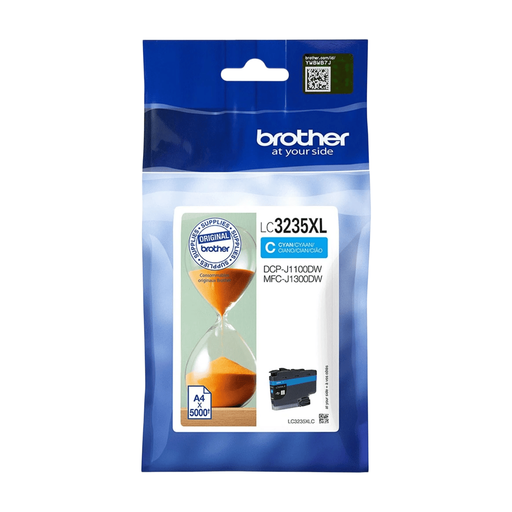
Why This Fits Their Persona: Ideal for those who print reports, invoices, or other documents daily. This cartridge is designed for high-volume use, meaning fewer replacements and sustained productivity.
Tackles the pitfall of a high cost per page. Its very high capacity results in a significantly lower cost per print in the long run compared to standard cartridges.
Very High Page Yield: Prints up to 5,000 pages according to the manufacturer (ISO/IEC 24711 standard).
Reliability: As a genuine Brother cartridge, it's engineered for optimal performance.
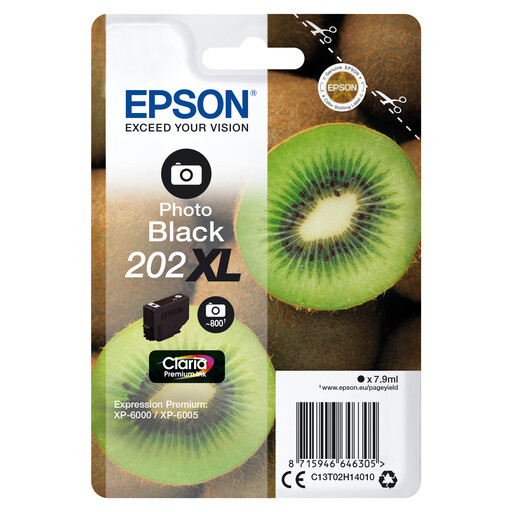
Why This Fits Their Persona: For amateur photographers and creatives who want to print high-quality photos at home. This ink is specially formulated for vibrant and long-lasting photo prints.
Prevents the disappointment of faded or inaccurate colours often seen with standard ink. The 'Photo Black' ink delivers deep blacks and rich contrast, which is essential for photo quality.
Claria Premium Ink: According to Epson, this technology delivers sharp text and glossy photos.
High Capacity: The XL version prints up to 800 pages, which is also useful for documents.
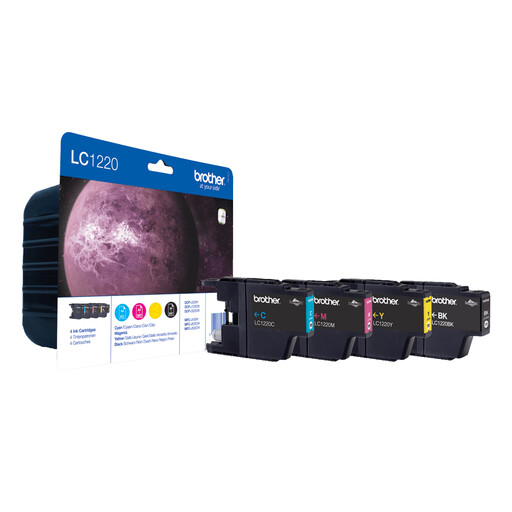
Why This Fits Their Persona: For those who value convenience and want to avoid unpleasant surprises. With a `multipack inktcartridges`, you have all the necessary colours on hand and will never be caught short.
Prevents the frustration of replacing a black cartridge only to find that the cyan one is also empty. A multipack ensures your printer is always fully operational.
Complete Set: Contains black, cyan, magenta, and yellow in one value pack.
Cost Savings: Often more economical than buying all four cartridges separately.
Didn't find what you were looking for? Browse our full and up-to-date range of ink cartridges that meet our strict selection criteria.
The most reliable method is to check the model number on your old, empty cartridge. This number (for example, Epson 604XL) is unique and will always lead you to the correct product. If you no longer have the old cartridge, you can look up your printer's model number on the manufacturer's website.
For anyone who prints more than a few times a month, an XL ink cartridge is almost always the most economical choice. The purchase price is higher, but the amount of ink is disproportionately larger, significantly lowering the cost per printed page. If you rarely print, a standard cartridge may suffice.
Genuine cartridges are developed by your printer's manufacturer. According to the manufacturers themselves, they are designed for perfect synergy with the device. This results in reliable performance, consistent colours, and prevents issues like leakage or recognition errors, which can affect your printer's lifespan.
