
Vandaag of morgen in huis

Kwaliteit gegarandeerd

Welkomstaanbiedingen ontgrendelen: GRATIS bezorging | Tot 80% korting | Gratis 30 dagen JoyPlus-proefperiode
Download de app
Buying a headset seems straightforward, until you have to choose between a gaming headset, wireless headphones, a USB headset or a wired headset. Marketing copy often focuses on impressive-sounding features such as surround sound, noise cancelling and professional microphones. But those terms alone tell you little about how practical a headset will be.
Look out for three common pitfalls:
First, check which port your device uses. A 3.5mm connection works with many laptops, controllers, smartphones and consoles, but a PC with separate microphone and headphone ports may need a splitter.
A USB headset usually has its own sound card or USB audio adapter. This can be useful for a PC headset, but check that your console or Chromebook supports the connection. Bluetooth headphones are handy for listening to music and making calls, but Bluetooth isn’t available on every gaming platform and can cause noticeable lag.
When choosing a headset for PlayStation, Xbox or Nintendo Switch, check:
For online meetings, working from home and gaming, the microphone is just as important as the speakers. Headphones with a microphone may have a fixed boom microphone, a fold-away microphone or a built-in microphone.
A directional microphone picks up sound mainly from the direction of your mouth. This can help make your voice clearer, but position the microphone close enough to your mouth and use the mute function when you’re not speaking.
Also consider:
A 240-gram model may feel more comfortable during long sessions than a heavier one, but fit is a matter of personal preference. A closed-back over-ear design can passively reduce background noise, while an on-ear model may feel less warm.
For wireless headphones, battery life, charging port and connection type are important things to consider. The stated battery life is measured under specific conditions. Volume, Bluetooth features and active noise cancellation can all affect power consumption.
Active noise cancelling, often shortened to ANC, uses microphones and electronics to reduce background noise. According to information from Bose, Dyson and Apple, their ANC is designed to reduce background noise. That doesn’t guarantee that every sound will disappear. ANC can still make a practical difference in a busy office, on a train journey or in a student house.
The choices below are based on verifiable features such as connection type, weight, platform compatibility, battery life and microphone type.
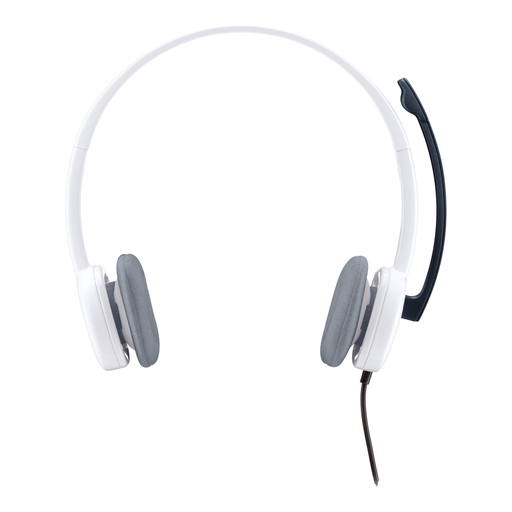
Why it suits this user: A straightforward wired headset for calls, online lessons and everyday computer use. The 3.5mm connection works with many computers, tablets and smartphones.
The connection and stereo playback are clearly specified. You’re not paying for software features you may not use.
80 grams, 180cm cable, adjustable microphone and in-line volume control, according to the product specifications.
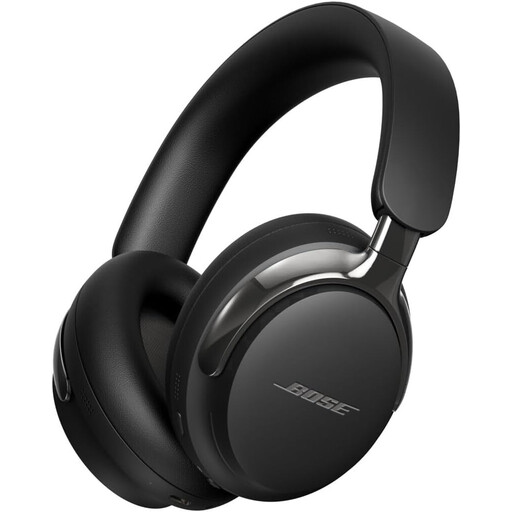
Why it suits this user: Ideal if you want to combine wireless listening and calls with the option of a wired connection, all in one over-ear model.
Bluetooth 5.4 is complemented by a detachable cable with a 3.5mm connection, so you’re less reliant on the battery.
Bluetooth 5.4, active noise cancellation and a stated battery life of up to 24 hours, according to the product specifications.
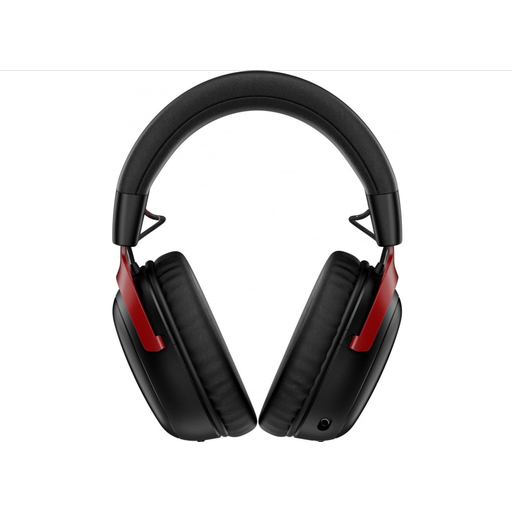
Why it suits this user: A wireless gaming headset for long sessions and use with multiple devices, with 2.4GHz wireless and Bluetooth.
You’re not limited to Bluetooth: the supplied dongles support 2.4GHz and USB-C/USB-A connections.
Up to 120 hours of battery life via 2.4GHz, 53mm drivers and a detachable microphone, according to the product specifications.
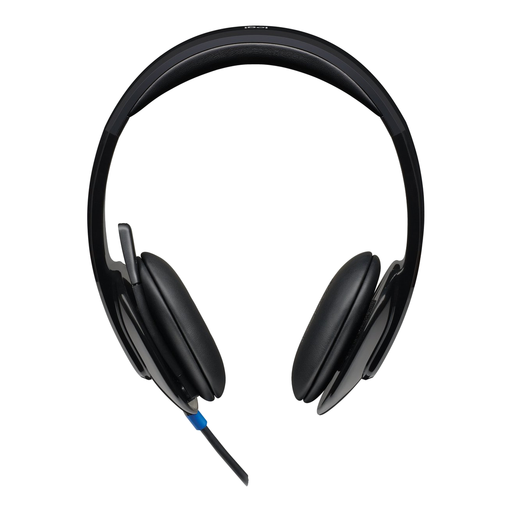
Why it suits this user: A plug-and-play USB headset for PC or Mac, ideal for meetings, calls and multimedia.
The USB connection avoids confusion between separate audio and microphone ports. The volume and mute controls are on the earcup.
USB Type-A, 180cm cable, stereo sound and a noise-cancelling microphone, according to Logitech.
We’ve put together a complete, up-to-date list of products that meet these strict selection criteria and the applicable European safety regulations.
A wired headset doesn’t need charging and usually offers a direct connection. Wireless headphones give you more freedom to move around, but need charging and a compatibility check. For gaming, 2.4GHz wireless may be a better choice than Bluetooth if low latency is important.
It depends on the model. A headset with a 3.5mm connection often works through a controller or a combined port, but features such as virtual surround sound may be limited. Always check the listed platforms and whether a USB adapter is needed.
Its lifespan depends on cable strain, hinges, ear cushions, battery use and storage. Don’t let a wired headset hang off your desk by its cable, and keep a wireless model somewhere dry. With normal use, you’re also covered by the two-year minimum legal guarantee in the EU, without affecting your statutory rights under consumer law. Keep the volume low enough and take regular breaks to help prevent hearing damage.
