
Vandaag of morgen in huis

Kwaliteit gegarandeerd

Welkomstaanbiedingen ontgrendelen: GRATIS bezorging | Tot 80% korting | Gratis 30 dagen JoyPlus-proefperiode
Download de app
Headphones may seem simple to choose: wireless or wired, over-ear or on-ear, black or another colour. Yet small differences can have a major impact on everyday use. A model that is comfortable for a train journey may not be suitable for long gaming sessions or lots of video calls.
The three most common buying pitfalls are:
For listening to music, making calls and working from home, wireless headphones or Bluetooth headphones are usually practical. There is no cable running between your phone and your clothes, and some models let you switch between two devices. On-ear headphones are often compact and lightweight, while over-ear headphones completely surround your ears and generally provide more physical sound isolation.
For gaming, headphones with a microphone are more important than simply having large drivers. Pay attention to the connection, the microphone position and the controls for muting and volume. A wired gaming headset does not need a battery and can be a straightforward choice for PCs and consoles.
A Bluetooth connection is convenient for phones, tablets and laptops. However, check that your device supports Bluetooth audio and whether the headset can connect to two devices simultaneously. Multipoint is particularly useful when you want to switch between a laptop and phone while working.
A gaming headset with a 3.5mm jack is often suitable for PCs, PlayStation, Xbox and Nintendo Switch. If your PC has separate connections for audio and the microphone, you may need a splitter. A USB connection can offer additional software features, but makes the headset less universal than an analogue jack.
Compare battery life under the same conditions. Manufacturers often state a maximum usage time; the actual result can vary depending on volume, codec, microphone use and noise cancellation. With noise-cancelling headphones, usage time with active noise cancellation is usually shorter than without this feature.
Also check the charging port, fast-charging function and whether the headset can still be used while charging. A wired model eliminates charging worries, but does require some cable management.
Low weight is a benefit, but it is not the only factor. Look at:
On-ear models rest on your ears and are often more compact. Over-ear models take up more space, but may be more comfortable over long periods if the ear cushions fit well. For intensive gaming, a padded headband and soft cushions are practical considerations.
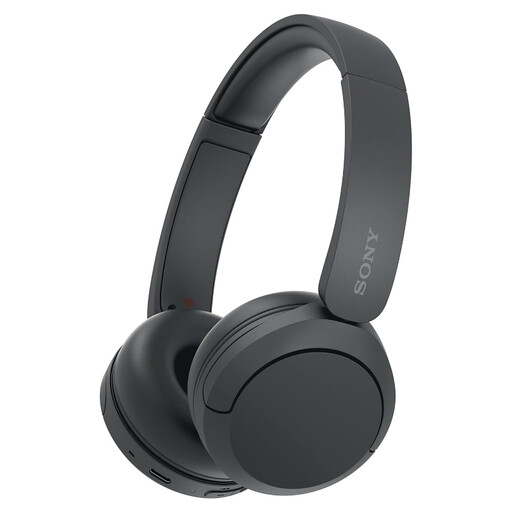
Why it suits this profile: Weighing 147 grams, these lightweight on-ear headphones are suitable for everyday listening, calls and travel. The Bluetooth connection and Multipoint function make them well suited to use with a phone and laptop.
The specifications clearly list the controls, USB-C and a built-in microphone. The stated battery life varies between 40 and up to 50 hours in the product information, so check the current product specification before buying.
147 grams, Bluetooth, Multipoint, USB-C and AAC/SBC codecs. According to the product description, the model also supports quick charging.
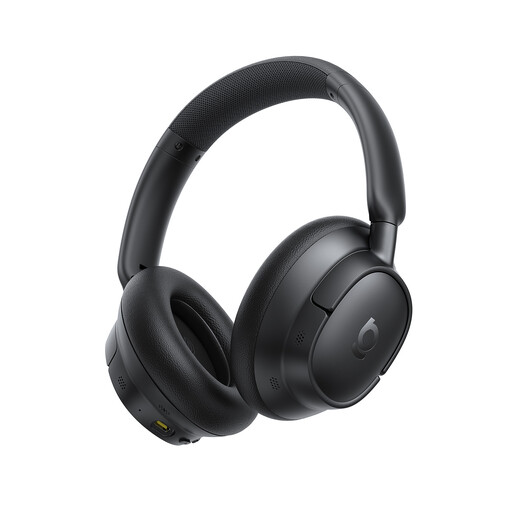
Why it suits this profile: This over-ear model is designed for travel, work and long listening sessions, with Bluetooth, multipoint and a stated long battery life.
The product description distinguishes between use with and without ANC: according to the manufacturer, it offers up to 55 hours with ANC and 80 hours without ANC. The claim of up to -45 dB noise cancellation also comes from the brand description and is not a guaranteed value for every environment.
Over-ear fit, Bluetooth 6.0 according to the product title, LDAC support according to the description and USB-C fast charging.

Why it suits this profile: This wired gaming headset is designed for PC, PlayStation, Xbox and Nintendo Switch. The 3.5mm connection means you do not need to charge it while gaming.
The connection and platform support are clearly stated. According to the product information, the 7.1 function requires Razer software and an activation code, so you should not automatically expect the same software features on consoles.
50mm drivers, cardioid microphone, 240 grams and passive noise isolation according to the product specifications.
We have put together a complete, up-to-date list of products that fully meet these strict selection criteria and the applicable European safety regulations.
Yes, provided your laptop and phone support Bluetooth. Multipoint can be useful for switching between the two devices. Also check the microphone description and whether the call controls work with your operating system.
Their lifespan depends on use, charging habits, strain on the cable and storage. Keep a wireless model dry, charge it using the recommended USB cable and avoid pulling the cable on a wired headset. Soft ear cushions can wear out over time and are not replaceable on every model.
That depends on your surroundings. Active noise cancellation can be useful on trains, aeroplanes or in the office, but always check the stated usage time with ANC switched on. For quiet use at home, a simpler Bluetooth or on-ear model may be sufficient. Also avoid listening at high volume for extended periods and take regular listening breaks.
