
Vandaag of morgen in huis

Kwaliteit gegarandeerd

Welkomstaanbiedingen ontgrendelen: GRATIS bezorging | Tot 80% korting | Gratis 30 dagen JoyPlus-proefperiode
Download de app
Buying headphones seems simple, until you have to choose between wireless headphones, Bluetooth headphones, earbuds with a microphone or over-ear headphones. Marketing copy often highlights features such as noise cancellation, long battery life and spatial audio. But these terms don’t always tell you how a product will perform in everyday use.
The most common buying mistakes come down to three pitfalls:
So first, think about what you need headphones or earbuds for. Do you mainly listen to music at home, make lots of calls from a home office, exercise on the go or need a gaming headset? The way you’ll use them determines which specifications matter.
Over-ear headphones cover your whole ear. They can be comfortable for long listening sessions and help to block out surrounding noise passively. Bear in mind, though, that they can feel heavy and warm around your ears.
In-ear earbuds are small and easy to carry around. Fit is more important with these than with headband-style headphones. Check whether the package includes earbuds or silicone tips in several sizes. For exercise, a secure fit and a suitable water-resistance rating are important.
A neckband model can be a good compromise for anyone who exercises and wants to reduce the risk of losing their earbuds. A wired model is often practical for calls, online lessons or devices where you don’t want to use Bluetooth.
Wireless headphones usually use Bluetooth. Check:
A USB-C port doesn’t automatically mean that a device supports audio. For USB-C earbuds, your smartphone, tablet or laptop needs to be able to output audio via USB-C. Some devices may also need an adapter.
A wired USB headset often works straight away with Windows, Mac or Chromebook, but always check the compatibility information. A 3.5mm connection is still useful for laptops, controllers and older audio equipment.
Noise cancellation can be active or passive. Passive noise reduction comes from the ear cushions or the seal in your ear. Active noise cancellation uses electronics to counter surrounding noise. How well it works can vary depending on the environment, fit and sound source.
Transparency mode lets surrounding sounds through. This is useful when you’re in the office or want to stay alert outdoors. If you’re choosing headphones for calls, the number and placement of the microphones, as well as support for your meeting platform, are also important.
Pay attention to the maximum volume, too. The product information for the Kensington USB Hi-Fi Headphones with Microphone states a maximum output of 94 dB. The manufacturer warns that listening at high volumes for long periods can damage your hearing. Keep the volume moderate and take regular breaks.
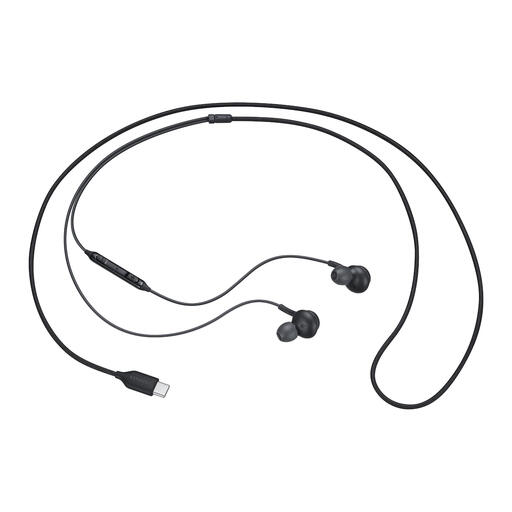
Why it suits this profile: This wired in-ear model is ideal for everyday listening and calls, without the need to charge it or pair it via Bluetooth. The USB-C connection works with many modern smartphones, tablets and laptops.
There’s no battery to run flat and no uncertainty about wireless compatibility. Do check that your device supports audio via USB-C.
USB-C connection, built-in microphone, remote control and a weight of 18.35 grams, according to the product specifications.
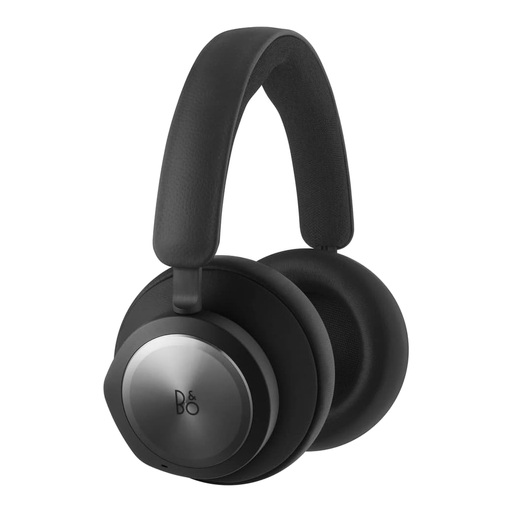
Why it suits this profile: For home workers and business users, the Bluetooth connection, 3.5mm port and UC and Zoom certification make these headphones practical for meetings and music, according to the product information.
Active noise cancellation and six MEMS microphones are clearly specified, rather than relying on a vague promise of “clear calls”.
42 hours of stated battery life, Bluetooth 5.1, 40mm drivers and memory foam ear cushions, according to the product specifications.
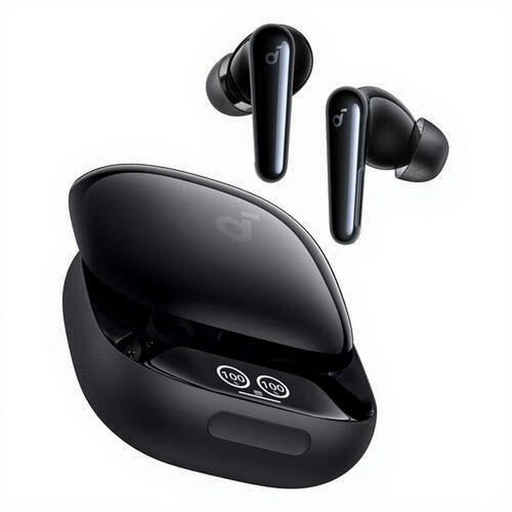
Why it suits this profile: This model is designed for people who want to combine music, calls and exercise with a fully wireless in-ear solution.
The IPX5 rating gives you a clear guide to using these earbuds around sweat and splashes. They aren’t designed to be submerged.
TWS, six built-in microphones, USB-C charging case, extra earbuds and up to 10 hours of continuous playback, according to the product information.
We’ve put together a complete, up-to-date list of products that meet these strict selection criteria and current European safety regulations.
Look for a built-in microphone, check where it’s positioned and make sure the headphones are compatible with your computer or smartphone. A wired USB headset can be handy for a fixed workstation. For mobile use, earbuds with a microphone give you more freedom to move around. If you’re looking at business models, check that they support your meeting platform too.
Battery life per charge is usually listed in the product specifications. In practice, it may be shorter if you often use noise cancellation, listen at high volumes or make calls. Keep wireless earbuds in their charging case and use a suitable USB-C charger. Wired models don’t have a built-in battery, so they don’t depend on charging cycles.
It depends on how you’ll use them. If you travel frequently or work in a noisy environment, active noise cancellation and a good fit can make a real difference. For listening at home or making the occasional call, wired headphones or a model with passive noise reduction may be enough. So compare more than just the price: consider comfort, microphone, connection, battery life and warranty terms too.
