
Vandaag of morgen in huis

Kwaliteit gegarandeerd

Welkomstaanbiedingen ontgrendelen: GRATIS bezorging | Tot 80% korting | Gratis 30 dagen JoyPlus-proefperiode
Download de app
Buying a graphics card seems straightforward until you come across terms such as GDDR6, GDDR7, ray tracing, PCIe 5.0 and boost clock speed. A large memory capacity or a familiar brand name doesn’t automatically mean a card will suit your PC. The right choice depends on your resolution, games, creative software, case, power supply and connections.
In this guide, the Joybuy Product Recommendation Officer will help you distinguish marketing claims from product specifications you can check for yourself.
A 16GB graphics card has more video memory than an 8GB graphics card, but that’s not the only factor. The GPU chip, memory bus, memory speed and software support all help determine how suitable the card is for a particular task. For example, an 8GB GDDR7 card may have different characteristics from a 16GB GDDR6 card.
So look at the full combination of:
A powerful gaming graphics card may need a robust power supply and specific power connectors. For example, the MSI GeForce RTX 5080 16G VENTUS 3X OC lists a recommended power supply of 850 watt, power consumption of 360 watt and a 16-pin connector. The ASUS Dual GeForce RTX 5050 OC Edition lists a recommended power supply of 550 watt and one 8-pin PCIe connector.
Don’t just check the wattage of your power supply. Also check:
A card may be compatible with your motherboard but physically too large for your case. Check its length, height, width and number of slots. For example, according to its product specifications, the Gigabyte RTX 5080 Gaming OC is 340 mm long, 140 mm wide and four slots high. It needs more room than a compact card with a 2-slot design.
Airflow matters too. A triple-fan design can distribute heat effectively, but it takes up more space. Before buying, check the maximum GPU length supported by your PC case and the position of other expansion cards.
GDDR6 graphics cards are still a relevant choice for many gaming and creative systems. According to the listed product specifications, GDDR7 graphics cards offer higher memory speeds on certain recent GPU platforms. Always compare the complete design: memory speed, bus width and GPU architecture all work together.
For example, the Gigabyte GeForce RTX 5060 Ti EAGLE MAX OC uses 8GB GDDR7, a 128-bit bus and a listed memory speed of 28 Gbps. The ASUS Prime Radeon RX 9070 OC Edition uses 16GB GDDR6, a 256-bit bus and 20 Gbps. These figures come from the product information; they aren’t a universal predictor of performance in every game or application.
A PCIe 5.0 graphics card uses a PCI Express x16 interface. Check that your motherboard has a physically compatible x16 slot and that the firmware and other components are suitable. A PCIe card can work in many systems with an older PCIe generation, but the system will limit the final transfer speed.
Check your processor as well. With an entry-level or older CPU, the card may not be fully utilised in some games. For video editing and 3D software, the programmes, codecs and rendering features you use also matter.
The connections matter if you use one or more modern monitors. Many recent models combine DisplayPort 2.1 with HDMI 2.1b. Check that your monitor supports your preferred resolution and refresh rate through the connection you plan to use. Also check the maximum number of screens supported: some cards list support for up to four displays.
A card with multiple DisplayPort connections can be useful for a multi-monitor workstation. For a TV or console-style setup, HDMI may be the most important connection.
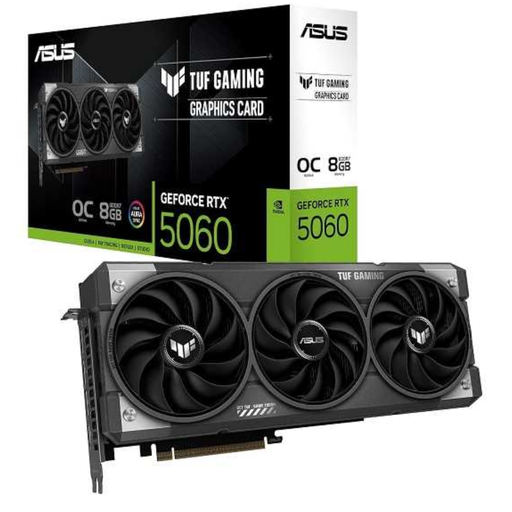
Why it suits this profile: This compact 2-slot card is aimed at users who want to upgrade their PC without going straight for a large, heavy model. The product specifications list 8GB GDDR6, PCIe 5.0 and a recommended power supply of 550W.
Its dimensions of approximately 203 × 120,2 × 40 mm and specified power requirements make it easier to check the available space and power supply.
8GB GDDR6, three DisplayPort 2.1b connections, one HDMI 2.1b connection and dual BIOS, according to the product information.
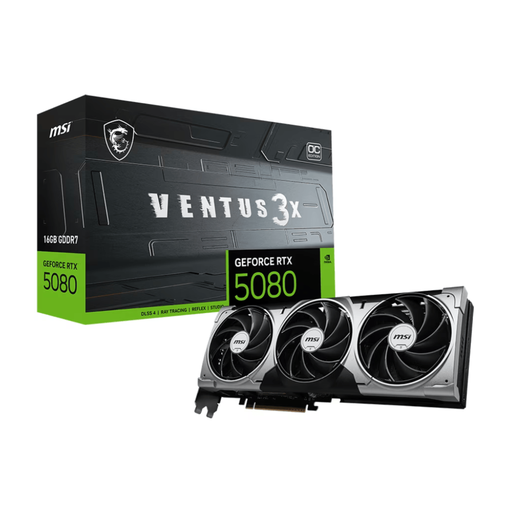
Why it suits this profile: For users pairing a roomy case and powerful power supply with high graphics settings and creative applications. According to the product specifications, the card has 16GB GDDR7 and a PCIe 5.0 x16 interface.
The specifications state the dimensions (303 × 121 × 49 mm), three-slot design, 360W power consumption and recommended 850W power supply. This makes the key compatibility checks clear before you buy.
16GB GDDR7, 256-bit memory bus, three DisplayPort 2.1b ports and one HDMI 2.1b port.
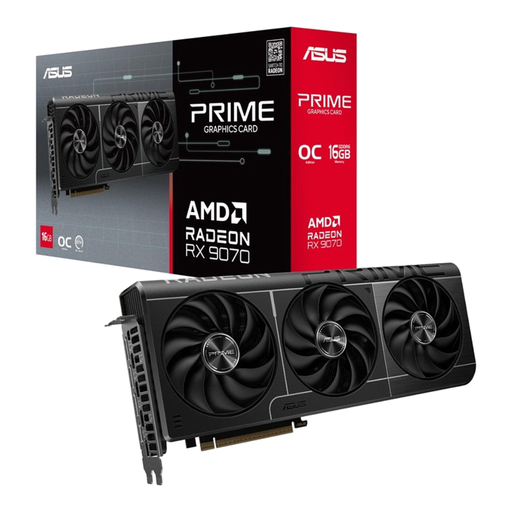
Why it suits this profile: This AMD Radeon RX graphics card is a good fit for users looking for 16GB of memory, several modern display outputs and a PCIe 5.0 interface for gaming, video editing or 3D software.
The listing specifies 16GB GDDR6, a 256-bit bus, three fans and clear dimensions of 312 × 130 × 50 mm. Check that your case can accommodate this 3-slot card.
16GB GDDR6, PCIe 5.0 x16, three DisplayPort 2.1a connections and one HDMI 2.1b connection.
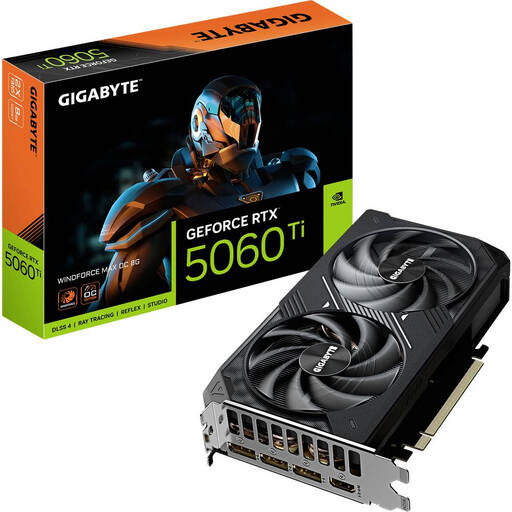
Why it suits this profile: The combination of 8GB GDDR7, a 2-slot design and listed power consumption of 135W may suit a mainstream gaming PC with limited space.
The product details list a length of 281 mm, a width of 115 mm and a recommended power supply of 650W. Check these figures against your own case and power supply.
8GB GDDR7, PCIe 5.0 x16, three DisplayPort 2.1b ports and one HDMI 2.1b port.
We’ve put together a complete, up-to-date list of products that meet these strict selection criteria and current European safety regulations.
Not every card in a PC category is a graphics card. If you need a fast, wired network connection, the ASUS XG-C100F Internal Fiber 10000Mbit/s may be worth considering. This internal card uses a PCIe 3.0 x4 interface, one SFP+ port and has a listed maximum speed of 10,000 Mbit/s. You’ll also need compatible fibre-optic or DAC cabling and networking equipment.
For wireless internet, the ASUS USB-AC53 Nano is a more compact option with Wi-Fi 5, dual-band 2,4 and 5 GHz and a listed speed of 867 Mbit/s. It’s a USB adapter, not a replacement for a gaming graphics card.
For 4K gaming, GPU power, memory and cooling matter more than the product name alone. Look for models with enough video memory, modern video outputs and a power supply that can handle the card. Also check the recommended system requirements for each game. An RTX 5080 or RX 9070 may be suitable for demanding applications based on its specifications, but your experience will also depend on your processor, settings and software optimisation.
Its lifespan depends on workload, temperatures, dust, power supply and maintenance. Make sure there’s enough airflow, clean the fans carefully and avoid leaving the card hanging under strain in its slot. Choosing a suitable model rather than one that consistently demands too much from your system can help prevent unnecessary heat and instability.
That depends on its actual power consumption and how many hours you use it. Multiply the average power in kilowatts by your annual hours of use and your current electricity rate. Don’t look only at the maximum power consumption listed in the product specifications: gaming, video editing and light desktop use don’t require the same amount of energy all the time.
