
Vandaag of morgen in huis

Kwaliteit gegarandeerd

Welkomstaanbiedingen ontgrendelen: GRATIS bezorging | Tot 80% korting | Gratis 30 dagen JoyPlus-proefperiode
Download de app
Buying a gaming PC seems straightforward until you start comparing specifications. A striking RGB case, a high boost clock or the name of a graphics card tells you little about the overall gaming experience. The processor, graphics card, memory, storage and power supply all need to work well together.
There are practical considerations for UK gamers, too. Think about available space, noise levels, power consumption, Windows installation and whether you can replace components later. Read on to find out what to look for and which gaming desktop might suit different needs.
An RTX 5060 gaming PC may be suitable for Full HD and some 1440p games, but performance also depends on the processor, memory and in-game settings. Pairing a fast graphics card with limited RAM or an older processor can leave the overall system unbalanced.
So always check the full specification. Look beyond the GPU name to the VRAM, memory type and storage.
A gaming PC with an SSD starts up quickly and loads games faster than a system with only a traditional hard drive. Even so, 480 or 500 GB can fill up quickly if you install several large games, video files and programmes.
For a simple setup, 500 GB may be enough. If you regularly switch between games or create content, 1 TB of NVMe storage is a better choice. Also check whether there are spare M.2 or SATA connections for future expansion.
A barebone desktop may appeal if you want to choose your own RAM, storage and operating system. For example, the MSI PRO DP180 14A-059BEU has an Intel Core i5-14400, supports up to 64 GB of DDR4 memory and has space for M.2 and SATA storage. However, the product specifications do not list RAM and storage as a complete standard configuration, and no operating system is installed.
If you want to start gaming straight away, choose a gaming PC with Windows 11 and pre-installed storage and graphics card.
The graphics card determines performance in many modern games. Use this guide as a starting point:
Features such as ray tracing and DLSS only work in games that support them. Manufacturers’ estimates of expected frame rates are not guaranteed for every game, resolution or setting.
A Ryzen gaming PC isn’t automatically a better choice than an Intel gaming PC, or vice versa. A powerful processor matters for esports and high frame rates. For streaming, video editing and multitasking, multiple cores and threads also make a difference.
An AMD Ryzen 5 5500 with 6 cores and 12 threads is a practical starting point for gaming and everyday use. A Ryzen 7 7800X3D with 8 cores and 3D V-Cache is designed for demanding gaming setups. Intel Core i5, i7 and Core Ultra models may be worth considering for gaming alongside productivity and content creation.
At a minimum, look for:
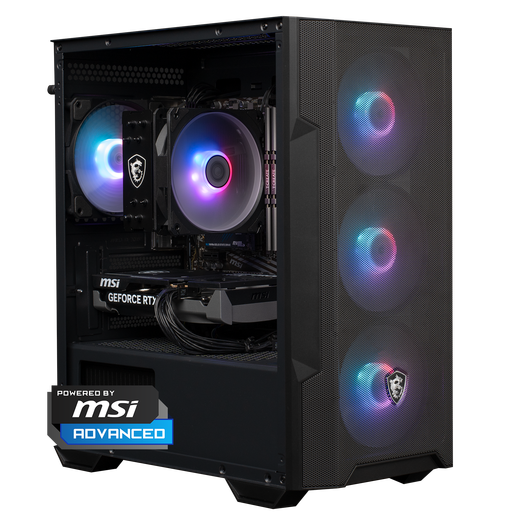
Why it suits this user: This ready-to-use gaming desktop combines a Ryzen 5 5500, RTX 5060, 16 GB DDR4 and 1 TB NVMe storage with Windows 11 Home. It’s designed for people who want to get started without building a PC themselves.
The key components are clearly listed. The 1 TB SSD means you won’t be short of storage straight away, and the PC comes as a complete configuration.
RTX 5060, Ryzen 5 5500, 16 GB DDR4, 1 TB NVMe and Windows 11 Home. The case has ARGB lighting and a glass side panel.
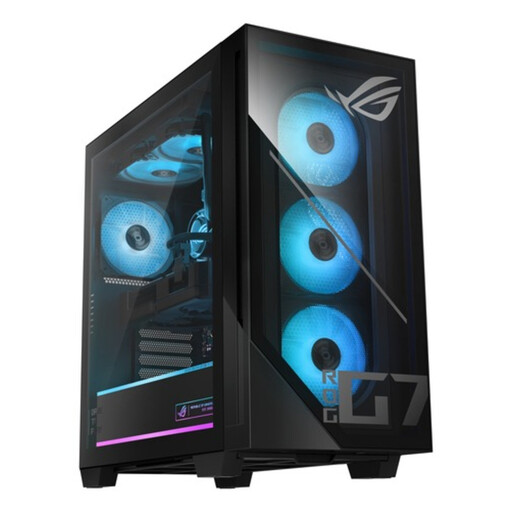
Why it suits this user: This configuration is aimed at gamers and content creators looking for an RTX 5070, 32 GB DDR5 and fast PCIe 4.0 storage for modern games and demanding applications.
The specifications cover more than just the graphics card: they include 32 GB DDR5, a 1 TB SSD, 240 mm liquid cooling and an 850W 80+ Gold power supply.
Intel Core Ultra 5 225F, RTX 5070 12 GB GDDR7, 32 GB DDR5, 1 TB PCIe 4.0 NVMe SSD and Windows 11 Home.
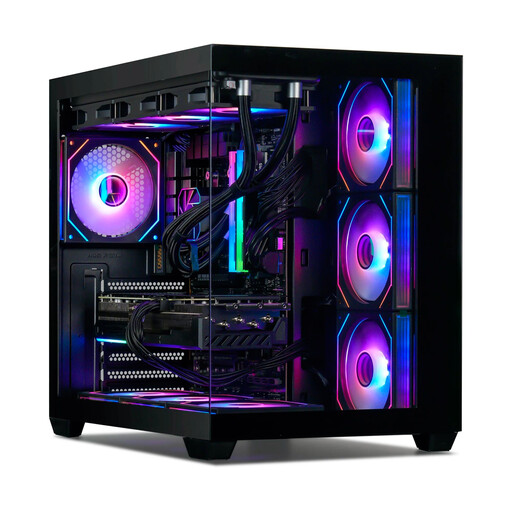
Why it suits this user: For demanding gamers, streamers and creators, this combination offers plenty of graphics power, 32 GB DDR5 memory and an extensive cooling system.
The configuration lists the processor, GPU, RAM, SSD, power supply and cooling separately. That lets you assess the components rather than judging the PC by its RGB design alone.
Ryzen 7 7800X3D, RTX 5080 with 16 GB, 32 GB DDR5-6000, 1 TB NVMe SSD, 360 mm liquid cooling and an 850W 80+ Gold power supply.
We’ve put together a complete, up-to-date list of products that meet these strict selection criteria and current European safety regulations.
For many games, 16 GB is a good starting point. If you stream at the same time, use a browser with lots of tabs open or edit video, 32 GB gives you more breathing room. Check whether the desktop has spare memory slots before you buy.
Its lifespan depends on how you use it, ventilation, dust and future system requirements. A PC with upgradeable RAM, spare storage capacity and a suitable power supply is easier to adapt. Clean the ventilation openings carefully and avoid placing the case in an enclosed cabinet.
Power consumption varies depending on the graphics card, processor, power supply and how long you play. A high-powered RTX 5070 or RTX 5080 configuration will generally use more electricity than a compact RTX 5060 desktop. Check the power supply’s rated wattage, and shut the PC down completely when you’re not using it.
