
Vandaag of morgen in huis

Kwaliteit gegarandeerd

Welkomstaanbiedingen ontgrendelen: GRATIS bezorging | Tot 80% korting | Gratis 30 dagen JoyPlus-proefperiode
Download de app
Buying a gaming PC seems straightforward until you start comparing specifications. An eye-catching RGB case, a powerful-sounding graphics card or a high clock speed doesn’t automatically mean a system is right for you. With pre-built gaming PCs and gaming laptops in particular, small differences in memory, storage, cooling and power supply can become noticeable later on.
When comparing systems, look out for these three common pitfalls:
The graphics card has a major impact on image quality and frame rate. The RTX 5060 gaming PCs in the models listed are designed for Full HD and often 1440p too. That makes them suitable for esports, popular multiplayer games and many modern titles with adjusted settings.
If you’re looking for a gaming PC for 1440p and 4K, you’re more likely to want an RTX 5070 or RTX 5080. According to the product specifications, an RTX 5070 gaming PC with 12GB GDDR7, such as some ASUS and Shark models, offers more graphics memory than an RTX 5060 configuration. The RTX 5080 configuration in this range has 16GB of graphics memory and is described as being designed for demanding gaming at 1440p and 4K.
Please note: claims such as ‘smooth performance’ or ‘suitable for 4K’ are based on the product description. Your actual experience will vary depending on the game, settings, monitor and features used, such as ray tracing and DLSS.
A gaming PC with a Ryzen 7 is a good option for gamers who also stream, render or edit video. According to the product specifications, the AMD Ryzen 7 7800X3D in the Shark Ultimator R700 and the RTX 5080 desktop has 8 cores and 3D V-Cache. This makes it well suited to intensive gaming and multitasking.
A Ryzen 5 5500 or Intel Core i5 may be enough for everyday gaming and productivity. Just check whether the system has 16GB or 32GB of RAM. A gaming PC with 32GB of RAM gives you more room for streaming, large projects and running several programmes at once. The ASUS ROG G700TF-07265F666W and the RTX 5080 desktop both come with 32GB DDR5.
Also check the memory type and upgrade options. DDR5 is a different standard from DDR4, and the modules aren’t interchangeable. Check how many memory slots are free, too, and whether the manufacturer lists a maximum capacity.
An NVMe SSD generally helps Windows and games start quickly. A gaming PC with a 1TB SSD is a practical choice if you want to store several large games, creative software and media files. With a 480GB, 500GB or 512GB model, you may need to upgrade sooner.
For desktops, also check:
Some models list a 240mm or 360mm liquid cooler as part of the configuration. This is a verifiable product specification, but it doesn’t replace good ventilation around the PC. Place your desktop on a stable surface in a well-ventilated spot, and don’t block any air vents.
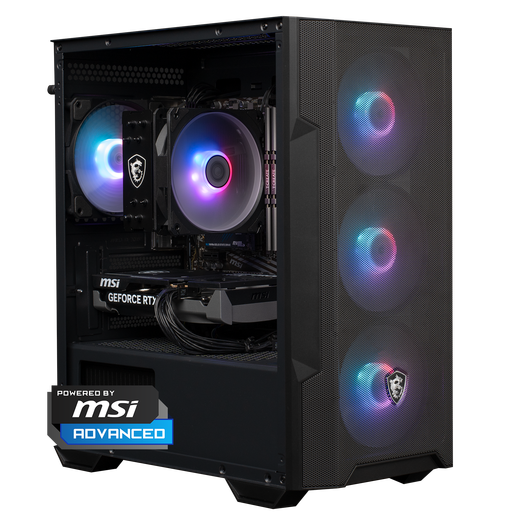
Why it suits this type of user: This desktop combines a Ryzen 5 5500, RTX 5060, 16GB DDR4 and 1TB NVMe storage. It’s a good choice if you want to get started with gaming at 1080p and 1440p without building a PC yourself.
The 1TB storage capacity is clearly stated, so you won’t be starting out with a small system drive.
RTX 5060 with 8GB GDDR7, 16GB RAM, 1TB NVMe SSD and customisable RGB lighting.
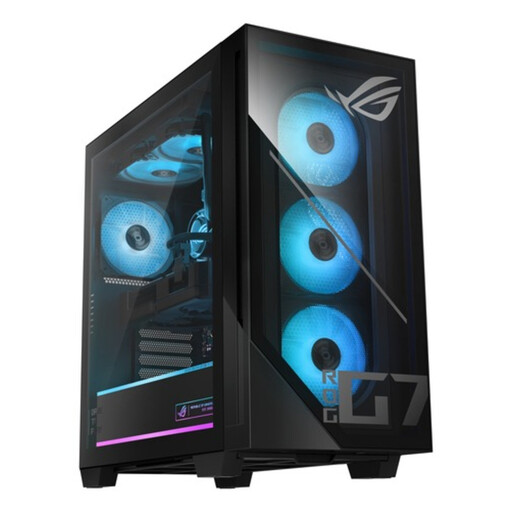
Why it suits this type of user: This configuration is designed for users who combine modern gaming with streaming, rendering or other demanding applications.
The combination of 32GB DDR5, a 1TB PCIe 4.0 NVMe SSD and an 850W 80+ Gold power supply is clearly specified.
Intel Core Ultra 7 265F, RTX 5070 with 12GB GDDR7, 32GB DDR5 and liquid cooling.
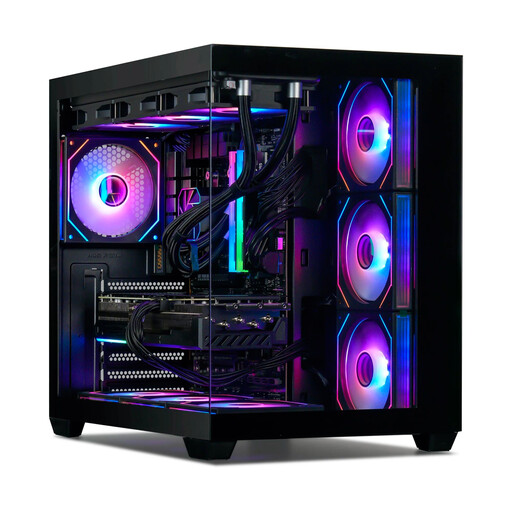
Why it suits this type of user: For users who combine high graphics settings, 1440p or 4K gaming, streaming and video editing.
The configuration specifies more than just the GPU: it also includes 32GB DDR5, 1TB NVMe storage, 360mm cooling and an 850W power supply.
Ryzen 7 7800X3D, RTX 5080 with 16GB, 32GB RAM and seven RGB fans.
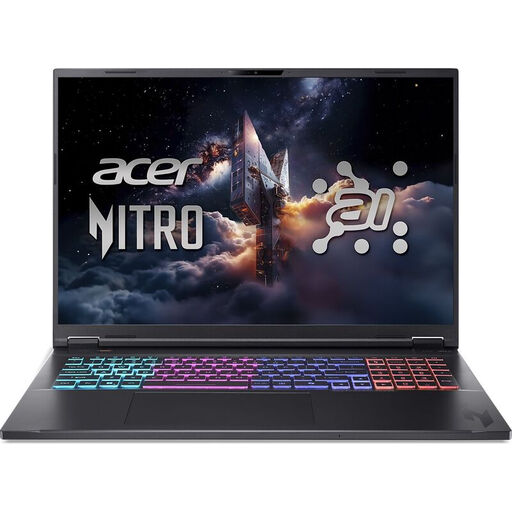
Why it suits this type of user: This gaming laptop is a good choice if you want a large screen and gaming performance without being tied to a desktop setup.
The product specifications list the screen resolution, refresh rate, storage and graphics performance separately.
18-inch WQXGA screen with 165Hz, RTX 5060 with 8GB GDDR7 and a 1TB PCIe Gen4 SSD.
Buying a gaming desktop makes sense if you want maximum upgradeability, a larger cooling system and a permanent workspace. A gaming laptop is a better fit for students, people who work from home and gamers who want to take their system with them. When choosing a laptop, consider its weight, battery life and screen size. Also bear in mind that performance on mains power may differ from performance on battery.
A mini PC for the office is mainly suited to word processing, video calls, browsing and using multiple screens. The Lenovo Yoga Mini, for example, has 16GB LPDDR5X, a 512GB SSD and integrated Intel Graphics. It’s in a different product category from a gaming PC with a dedicated RTX graphics card. So first check whether gaming is really a requirement.
We’ve put together a complete, up-to-date list of products that meet these strict selection criteria and the applicable European safety regulations.
16GB RAM is a practical starting point for gaming and everyday use. Choose 32GB if you stream, edit video, work on large projects or keep lots of programmes open at the same time.
It depends on the game and settings. The RTX 5060 systems listed are described as suitable for 1080p and 1440p. For higher settings, ray tracing or a higher refresh rate, an RTX 5070 or RTX 5080 may give you more headroom.
Power consumption depends on the graphics card, processor, power supply, how long you use the PC and its power settings. Check the rated output of the power supply, but don’t assume this is the same as its constant power consumption. A system generally uses less energy for office work than during a demanding gaming session.
