
Vandaag of morgen in huis

Kwaliteit gegarandeerd

Welkomstaanbiedingen ontgrendelen: GRATIS bezorging | Tot 80% korting | Gratis 30 dagen JoyPlus-proefperiode
Download de app
Buying a gaming PC seems straightforward until you start comparing specifications. Manufacturers highlight high frame rates, AI features and RGB lighting, but that doesn’t always tell you how well a PC will perform in your favourite games. For example, a budget gaming PC may be perfectly capable of 1080p gaming, while the same configuration might struggle with 4K gaming.
Focus on the components that are harder to replace: the graphics card, processor, power supply, cooling and storage. Below, you’ll find the key things to consider, along with some suitable options for different users.
A powerful graphics card is important, but the processor and RAM also affect how smoothly games run. For example, a fast RTX card with just 8 GB of RAM may be less practical for streaming, multitasking and playing new games.
So, consider how these components work together:
A 144 Hz or 240 Hz monitor only makes a difference if your PC can produce enough frames per second. A 144 Hz gaming laptop may be appealing for esports, but check the resolution, graphics card and maximum GPU power too.
The same GPU name doesn’t necessarily mean the same performance in a laptop as in a desktop. Check whether it’s a Laptop GPU and look at its stated power. For example, the MSI Crosshair 17 HX is listed with an RTX 5060 Laptop GPU rated at up to 115 W.
A gaming PC with an RTX 5070, RTX 5080 or RTX 5090 needs a suitable power supply and good airflow. Check the wattage, certification and available connections. An 80 Plus Gold power supply has a verifiable efficiency rating, but that doesn’t mean the system will be quiet or automatically use less power.
Liquid cooling is no reason to overlook other components either. Check the radiator dimensions, the number of fans and the space inside the case. Always place a desktop on a stable, well-ventilated surface and keep its air vents clear.
For Full HD gaming, a good balance between price and performance is often the priority. A budget gaming PC with an RTX 5060 or Radeon RX 9060 may, according to its product description, be designed for 1080p gaming. For 1440p and 4K gaming, more powerful models with more graphics memory are a better fit.
The ASUS and Lenovo gaming PCs with RTX 5070 mentioned here have 12 GB GDDR7. The RTX 5080 desktop has 16 GB, while the RTX 5090 models list 24 GB GDDR7. More memory is especially useful for higher resolutions, large textures and creative applications, but always consider the full configuration.
A gaming PC for gaming and streaming benefits from multiple processor cores and plenty of RAM. A configuration with an AMD Ryzen 7 or Intel Core Ultra 7 will generally give you more room to game, record and chat at the same time than an entry-level processor.
32 GB DDR5 is a practical choice if you use browsers, streaming software or video-editing applications alongside games. You can get started with 16 GB DDR4 or DDR5, but check whether there are any free memory slots. For example, the SHARK Max Bite R502 comes with 16 GB DDR4 and a 500 GB NVMe SSD. That’s a straightforward setup for Full HD gaming, but you may run short of storage sooner.
A gaming desktop usually offers more upgrade options, larger coolers and better value for money. A gaming laptop is more convenient if you often travel between home, university or work. When choosing a laptop, check its:
Windows 11 Home comes pre-installed on several of the models mentioned. If a desktop comes with Windows 11 Trial, check whether you’ll need a full licence. That helps you avoid unexpected extra costs after installation.
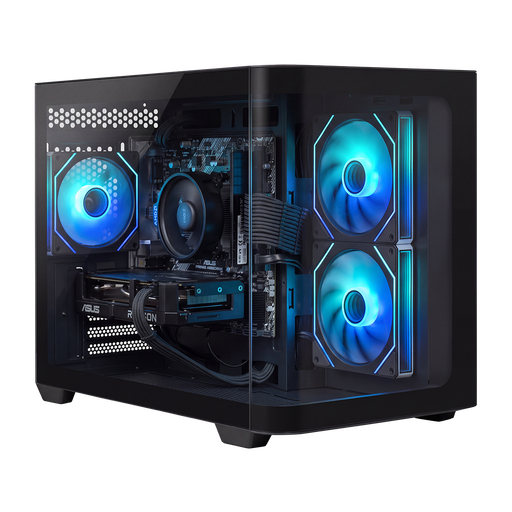
Why it suits this user: The Ryzen 5 5500, Radeon RX 9060 with 8 GB and 16 GB DDR4 are geared towards Full HD gaming without an oversized configuration.
The key components and 650 W power supply are clearly listed. Bear in mind, though, that storage is limited to 500 GB.
Six-core Ryzen 5, NVMe SSD, Windows 11 Home and a compact case.
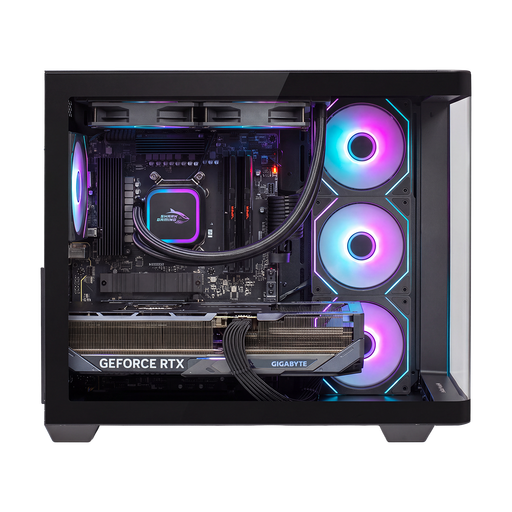
Why it suits this user: This powerful gaming PC combines a Ryzen 7 9800X3D, RTX 5090 with 24 GB GDDR7, 32 GB DDR5 and 2 TB of NVMe storage.
The 1200W 80+ Gold power supply and 240mm liquid cooling are suited to the powerful components. Check that you have enough space in your room before buying.
24 GB of graphics memory, 2 TB of storage and Windows 11 Home.
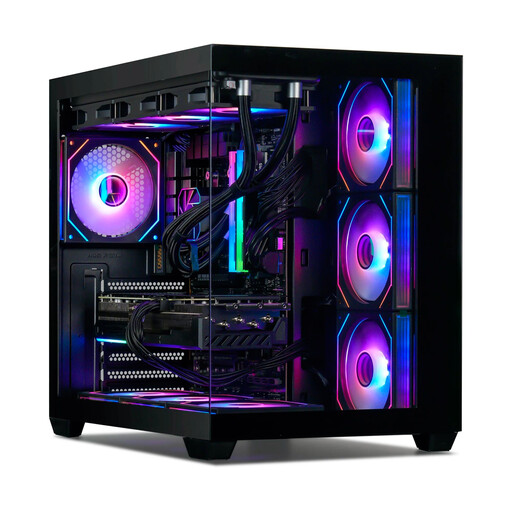
Why it suits this user: The combination of Ryzen 7 7800X3D, RTX 5080, 32 GB DDR5 and 1 TB NVMe is well suited to 1440p and 4K gaming, streaming and multitasking.
The specifications list the processor, graphics card, memory, cooling and power supply separately. Note that Windows is listed as a trial version.
360mm liquid cooling, Wi-Fi 6E, Bluetooth and an 850W 80+ Gold power supply.
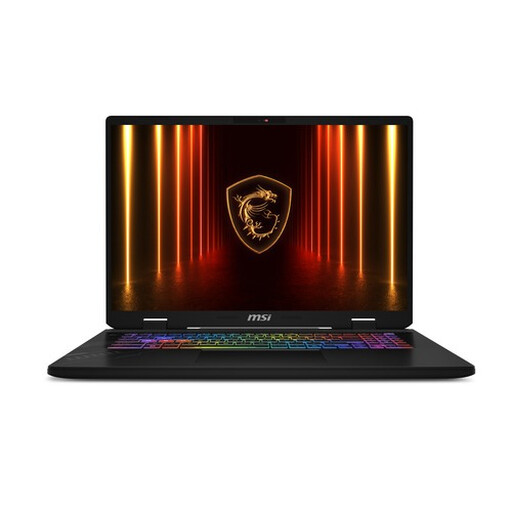
Why it suits this user: The 17-inch QHD+ screen with a 240 Hz refresh rate, 32 GB DDR5 and RTX 5060 Laptop GPU is suitable for fast-paced games and working on the go.
The screen resolution, refresh rate, GPU and maximum combined CPU/GPU power are all specified.
240Hz screen, Thunderbolt 4, Wi-Fi 6E and upgradeable memory up to 96 GB.
We’ve put together a complete, up-to-date list of products that meet these strict selection criteria and comply with current European safety regulations.
16 GB of RAM is a good minimum for many games. For gaming and streaming, video editing or running lots of programmes at once, 32 GB DDR5 is more practical. Check whether the memory is upgradeable and whether there are any free slots.
It depends on the components and how you use them. A desktop may be more efficient for the amount of graphics performance it delivers, but it also uses a lot of power under heavy load. A laptop uses less power for light tasks, but its adapter and powerful GPU can draw considerably more when gaming. Check the stated power consumption and shut your PC down completely when you’ve finished using it.
Its lifespan depends on the resolution, settings, maintenance and future games. A system with plenty of RAM, NVMe storage and a graphics card with more memory will generally have more headroom for newer settings for longer. Keeping the vents dust-free, placing the PC correctly and updating the drivers promptly will help you get the most from the hardware. Also check the warranty; several of the models mentioned come with a two-year warranty.
