
Vandaag of morgen in huis

Kwaliteit gegarandeerd

Welkomstaanbiedingen ontgrendelen: GRATIS bezorging | Tot 80% korting | Gratis 30 dagen JoyPlus-proefperiode
Download de app
Buying a gaming monitor seems straightforward until you start comparing specifications. 144Hz, 240Hz, IPS, VA, QHD and Adaptive-Sync all sound appealing, but not every combination is right for your PC, games or workspace. A high refresh rate, for example, is of little use if your computer can’t run games at that frame rate.
As Joybuy Product Recommendation Officer, I focus on the details that matter in practice. That way, you can avoid paying a premium for marketing terms and choose a monitor for PC gaming that’s also suitable for office work, studying and multimedia.
A 144Hz gaming monitor can display smoother motion than a 60Hz screen. A 240Hz gaming monitor may be a good choice for competitive shooters, but only if your PC can deliver enough frames per second. Check your graphics card’s performance and the monitor’s connections before you buy.
A 240Hz screen isn’t automatically the best choice for everyone. For office work, strategy games and general multimedia, a QHD monitor with 120Hz or 144Hz may offer more noticeable benefits thanks to its higher resolution.
A quoted response time of 0.5 ms or 1 ms doesn’t always use the same measurement method. MPRT and GtG are different specifications, so check the full product details rather than focusing only on the smallest number on the product page.
The cable and source device matter too. HDMI and DisplayPort don’t support the same performance in every combination of PC, resolution and refresh rate.
An IPS gaming monitor is often associated with wide viewing angles and good colour reproduction, according to product specifications. A VA gaming monitor generally has a higher quoted contrast ratio, which can be useful for dark scenes and films. The right choice depends on what matters most to you.
A large Full HD screen may also look less sharp than a smaller Full HD model, as the same number of pixels is spread over a larger area. For 27 or 32 inches, a QHD gaming monitor is worth considering if your PC can handle the resolution.
Measure the space available on your desk before you buy. A 32- or 34-inch curved gaming monitor needs not only more desk space, but also enough viewing distance.
Refresh rate is measured in hertz. 144Hz is a practical middle ground for gaming and smooth scrolling. 240Hz is mainly worth considering if you play fast-paced competitive games and have a system capable of producing high frame rates.
According to product specifications, Adaptive-Sync helps compensate for differences between your PC’s frame rate and the screen’s refresh rate. Check that your graphics card and chosen connection are compatible. A feature such as HDR Ready or HDR10 also doesn’t mean every image will automatically deliver a fully fledged HDR experience; brightness, contrast and the source material all play a part.
As well as IPS or VA, look out for:
Claims about eye comfort, such as blue light filtering or flicker-free display, should be understood as product features. According to the manufacturer’s own information, they’re designed to support viewing comfort; they aren’t a medical guarantee.
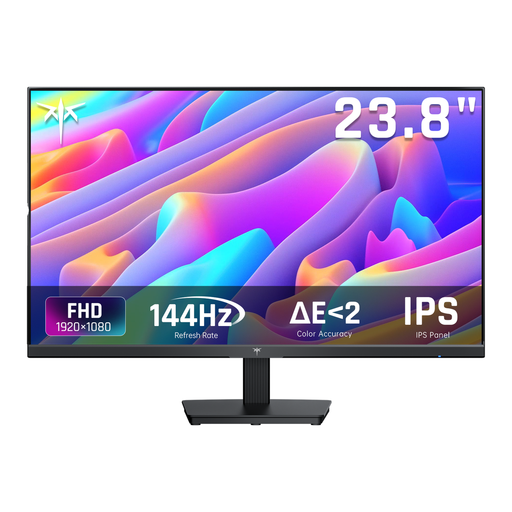
Why it suits this profile: The combination of 24 inches, Full HD and 144Hz suits a compact desk setup and a PC geared towards high frame rates.
The specifications clearly list 144Hz, 5ms MPRT, Adaptive Sync, HDMI and DisplayPort, so you don’t have to judge it by response time alone.
IPS panel, 144Hz, tiltable stand and 99% sRGB, according to the product description.
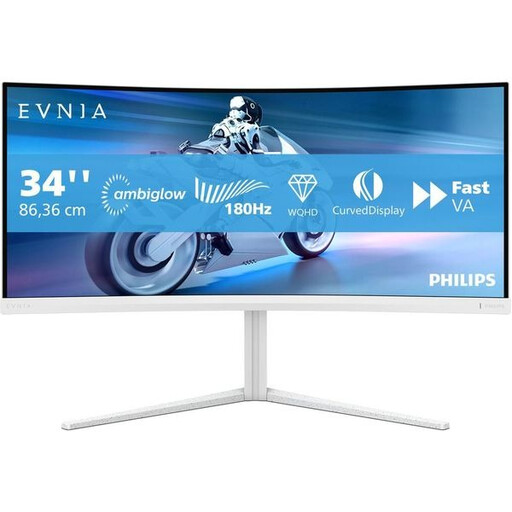
Why it suits this profile: A good choice for gamers and multitaskers looking for plenty of horizontal workspace and a wide viewing area.
The combination of 3440 × 1440, 180Hz, VA and Adaptive Sync makes it clear what the larger screen is designed for. Just check that your PC can handle the resolution.
34 inches, UWQHD resolution, 180Hz, 1500R curvature, plus height, swivel and tilt adjustment, according to the product specifications.
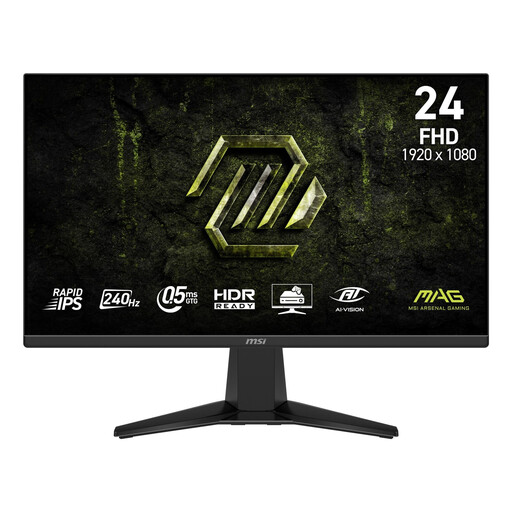
Why it suits this profile: For fast-paced gamers looking for a compact screen with a high refresh rate and a Rapid IPS panel.
The product specifications list 240Hz, Adaptive-Sync and a 48–240Hz range. This helps you match your choice to your PC and the games you play.
23.8 inches, Full HD, Rapid IPS, 240Hz, HDMI 2.0b and DisplayPort 1.2a. The stand tilts and the monitor supports VESA mounting.
Yes, but there’s more to consider than just the refresh rate. For documents and spreadsheets, QHD resolution, sharp text, a matte finish and an adjustable stand are all useful. An IPS model can be a good choice if several people will be looking at the screen. Also check whether the monitor has built-in speakers, a headphone output or enough connections for your laptop and desktop.
For many PC gamers, 144Hz is a practical choice. The screen can display motion more smoothly than a 60Hz monitor, while the demands on your graphics card are generally lower than with 240Hz. The difference you notice will depend on the game, frame rate, cable and settings.
Power consumption varies depending on screen size, brightness, resolution and energy rating. A larger UWQHD or 4K screen may use more power than a compact Full HD model. Check the energy label and switch the screen off when you’re not using it. This has a bigger impact on running costs than the refresh rate alone.
Lifespan depends on daily use, heat, transport and the quality of the power supply. Place the screen on a stable surface, keep the ventilation openings clear and clean the panel with a soft, dry cloth. Also check the warranty and your statutory rights when buying within the EU.
We’ve put together a complete, up-to-date list of products that meet these strict selection criteria and the applicable European safety regulations.
