
Vandaag of morgen in huis

Kwaliteit gegarandeerd

Welkomstaanbiedingen ontgrendelen: GRATIS bezorging | Tot 80% korting | Gratis 30 dagen JoyPlus-proefperiode
Download de app
Buying electronics seems straightforward until you have to choose between dozens of laptops, monitors and accessories. A low price can be appealing, but a product that does not suit your workspace, devices or intended usage quickly becomes a false economy. This applies to students, home workers, gamers and professionals alike.
Three pitfalls come up time and again:
A practical choice therefore starts not with the brand, but with how you plan to use the product and which specifications you need for that purpose.
For office work and studying, a Full HD screen is often sufficient. When choosing a laptop, also consider the aspect ratio. A 16:10 screen, as found on some 2-in-1 laptop models, provides more vertical space for documents and websites.
For gaming, resolution is not the only important factor. A gaming monitor with 144 Hz, 180 Hz or 240 Hz can display movement more smoothly, but the benefit depends on your computer’s frame rate. An ultrawide monitor with a 21:9 aspect ratio is appealing for racing games, simulations and multitasking, but takes up more desk space.
Also check:
Bear in mind that a manufacturer’s claim about image quality or motion clarity does not guarantee the same experience in every setup. A brand’s own research may have measured performance under specific conditions. Start by checking the stated resolution, connections and refresh rate.
If you are looking to buy a laptop for browsing, word processing and video calls, a practical mid-range configuration should be sufficient. 8 GB RAM is suitable for basic tasks, but 16 GB gives you more headroom when you use lots of browser tabs, spreadsheets and programmes at the same time. Check whether the memory can be upgraded. On some models, the RAM is soldered and cannot be replaced later.
An SSD provides fast start-up and loading times. Do not just look at the capacity:
According to the product details, the Samsung Portable SSD T7 2TB supports USB 3.2 Gen 2 and offers read speeds of up to 1.050 MB/s. The included USB-C-to-C and USB-C-to-A cables make it possible to connect the drive to various devices. The stated drop resistance of up to two metres does not mean that damage is ruled out after every fall. Always make an additional back-up.
A laptop with USB-C only is compact, but you may need adapters for HDMI, USB-A or a memory card. Also check the keyboard layout. An International English QWERTY keyboard works differently from a Dutch layout.
For working on the move, a portable monitor, laptop backpack and wireless keyboard and mouse can extend your workspace. When choosing a portable monitor, consider:
A blue-light filter or privacy filter is not a substitute for good posture and regular breaks. Claims about reducing blue light should be understood as manufacturer statements, not as evidence of a medical effect.
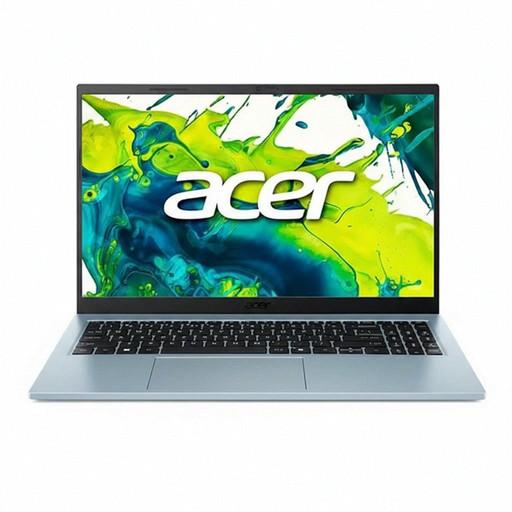
Why it suits this profile: This 15.6-inch laptop is designed for everyday use with Windows 11, 8 GB RAM and a 512 GB SSD. It is well suited to studying, email, word processing and streaming without unnecessary extra features.
The storage and memory are clearly specified. Before buying, check whether the included 65W adapter is part of your offer.
15.6-inch IPS screen, 512 GB PCIe NVMe SSD, Wi-Fi 6 and two USB-C ports.
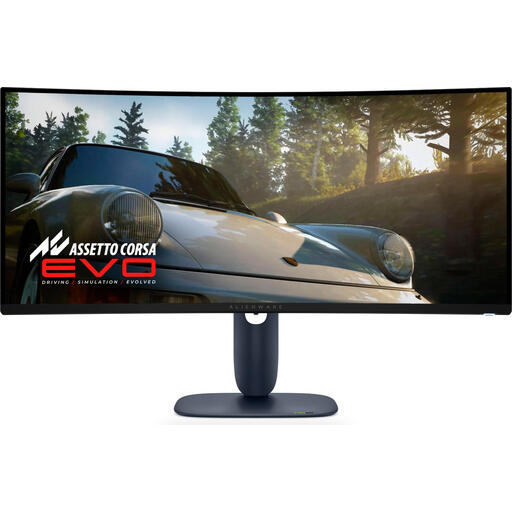
Why it suits this profile: This 34-inch ultrawide monitor combines 3440 × 1440 pixels with a QD-OLED panel and 240 Hz. It is well suited to gamers and multitaskers with a powerful computer.
The resolution, aspect ratio, refresh rate and connections are clearly specified. Check that your graphics card can handle 3440 × 1440 at high frame rates.
QD-OLED, 240 Hz, 21:9 aspect ratio and HDMI 2.1 connections.
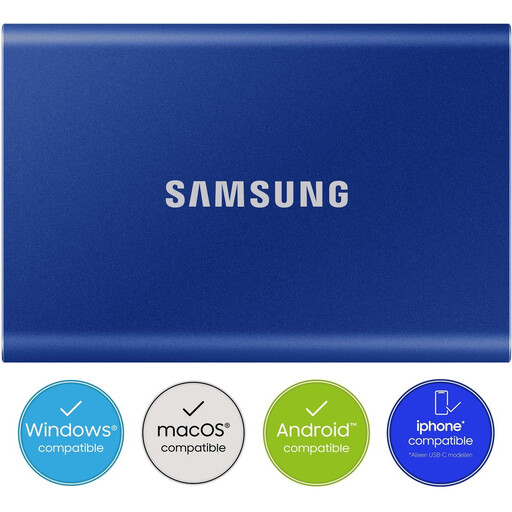
Why it suits this profile: This external SSD is suitable for large media files, back-ups and moving projects between Windows, macOS and compatible mobile devices.
The USB version and included cables are specified. The maximum speed depends on your computer’s USB port.
2 TB storage, USB 3.2 Gen 2, AES-256 hardware encryption and password protection.
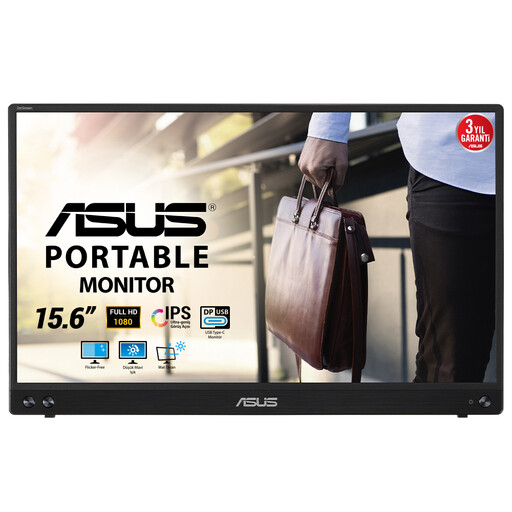
Why it suits this profile: At 15.6 inches, with Full HD, a weight of 830 grams and a thickness of 10.5 millimetres, this portable monitor is practical for working from home, using in the library or creating a flexible workspace.
The hybrid USB-C connection is specified, but your laptop must support a USB-C display signal. USB-A requires the stated driver.
IPS panel, matt finish, Full HD resolution and USB-C for display and power.
We have put together a complete, up-to-date list of products that fully meet these strict selection criteria and the applicable European safety regulations.
Start by considering the programmes you use and your everyday needs. Then check RAM, SSD capacity, screen type, connections, keyboard layout and included charger. For studying and office work, upgradeability and weight are often more important than a powerful graphics chip.
It can be, particularly if you use several windows side by side. Measure the available desk space beforehand and check that your laptop or desktop supports the resolution. A 34-inch model generally requires more depth than a standard 24- or 27-inch monitor.
Its lifespan depends on usage, temperature, write load and storage conditions. Never keep important files in just one location. Use the external SSD alongside a second back-up and safely eject it through the operating system.
