
Vandaag of morgen in huis

Kwaliteit gegarandeerd

Welkomstaanbiedingen ontgrendelen: GRATIS bezorging | Tot 80% korting | Gratis 30 dagen JoyPlus-proefperiode
Download de app
Buying a desktop PC seems straightforward until you start comparing the differences between a mini PC, all-in-one PC, office PC and gaming desktop. Manufacturers often highlight processor speeds, storage capacity or graphics features, but other factors can be just as important.
For UK shoppers, the key questions are: will the computer fit on my desk, is it fast enough for my software, and can I replace components later? Use the checklist below to avoid buying a computer that feels limiting after just a few months.
An Intel PC or AMD PC with a modern processor isn’t automatically suitable for every task. Performance also depends on the RAM, storage and – for gaming or creative software – the graphics card.
A computer with 8 GB RAM may be enough for browsing the internet, word processing and streaming. For lots of browser tabs, photo editing or multitasking, 16 GB RAM is more practical. A gaming PC with a powerful graphics card but little memory can still feel limited.
A PC with an SSD usually starts up quickly and opens programmes promptly. But storage capacity determines how much space you actually have. A 128 GB SSD is suitable for a basic office PC with limited software, but it will fill up more quickly with photos, videos and large applications.
For a home computer, 512 GB is a useful starting point. If you store lots of games, media files or projects, it’s worth looking at 1 TB SSD storage. Also check whether there’s an extra M.2 slot or room for a hard drive.
A mini PC saves space, but often offers fewer upgrade options than a traditional desktop. So check the number of USB ports, video outputs and network connections beforehand. Multiple video outputs and Ethernet ports are useful if you want to connect two monitors or use a wired connection.
An all-in-one PC reduces cable clutter by combining the screen and computer. However, replacing or upgrading components is usually less straightforward.
For office work, online lessons and working from home, a recent Intel Core, Intel N or AMD Ryzen processor and at least 8 GB RAM are often enough. 16 GB RAM gives you more room to run video calls, spreadsheets, browser tabs and background programmes.
Pay particular attention to the maximum RAM capacity of a mini PC. For example, the MSI CUBI NUC AI supports up to 64 GB DDR5 memory, while the smaller MSI Cubi N ADL model supports up to 16 GB.
The graphics card matters more for a gaming PC than it does for everyday office work. Integrated graphics are suitable for basic use, but modern games generally require a dedicated NVIDIA GeForce or AMD Radeon card.
Don’t just look at the card’s name. Check the video memory, the resolution you want and the settings you plan to play on. For demanding games, a gaming desktop with 16 GB RAM, an NVMe SSD and a dedicated graphics card is a more sensible starting point than a standard office PC.
Measure the available space before buying a desktop PC. A slim HP desktop or mini PC will fit more easily next to a monitor than a gaming desktop with a wide case and extra cooling.
A Windows 11 PC works straight away with lots of software for school, the office and home use. An Apple all-in-one runs macOS, so check beforehand that your programmes and peripherals are compatible. Also check what’s included: some models come with a keyboard and mouse, while others require you to buy them separately.
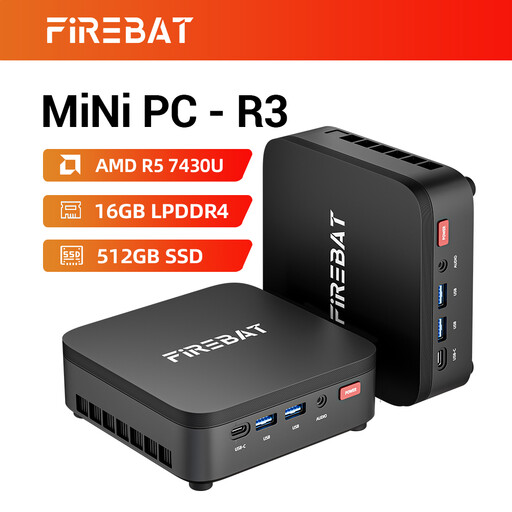
Why it suits this user: This compact home computer combines an AMD Ryzen 5 processor with 16 GB RAM and 512 GB SSD storage for everyday use, studying and working from home.
The combination of 16 GB memory and a 512 GB SSD means this entry-level model won’t feel limiting straight away.
Wi-Fi 6, Bluetooth 5.2, 4K support and support for up to three screens, according to the product specifications.
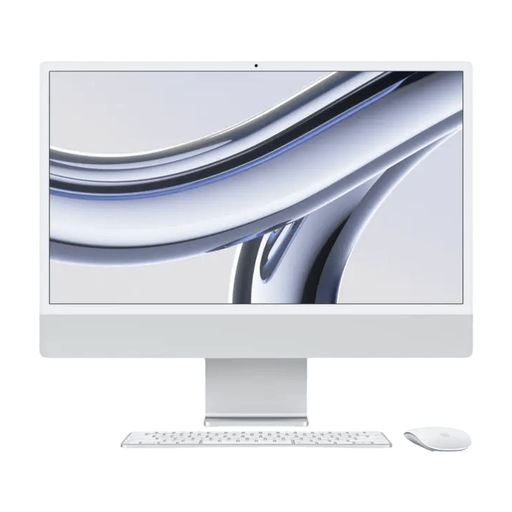
Why it suits this user: This all-in-one PC has a 23.5-inch 4.5K screen, 16 GB RAM and a 512 GB SSD. It’s ideal if you want a tidy desk and an integrated workstation.
The screen, computer, webcam, keyboard and mouse are all combined in one setup, so you have fewer separate components to choose.
4.5K resolution, Apple M3 chip, Wi-Fi 6E and macOS 14, according to the product information.
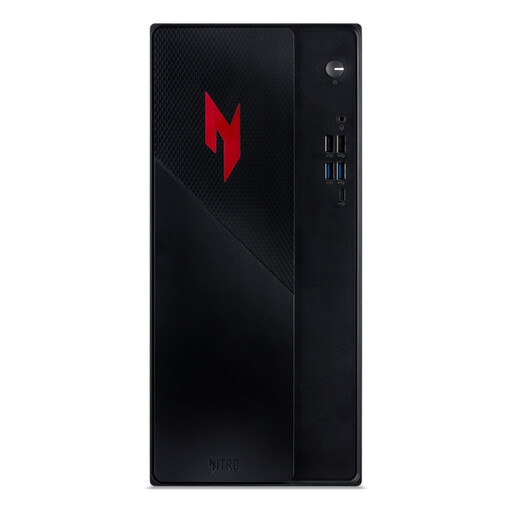
Why it suits this user: This gaming PC is built for modern games and demanding applications, with an RTX 5050, 16 GB RAM and a 1 TB NVMe SSD.
The dedicated graphics card means gaming performance doesn’t rely entirely on integrated Intel graphics.
RTX 5050 with 8 GB video memory, 1 TB PCIe NVMe SSD, Wi-Fi 6E and three DisplayPort connections.
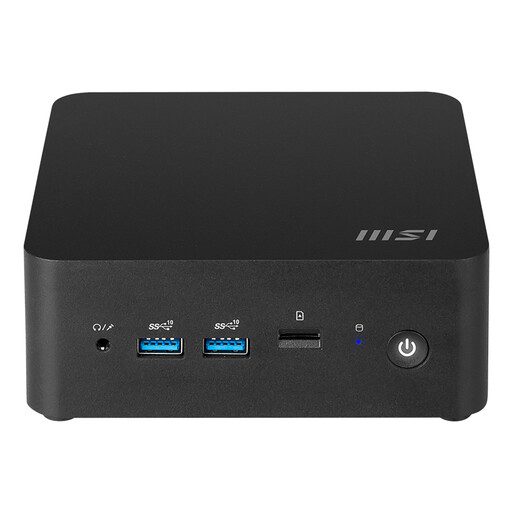
Why it suits this user: This compact mini PC with an Intel Core Ultra 7 155H processor is ideal for a workspace with limited room and several connected devices.
The case has a volume of just 0.52 litres, yet offers two HDMI ports, two Ethernet ports and two M.2 slots.
Windows 11 Home, Wi-Fi 6E, Bluetooth 5.3, Thunderbolt 4 and support for up to 64 GB DDR5.
We’ve put together a complete, up-to-date list of products that meet these strict selection criteria and current European safety regulations.
The price depends on how you’ll use it. A basic mini PC is usually enough for browsing the internet and working with documents. For working from home, 8 to 16 GB RAM and an SSD are practical. A gaming PC costs more because of its dedicated graphics card, more powerful cooling and larger power supply. So compare the full configuration rather than just the processor.
How long it remains useful depends on how heavily it’s used, how well it’s maintained and whether it can be upgraded. An office PC can remain suitable for everyday tasks for several years. The demands on a gaming desktop change more quickly as new games come out. A model with extra RAM slots, expandable storage and plenty of connections gives you more options for the future.
A mini PC usually has more compact hardware and a lower rated power consumption than a gaming desktop. Actual power use depends on processor load, connected screens and accessories. Check the rated power, and switch the computer off or put it into sleep mode when you won’t be using it for a while.
