
Vandaag of morgen in huis

Kwaliteit gegarandeerd

Welkomstaanbiedingen ontgrendelen: GRATIS bezorging | Tot 80% korting | Gratis 30 dagen JoyPlus-proefperiode
Download de app
Buying a laptop, desktop PC, tablet or external storage may seem straightforward – until you start comparing specifications. A high RAM figure, for example, may partly refer to virtual memory. A gaming laptop with a powerful RTX GPU may have a screen that’s less suited to creative work. And a 16TB external hard drive works differently from a compact SSD you carry around every day.
If you’re looking to buy computers and tablets, it’s worth looking beyond the price or product title. Focus on the components you use every day: processor, graphics card, screen, storage, ports and upgrade options.
Tablet titles sometimes show a large RAM figure, such as 32GB or 48GB. Some of this may be virtual memory, which temporarily uses storage space. That’s not the same as physical RAM. For light tasks such as browsing, streaming and word processing, 6GB or 8GB of physical RAM may be enough. For heavy multitasking or creative software, physical memory capacity matters more than the combined marketing figure.
A laptop with RTX 5060 or laptop with RTX 5070 may be suitable for gaming, but your experience also depends on the maximum GPU power, cooling, screen and memory. So a model with RTX 5070 isn’t automatically the right choice for everyone. Check the resolution and refresh rate too.
A 1TB SSD offers fast loading and plenty of space for many users, but the usable capacity is lower once you account for Windows and system files. A 16TB external hard drive is a good option for archives and backups, but it’s larger, uses a mains adapter and connects via USB. An external SSD is often more practical for portable use.
A modern mid-range processor is usually sufficient for office work, studying and video calls. For gaming, 3D work and rendering, both the graphics card and processor play a part. A powerful desktop PC generally offers more room for cooling and future upgrades than a laptop, but it also takes up more space.
For gaming, look out for:
A 16-inch gaming laptop often strikes a practical balance between screen space and portability. An 18-inch gaming laptop gives you more screen space, but it’s heavier and less suitable for daily travel. As well as the refresh rate, consider resolution, brightness and colour coverage.
For fast-paced games, 144Hz, 165Hz or 240Hz may be relevant. For photo and video editing, colour coverage and resolution are just as important. For example, the ASUS V16 has a 16-inch WUXGA screen with a 144Hz refresh rate, while the MSI Stealth 16 AI+ has a QHD+ OLED panel with 240Hz and 100% DCI-P3, according to the product specifications.
An NVMe SSD boots quickly and opens programmes in no time. Check whether there’s an extra M.2 slot if you might want to upgrade later. For tablets, 128GB is useful for streaming, documents and apps, but downloaded videos and large files can fill it up quickly.
If you want to buy an external SSD, don’t just look at the stated speed. Your computer, cable and USB port all need to support the same standard. The DigiEra 1TB Magnetic Portable SSD lists USB 3.2 Gen 2x2 and speeds of up to 2000MB/s; actual speeds depend on the connected equipment.
A desktop drive such as the WD Elements Desktop 16TB uses USB 3.0 and a mains adapter. That makes it suitable for a fixed workspace and large archives, but less convenient when you’re on the move.
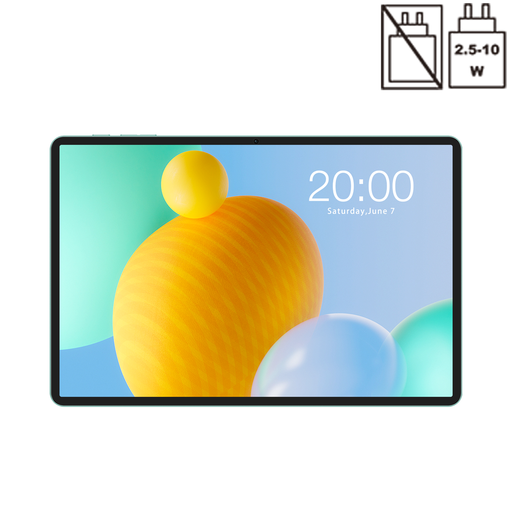
Why it suits this profile: This tablet is designed for studying, streaming and mobile internet, with 4G LTE, dual-SIM support, GPS and an 11-inch 90Hz screen.
The product specifications list 6GB RAM and 26GB virtual memory separately, making it clearer how much physical memory there is.
4G LTE, 128GB storage, an 8000mAh battery and Widevine L1, according to the product information.
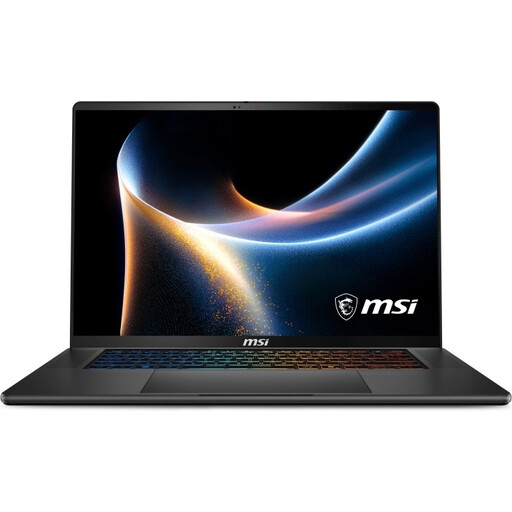
Why it suits this profile: A good fit for users who combine gaming with creative software, extensive multitasking and a high-quality screen.
Alongside the RTX 5060, the specifications list GPU memory, 32GB of physical DDR5 RAM and two M.2 slots.
QHD+ OLED, 240Hz, 100% DCI-P3, Wi-Fi 7 and Thunderbolt 4, according to the product specifications.
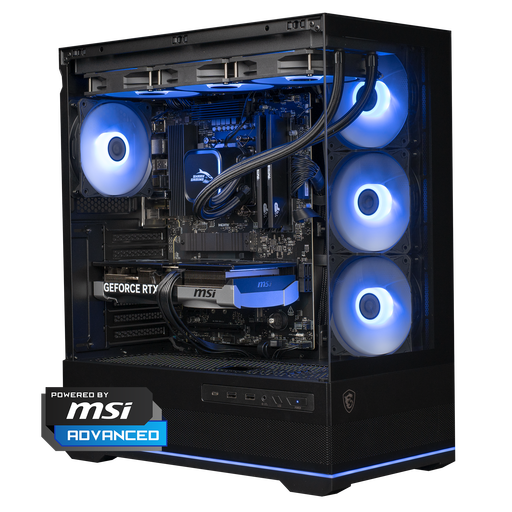
Why it suits this profile: This desktop is designed for gamers and creators with a permanent workspace who want a dedicated graphics card.
The configuration lists the processor, graphics card, power supply, cooling and storage separately, rather than relying on a general performance claim.
Ryzen 7 7800X3D, GeForce RTX 5070, 16GB DDR5 and 1TB NVMe storage, according to the product information.
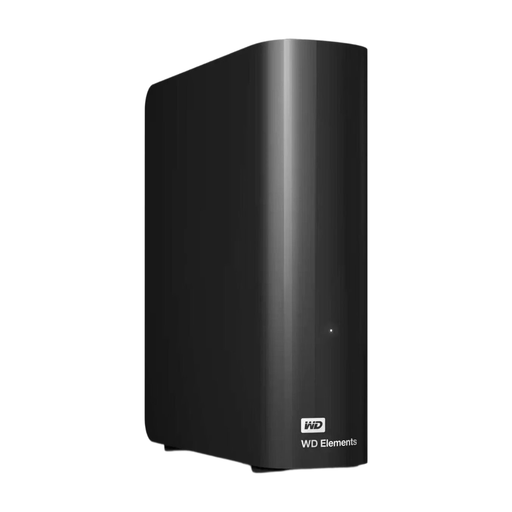
Why it suits this profile: A sensible choice for photo archives, video files, backups and other data you keep in one place.
The capacity, USB 3.0 interface and required mains adapter are listed separately, so you know this isn’t a compact, bus-powered SSD.
16TB of storage, formatted as NTFS for Windows and plug-and-play, according to the product description.
We’ve put together a complete, up-to-date list of products that meet these strict selection criteria and the applicable European safety regulations.
For studying, office work and regular gaming, 1TB is often a practical starting point. However, large games, video projects and RAW photos can quickly take up space. Check whether there’s an extra SSD slot, or choose an external drive for archiving.
Power consumption depends on the processor, graphics card, how long you use it and your settings. A gaming PC uses more power under heavy load than it does for word processing. Check the power supply’s wattage, and use an energy meter if you want to check actual consumption at home.
A 4G tablet is useful in places without reliable Wi-Fi, such as when you’re travelling or working from a second location. You’ll need a compatible SIM card and mobile plan. Also check that the tablet supports the LTE bands you need, and whether dual-SIM is useful for you.
