
Vandaag of morgen in huis

Kwaliteit gegarandeerd

Welkomstaanbiedingen ontgrendelen: GRATIS bezorging | Tot 80% korting | Gratis 30 dagen JoyPlus-proefperiode
Download de app
Choosing a new computer monitor can be a daunting task. You're bombarded with specs: resolution, refresh rate, panel type. It's easy to get lost in the technical details. As a Joybuy Product Recommendation Officer, my job is to help you make the right choice, without the marketing jargon. This guide provides practical advice and concrete recommendations for various scenarios, whether you're looking for a monitor for working from home, are an avid gamer, or are frequently on the go.
Before we dive into specific products, here are a few key points to guide your decision. By identifying your needs, you can easily narrow down the vast selection.
What will you primarily use the monitor for? This is the most important question.
Modern devices require modern connections. A monitor with USB-C is especially practical. A single cable can charge your laptop while simultaneously transmitting video and data. This eliminates a lot of cable clutter. Also, check if the monitor has the HDMI or DisplayPort connections your computer needs.
Good ergonomics are not an unnecessary luxury. A monitor that you can swivel, tilt, and adjust in height helps you maintain a healthy posture. In the long run, this can help prevent neck and back strain.
Based on specifications and use cases, we've highlighted a few popular choices for you.
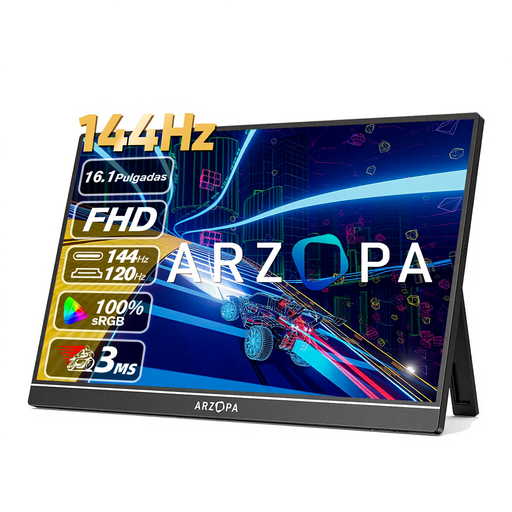
Why It Stands Out The ARZOPA Z1FC combines the best of both worlds: the flexibility of a portable monitor with the performance of a gaming monitor. Weighing just 780 grams and featuring a slim profile, it's easy to take with you. The high 144Hz refresh rate on a Full HD (1920x1080) IPS panel delivers exceptionally smooth visuals, which is uncommon for a portable screen.
Advantages
Who Is It For? This screen is ideal for students, mobile professionals, and gamers who don't want to compromise on performance while on the go or at a different location. It's a perfect second screen for your laptop that's also capable of handling a serious gaming session.
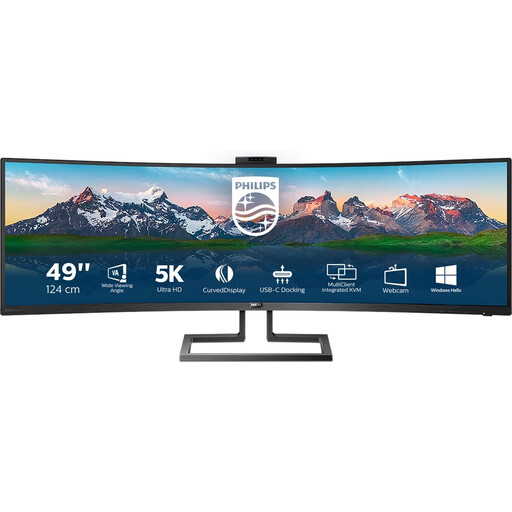
Why It Stands Out This 49-inch ultrawide monitor from Philips, with its 32:9 aspect ratio, is a true centerpiece. It effectively replaces two separate 27-inch screens but without a distracting bezel in the middle. The Dual QHD resolution of 5120x1440 pixels provides a massive workspace and a razor-sharp image. The built-in USB-C docking station and pop-up webcam make it a complete workstation solution.
Advantages
Who Is It For? This Philips monitor is aimed at professionals who work with multiple windows simultaneously, such as programmers, data analysts, and creative professionals. It's also an attractive option for gamers who appreciate a wide field of view in racing or simulation games.
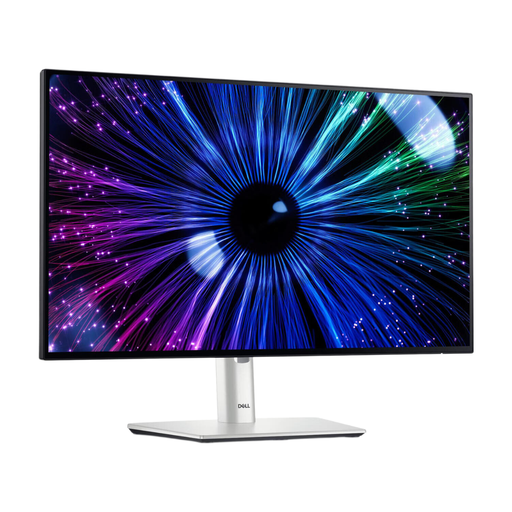
Why It Stands Out The Dell monitor from the UltraSharp series is known for its focus on productivity and comfort. This 23.8-inch model features a Full HD resolution and a 120Hz refresh rate, which provides a noticeably smoother experience when scrolling and navigating compared to standard 60Hz screens. According to the manufacturer, the screen is designed for eye comfort, supported by a T?V certification. Its extensive connectivity, including a USB-C port with 90W Power Delivery, makes it a powerful hub for your workspace.
Advantages
Who Is It For? This monitor is an excellent choice for the all-around office and remote worker seeking a reliable, comfortable, and functional display. The combination of ergonomics, a smooth picture, and hub functionality makes this a very complete work-from-home monitor.
The world of computer monitors is vast. If the recommendations above don't quite match your specific needs, there are many more options available. For example, are you specifically looking for an affordable screen with a smooth display?
? Explore more 1080p 120Hz monitor options here.
For general office use and media consumption, 60Hz or 75Hz is sufficient. However, a 120Hz monitor or higher offers a visibly smoother experience, not just in games but also when scrolling through web pages and documents. For competitive gamers, 144Hz or more is the standard.
If you have a modern laptop, a monitor with USB-C is very convenient. It allows you to use a single cable to charge your laptop, transmit video, and use any connected USB devices (like a mouse or keyboard). This creates a minimalist and tidy workspace.
A curved monitor can make the viewing experience more comfortable, especially with an ultrawide screen. The curvature follows the natural curve of your eyes, meaning you have to move your eyes and head less to see the edges of the screen. Whether this is more pleasant is a matter of personal preference.
