
Vandaag of morgen in huis

Kwaliteit gegarandeerd

Welkomstaanbiedingen ontgrendelen: GRATIS bezorging | Tot 80% korting | Gratis 30 dagen JoyPlus-proefperiode
Download de app
A new computer monitor can make your workday more productive or transform your gaming experience. But the market is flooded with marketing jargon and specifications that confuse more than they clarify. It's easy to overpay for features you don't need, or conversely, skimp on something that turns out to be essential. As a Joybuy Product Recommendation Officer, I'm here to help you make the right choices based on facts, not hype.
Before you purchase a PC screen, it's important to recognise the most common pitfalls.
To avoid a bad purchase, focus on the specifications that truly matter for your use case. These are the three most important factors.
Resolution determines how sharp the image is. This is closely related to the size of the screen, expressed in pixel density (PPI).
The refresh rate, measured in Hertz (Hz), indicates how many times the image is updated per second. A higher value results in smoother motion.
Modern monitors are more than just a screen; they can act as the central hub of your desk.
Below are some popular choices, matched to different user profiles. This selection is based on objective product specifications.
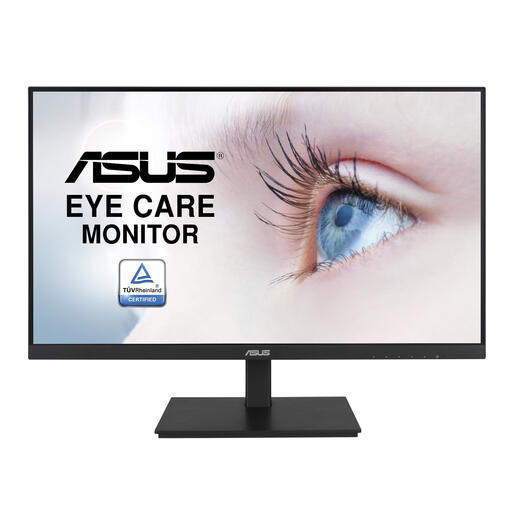
Why it's a match for this profile: This monitor is designed for productivity. The 23.8-inch Full HD IPS screen is sharp enough for office work, and the comprehensive ergonomic options ensure a comfortable posture during long workdays.
This screen avoids the 'poor ergonomics' pitfall by being fully adjustable (height, tilt, swivel). The 75Hz refresh rate is a small, pleasant upgrade without the cost of a true gaming monitor.
Excellent ergonomic adjustments and a built-in USB hub for a clutter-free desk.
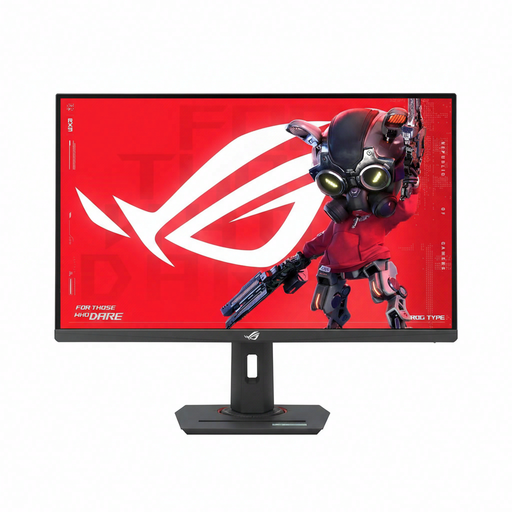
Why it's a match for this profile: For gamers who demand top performance. The combination of a 27-inch QHD screen, an extremely fast 1ms response time, and a refresh rate that ASUS claims is overclockable to 320Hz, is geared for a competitive advantage.
This is a case where the 'Hertz Hype' is not a pitfall, but a deliberate choice for maximum performance. The QHD resolution offers a great balance between sharpness and the required PC processing power.
Extremely smooth visuals thanks to the high refresh rate and fast response time. Fully ergonomically adjustable for long gaming sessions.
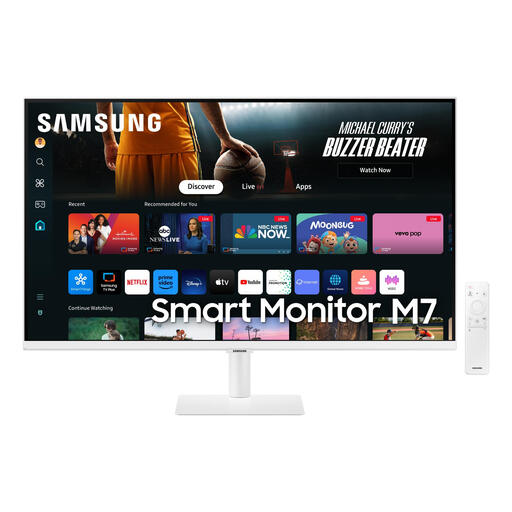
Why it's a match for this profile: This screen combines work and entertainment. The large 32-inch 4K display offers plenty of screen real estate for multitasking. After work, you can switch directly to streaming services via the built-in Smart Hub, without needing to turn on your PC.
This screen focuses on what's important for this user: resolution and smart features. It has a standard 60Hz refresh rate, so you don't pay for a high-end gaming spec you won't use.
A 4K monitor and Smart TV in one. The USB-C connection ensures a simple and clean connection to a laptop.
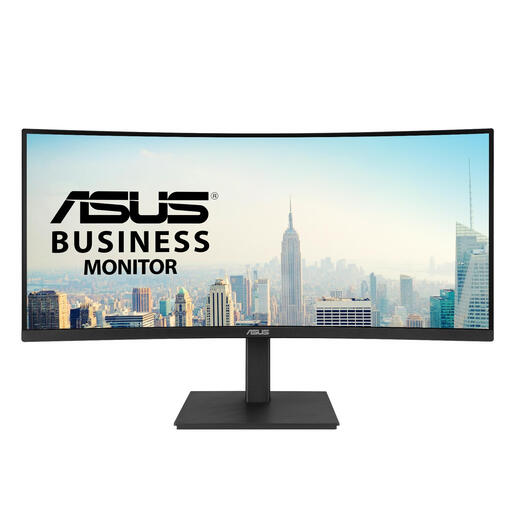
Why it's a match for this profile: An ultrawide **curved monitor** like this is ideal for those who work with multiple windows side-by-side. The 21:9 aspect ratio replaces a dual-monitor setup, and the gentle curve provides a more immersive viewing experience.
This screen offers a specific feature (ultrawide) for a clear purpose (productivity). The 100Hz refresh rate is a nice bonus that makes the experience smoother without driving the price up to gaming levels.
Vast screen real estate for multitasking. The USB-C port with 96W Power Delivery can charge most laptops with just a single cable.
Many modern monitors act as a hub for your desk. If you need even more connectivity options, check out our selection of specialised hubs.
Is a 4K monitor worth the extra cost? That depends on the size and your usage. For screens larger than 27 inches, or if you do a lot of graphic design and video editing, the extra sharpness of a 4K monitor is a clear added value. For smaller screens or general office work, Full HD or QHD is often a more sensible choice that saves you money and processing power.
How many hertz (Hz) do I need for my PC screen? For standard office work and internet browsing, 60Hz or 75Hz is perfectly fine. If you want a generally smoother experience and occasionally play a game, 100Hz to 144Hz is a good step up. Refresh rates of 165Hz and higher are primarily intended for avid gamers who play competitive titles.
What is the advantage of a USB-C monitor? The biggest advantage is convenience. With a single USB-C cable, you can simultaneously charge your laptop, transmit the video signal, and use the USB ports on the monitor. This creates a much tidier desk and makes a separate docking station redundant. However, pay attention to the power output (wattage) that the USB-C port can deliver; it must be sufficient to charge your laptop.
