
Vandaag of morgen in huis

Kwaliteit gegarandeerd

Welkomstaanbiedingen ontgrendelen: GRATIS bezorging | Tot 80% korting | Gratis 30 dagen JoyPlus-proefperiode
Download de app
Buying a projector seems simple until you start comparing specifications. Manufacturers don’t always use terms such as “4K”, “9000 lumens” and “smart” in the same way. As a result, a budget model can look impressive on paper but disappoint in a dark living room, a bright meeting room or the garden.
Focus on three things: native resolution, the brightness figure actually specified and the available connections. Autofocus, keystone correction and built-in streaming also affect how easy a projector is to use in practice.
A 4K projector may only be able to process or decode a 4K signal. That doesn’t automatically mean the projector physically displays 3840 × 2160 pixels. A Full HD projector with a native resolution of 1920 × 1080 pixels may support 4K input, but it still displays images at 1080p.
So, check the difference between:
Brightness is measured in different ways, including ANSI lumens, ISO lumens and general lumen claims. These figures aren’t necessarily interchangeable. A projector with a clearly stated ANSI or ISO specification usually gives you a more useful basis for comparison than a model with only a large, unexplained lumen figure.
A lower brightness level may be enough for a darkened room. More light is generally useful in a living room with daylight, for presentations or with an outdoor projector. However, outdoors, a projector’s performance still depends on the time of day, the surface and ambient light.
A smart projector may have an operating system and apps, but check that your preferred services are officially available before buying. This is especially important if you want a projector with Netflix: some models have a certified Netflix app, while others need an external streaming stick or HDMI device.
Also check:
For films, TV series and gaming, a Full HD projector with a native resolution of 1920 × 1080 pixels is a practical starting point. If fine detail, large projections and 4K sources matter to you, consider a native 4K model. Check the recommended projection size, too. A large image at too short a distance can limit where you can place the projector.
Where possible, project onto a flat, white or light grey surface. A textured wall or a strongly coloured surface can affect sharpness and colour reproduction. For a home cinema projector, darkening the room is often more important than simply choosing a high brightness figure.
A model with around 700 to 1000 ANSI lumens is best suited to controlled lighting. Higher figures are more practical in a bright living room or for presentations, but may come with more fan noise or higher energy consumption.
Autofocus saves you from having to adjust the focus manually every time you move the projector. Keystone correction makes a skewed image rectangular, but digital correction can affect the effective image resolution. A projector positioned squarely in front of the screen usually gives the most consistent picture.
For gaming, input lag, refresh rate and HDMI version are also more important than 4K support alone. So, when choosing a projector for gaming, consider the combination of resolution, input lag and compatibility with your console or PC.
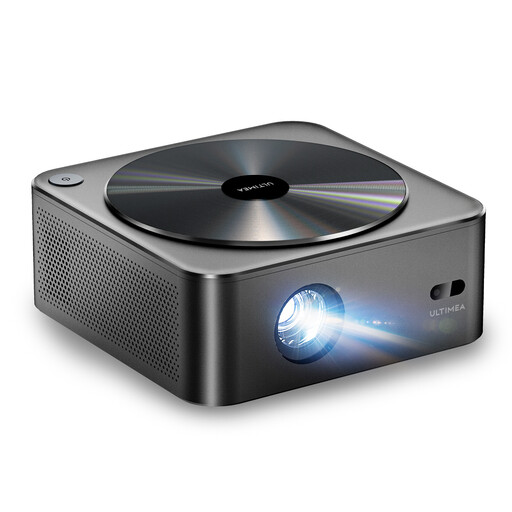
Why it suits this profile: A native Full HD model for films, TV series and casual gaming, with built-in wireless connections and automatic picture correction.
The product information clearly lists 1920 × 1080 as the native resolution and 700 ANSI lumens, rather than relying only on a general 4K or lumen claim.
Native 1080p, HDR10, autofocus, 6D keystone correction, Wi-Fi and Bluetooth, according to the product specifications.
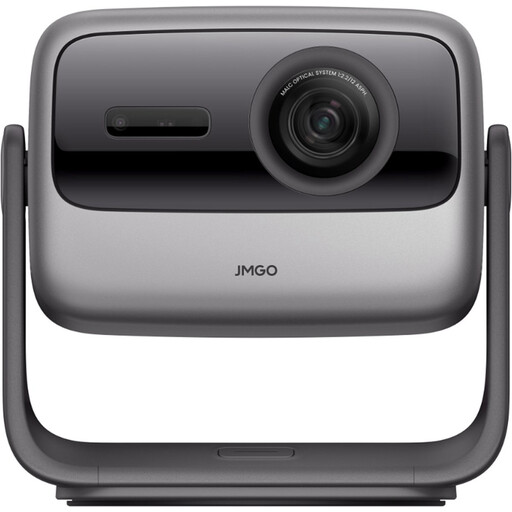
Why it suits this profile: Designed for big-screen viewing, film nights and flexible positioning in a home cinema or sheltered outdoor space.
The stated 3840 × 2160 resolution and 3000 ANSI lumens make it possible to check the difference between native 4K and 4K decoding alone.
Triple-laser light source, HDR10, gimbal adjustment, Wi-Fi 6 and a stated projection size of up to 300 inches.
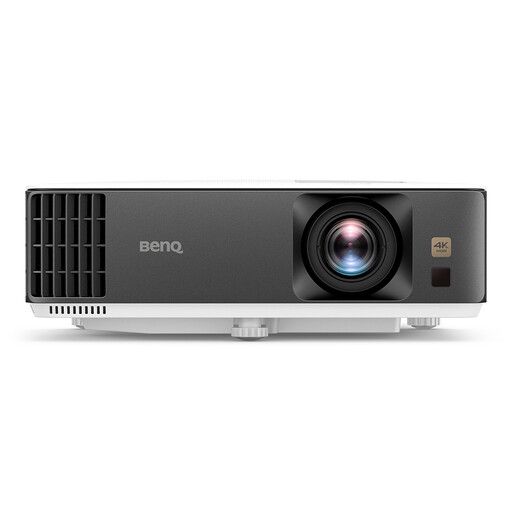
Why it suits this profile: A 4K model with specifications suited to consoles, fast-paced games and big-screen viewing in a fixed setup.
The product specifications list both 4K resolution and an input lag of 4 ms at 1080p/240 Hz. Check that your console or PC supports this mode.
4K UHD, 3200 ANSI lumens, 1.3× zoom, vertical and horizontal keystone correction, and 3D support.
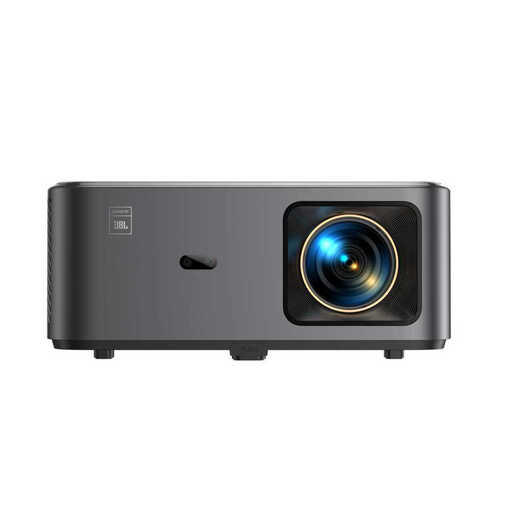
Why it suits this profile: For anyone looking for a smart projector with built-in apps and wireless connections, with a focus on sound.
The product information lists native 1080p and 4K support separately. According to the product description, Netflix and other apps are available via Google TV; check which apps are currently available.
Two 10W JBL speakers, Dolby Audio, autofocus, keystone correction, Wi-Fi 6 and Bluetooth, according to the product information.
We’ve put together a complete, up-to-date list of products that meet these strict selection criteria and current European safety regulations.
Not necessarily. Native resolution, lens quality, source material, projection distance and ambient light all affect how the picture looks. A native 4K model can show more detail, but a well-positioned Full HD projector may be good enough for many living rooms.
Lifespan depends on the light source and how the projector is used. LED and laser projectors are generally rated for a long light-source life, but components such as the fan, power supply and optics may need servicing sooner. Follow the instructions, let the projector cool down and don’t block the ventilation.
As well as the purchase price, you’ll need to consider electricity use, any streaming equipment, a screen and audio. A projector with built-in apps and speakers may save you from needing extra devices. Compare the stated maximum power consumption and choose a suitable picture size, so you don’t use a more powerful model than you need.
